简体中文
简体中文 繁體中文
繁體中文 English
 Français
 Русский
 日本語
日本語 Tiếng Việt
 한국어
한국어 Deutsch
 Español
 Italiano
 Português
 العربية
 ไทย
ไทย Bahasa Indonesia
 Bahasa Melayu
 Türkçe
 Polski
 Nederlands
 Dansk
Dansk Norsk
Norsk Қазақша
GPT代理模式完全指南:OpenAI Agent模式使用教程
详细介绍GPT代理模式(Agent Mode)的功能、使用方法和API接入教程,帮助开发者快速上手OpenAI最新的自主任务执行能力。

GPT代理模式(Agent Mode)是OpenAI推出的一项重要功能,让AI不再只是被动回答问题,而是能够主动规划、执行多步骤任务。本文将深入介绍GPT代理模式的工作原理、使用方法,以及如何通过API将其集成到你的应用中。
什么是GPT代理模式?#
GPT代理模式是OpenAI在ChatGPT和API中引入的自主任务执行能力。与传统的对话模式不同,代理模式下的GPT可以:
- 自主规划任务步骤:将复杂任务分解为可执行的子任务
- 调用外部工具:浏览网页、执行代码、读写文件
- 持续执行直到完成:不需要用户逐步指导,自动推进任务
- 错误恢复:遇到问题时自动调整策略
简单来说,传统模式是"你问我答",代理模式是"你说目标,我来完成"。
GPT代理模式 vs 传统对话模式#
| 特性 | 传统对话模式 | 代理模式 |
|---|---|---|
| 交互方式 | 一问一答 | 自主执行 |
| 任务复杂度 | 单步任务 | 多步骤复杂任务 |
| 工具使用 | 有限 | 丰富(浏览器、代码、文件) |
| 执行时间 | 秒级 | 分钟到小时级 |
| 适用场景 | 问答、写作 | 研究、分析、开发 |
| 成本 | 较低 | 较高(多次调用) |
如何使用GPT代理模式#
在ChatGPT中使用#
适合代理模式的任务示例:
- "帮我研究2026年最热门的AI框架,写一份对比报告"
- "分析这个GitHub仓库的代码结构,找出性能瓶颈"
- "搜索最新的机器学习论文,总结关键发现"
通过API使用代理模式#
OpenAI的API通过Function Calling和Tool Use机制支持代理模式。以下是具体实现方法:
Python 示例#
from openai import OpenAI

# 使用Crazyrouter统一API,更低成本
client = OpenAI(
    api_key="your-crazyrouter-key",
    base_url="https://api.crazyrouter.com/v1"
)

# 定义工具
tools = [
    {
        "type": "function",
        "function": {
            "name": "search_web",
            "description": "Search the web for information",
            "parameters": {
                "type": "object",
                "properties": {
                    "query": {
                        "type": "string",
                        "description": "Search query"
                    }
                },
                "required": ["query"]
            }
        }
    },
    {
        "type": "function",
        "function": {
            "name": "run_code",
            "description": "Execute Python code",
            "parameters": {
                "type": "object",
                "properties": {
                    "code": {
                        "type": "string",
                        "description": "Python code to execute"
                    }
                },
                "required": ["code"]
            }
        }
    }
]

# 代理循环
messages = [
    {"role": "system", "content": "You are an autonomous agent. Plan and execute tasks step by step."},
    {"role": "user", "content": "Research the top 5 AI models by performance in 2026 and create a comparison table."}
]

while True:
    response = client.chat.completions.create(
        model="gpt-5",  # 或 gpt-4o
        messages=messages,
        tools=tools,
        tool_choice="auto"
    )

    message = response.choices[0].message
    messages.append(message)

    # 如果没有工具调用,任务完成
    if not message.tool_calls:
        print("Agent completed:", message.content)
        break

    # 执行工具调用
    for tool_call in message.tool_calls:
        result = execute_tool(tool_call.function.name, tool_call.function.arguments)
        messages.append({
            "role": "tool",
            "tool_call_id": tool_call.id,
            "content": result
        })
Node.js 示例#
import OpenAI from 'openai';

const client = new OpenAI({
  apiKey: 'your-crazyrouter-key',
  baseURL: 'https://api.crazyrouter.com/v1'
});

async function runAgent(task) {
  const messages = [
    { role: 'system', content: 'You are an autonomous agent. Execute tasks step by step.' },
    { role: 'user', content: task }
  ];

  const tools = [
    {
      type: 'function',
      function: {
        name: 'search_web',
        description: 'Search the web for current information',
        parameters: {
          type: 'object',
          properties: {
            query: { type: 'string', description: 'Search query' }
          },
          required: ['query']
        }
      }
    }
  ];

  let maxIterations = 10;

  while (maxIterations-- > 0) {
    const response = await client.chat.completions.create({
      model: 'gpt-5',
      messages,
      tools,
      tool_choice: 'auto'
    });

    const message = response.choices[0].message;
    messages.push(message);

    if (!message.tool_calls || message.tool_calls.length === 0) {
      return message.content;
    }

    for (const toolCall of message.tool_calls) {
      const result = await executeTool(toolCall.function.name, toolCall.function.arguments);
      messages.push({
        role: 'tool',
        tool_call_id: toolCall.id,
        content: result
      });
    }
  }

  return 'Agent reached maximum iterations';
}

runAgent('Analyze the latest trends in AI development');
cURL 示例#
curl https://api.crazyrouter.com/v1/chat/completions \
  -H "Content-Type: application/json" \
  -H "Authorization: Bearer your-crazyrouter-key" \
  -d '{
    "model": "gpt-5",
    "messages": [
      {"role": "system", "content": "You are an autonomous agent."},
      {"role": "user", "content": "List the top AI APIs by pricing"}
    ],
    "tools": [
      {
        "type": "function",
        "function": {
          "name": "search",
          "description": "Search for information",
          "parameters": {
            "type": "object",
            "properties": {
              "query": {"type": "string"}
            }
          }
        }
      }
    ],
    "tool_choice": "auto"
  }'
GPT代理模式的最佳实践#
1. 明确任务目标#
代理模式在目标清晰时表现最好。避免模糊的指令:
❌ "帮我做点研究"
✅ "研究2026年排名前5的向量数据库,对比它们的性能、价格和易用性,输出Markdown表格"
2. 设置合理的迭代限制#
代理模式可能会进入循环。始终设置最大迭代次数:
MAX_ITERATIONS = 15  # 防止无限循环
iteration = 0
while iteration < MAX_ITERATIONS:
    # agent loop
    iteration += 1
3. 实现错误处理#
try:
    result = execute_tool(tool_name, args)
except Exception as e:
    result = f"Tool execution failed: {str(e)}. Please try an alternative approach."
4. 控制成本#
代理模式会产生多次API调用。使用 Crazyrouter 可以显著降低成本:
| 模型 | OpenAI官方价格 | Crazyrouter价格 | 节省 |
|---|---|---|---|
| GPT-5 Input | $10/M tokens | $7/M tokens | 30% |
| GPT-5 Output | $30/M tokens | $21/M tokens | 30% |
| GPT-4o Input | $2.5/M tokens | $1.75/M tokens | 30% |
| GPT-4o Output | $10/M tokens | $7/M tokens | 30% |
一个典型的代理任务可能消耗50K-200K tokens,通过Crazyrouter可以节省可观的费用。
GPT代理模式的应用场景#
自动化研究#
让代理搜索、整理、分析信息,生成研究报告。适合市场调研、竞品分析、技术选型等场景。
代码开发辅助#
代理可以理解需求、编写代码、运行测试、修复bug,形成完整的开发循环。
数据分析#
给代理一个数据集和分析目标,它会自动选择分析方法、编写代码、生成可视化和报告。
内容创作#
代理可以研究主题、收集素材、撰写文章、优化SEO,完成从构思到成稿的全流程。
常见问题#
GPT代理模式需要付费吗?#
是的,在ChatGPT中使用代理模式需要Plus($20/月)或Team订阅。通过API使用则按token计费。使用Crazyrouter可以降低API调用成本。
代理模式支持哪些模型?#
目前GPT-5和GPT-4o系列模型支持完整的代理模式功能。通过Crazyrouter,你还可以使用Claude、Gemini等模型实现类似的代理功能。
代理模式的执行时间有限制吗?#
ChatGPT中的代理模式通常在几分钟内完成。API调用没有严格的时间限制,但建议设置超时机制防止任务挂起。
如何确保代理模式的输出质量?#
建议在System Prompt中明确输出格式和质量要求,设置验证步骤,并在关键节点加入人工审核。
代理模式和Codex CLI有什么区别?#
Codex CLI专注于命令行环境下的代码开发任务,而GPT代理模式是更通用的自主任务执行能力,可以处理研究、分析、写作等多种任务类型。
总结#
GPT代理模式代表了AI应用的重要方向——从被动响应到主动执行。对于开发者来说,掌握代理模式的API集成方法,可以构建更强大的AI应用。
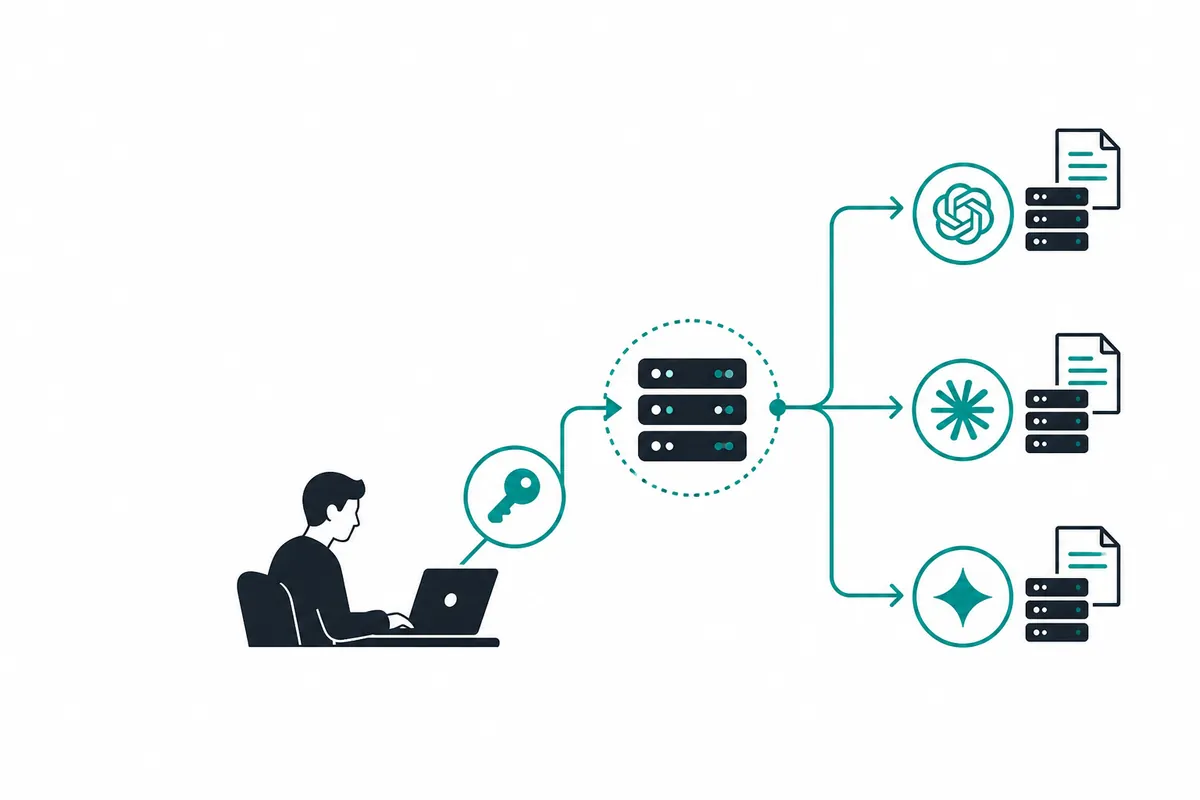
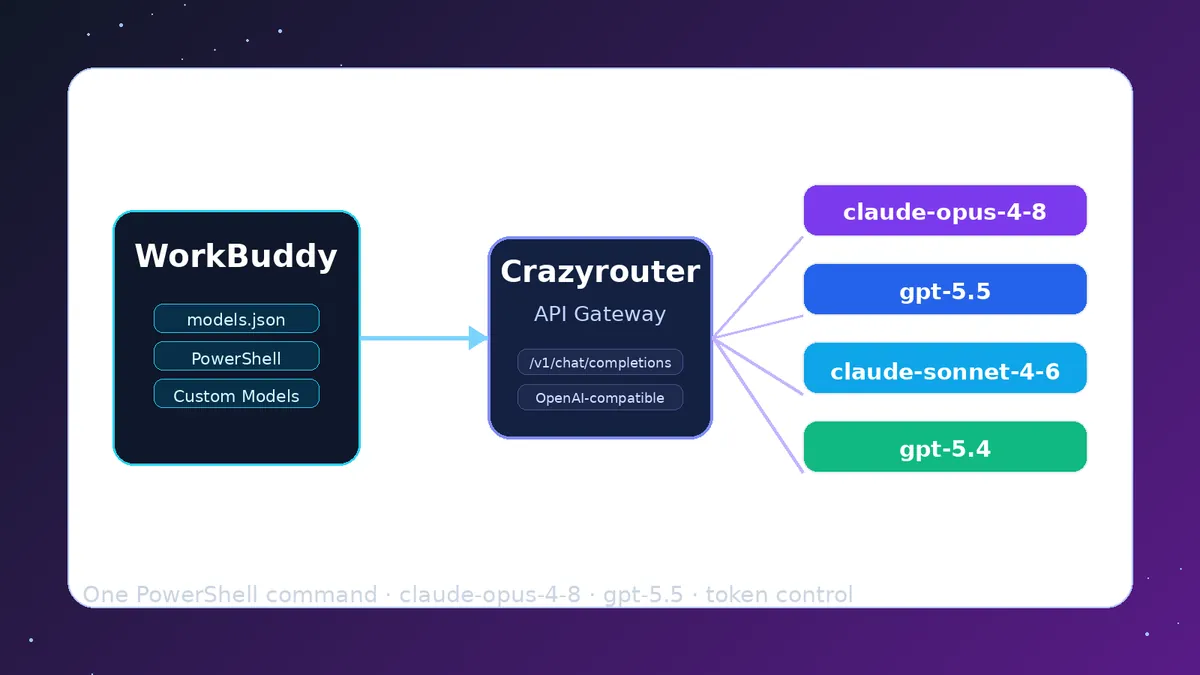
想要以更低的成本使用GPT代理模式?Crazyrouter 提供统一API接入300+模型,包括GPT-5、Claude、Gemini等,价格比官方低20-50%。注册即可开始使用。