简体中文
简体中文 繁體中文
繁體中文 English
 Français
 Русский
 日本語
日本語 Tiếng Việt
 한국어
한국어 Deutsch
 Español
 Italiano
 Português
 العربية
 ไทย
ไทย Bahasa Indonesia
 Bahasa Melayu
 Türkçe
 Polski
 Nederlands
 Dansk
Dansk Norsk
Norsk Қазақша
AI API Pricing Comparison 2026: OpenAI, Claude, Gemini, Qwen, and Video Models
Compare AI API pricing across text, reasoning, vision, image, and video models, with a routing strategy for reducing production cost.

AI API Pricing Comparison 2026: OpenAI, Claude, Gemini, Qwen, and Video Models#
If you are searching for AI API pricing comparison 2026, you probably do not need another generic product summary. You need to know whether AI API pricing fits a real developer workflow: local experiments, CI jobs, billing limits, model fallback, observability, and the awkward moment when a demo turns into a production feature. This guide takes the practical path: what AI API pricing is, how it compares with alternatives, how to wire it into code, and how to think about pricing before usage spikes.
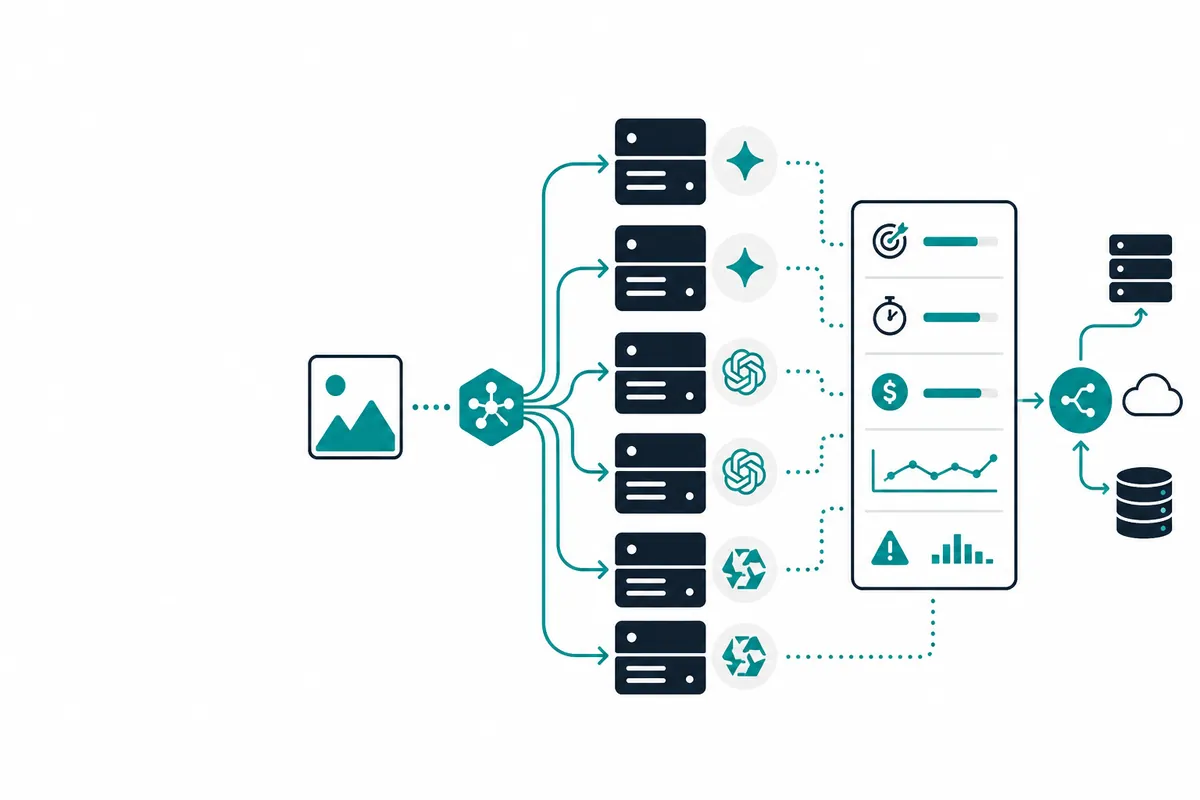
Crazyrouter is mentioned because it solves a common operational problem: teams rarely use only one AI provider for long. A single OpenAI-compatible gateway at crazyrouter.com lets you test GPT, Claude, Gemini, Qwen, DeepSeek, GLM, video models, and other APIs behind one key while keeping your application code simple.
What is AI API pricing?#
AI API pricing is part of the current wave of AI tooling where the buying decision is no longer just model quality. The important question is whether the tool can survive real workload pressure. For developers, that means predictable API behavior, clear failure modes, useful logs, rate-limit handling, and a pricing model that does not punish experimentation.
The most common production use cases include:
- Prototyping new AI features before committing to one provider.
- Running internal automations that need reliable model access.
- Adding fallback models when the primary provider is slow, expensive, or unavailable.
- Separating high-value reasoning tasks from cheap classification or formatting tasks.
- Measuring cost per successful output, not just cost per input token.
The key angle for 2026 is building a monthly model budget instead of guessing from list prices. Model quality is converging in many everyday tasks, so architecture and cost control now decide whether an AI feature scales profitably.
AI API pricing vs alternatives#
The obvious alternatives are OpenAI, Anthropic, Google Gemini, Qwen, DeepSeek, GLM, Runway, Veo, and image APIs. Each can be the right answer depending on your workload. The mistake is choosing based on social media hype instead of task-level evidence.
| Criterion | AI API pricing | Alternatives | Practical recommendation |
|---|---|---|---|
| Developer setup | Usually fast for prototypes | Varies by SDK and account setup | Use the simplest path for the first test, then abstract the API layer |
| Model quality | Strong in its target category | Some alternatives win on latency, price, or modality | Run a 30-100 prompt eval before committing |
| Cost predictability | Depends on usage pattern and quotas | Direct billing can fragment across vendors | Track cost per task, not just monthly spend |
| Fallback support | Often manual unless you build it | Gateways make this easier | Add fallback before launch, not after the first outage |
| Lock-in risk | Medium if you use provider-specific APIs | Lower with OpenAI-compatible routing | Keep prompts and tool schemas portable |
A good production stack is rarely one model forever. Use a premium model for hard reasoning, a cheaper model for routine transformations, and a fallback provider for reliability. That is where a gateway such as Crazyrouter becomes more useful than another wrapper library.
How to use AI API pricing with code examples#
The pattern below uses the OpenAI-compatible API style. The exact model identifier can change, so verify current availability in your Crazyrouter dashboard before deploying. The architecture matters more than the single model name: one client, one base URL, and model selection controlled by configuration.
Python example#
from openai import OpenAI

client = OpenAI(
    api_key="CRAZYROUTER_API_KEY",
    base_url="https://crazyrouter.com/v1"
)

response = client.chat.completions.create(
    model="gpt-5.2",
    messages=[
        {"role": "system", "content": "You are a concise engineering assistant."},
        {"role": "user", "content": "Show how to pick a model dynamically based on task class and max cost."}
    ],
    temperature=0.2,
)
print(response.choices[0].message.content)
Node.js example#
import OpenAI from "openai";

const client = new OpenAI({
  apiKey: process.env.CRAZYROUTER_API_KEY,
  baseURL: "https://crazyrouter.com/v1"
});

const result = await client.chat.completions.create({
  model: "gpt-5.2",
  messages: [
    { role: "system", content: "Be practical and production-minded." },
    { role: "user", content: "Create a checklist to pick a model dynamically based on task class and max cost." }
  ]
});

console.log(result.choices[0].message.content);
cURL smoke test#
curl https://crazyrouter.com/v1/chat/completions \
  -H "Authorization: Bearer $CRAZYROUTER_API_KEY" \
  -H "Content-Type: application/json" \
  -d '{
    "model": "gpt-5.2",
    "messages": [{"role":"user","content":"Give me a production checklist for AI API pricing."}]
  }'
For production, wrap this call in a small service module. Add retries for transient network errors, but do not blindly retry every model error. Log request category, selected model, latency, token usage, and final status. If a request is non-critical, set a lower maximum cost model. If it is customer-facing and high value, allow a stronger fallback model.
A simple routing policy can look like this:
def choose_model(task: str) -> str:
    if task in ["legal_review", "complex_debugging", "agent_planning"]:
        return "gpt-5.2"
    if task in ["classification", "rewrite", "json_cleanup"]:
        return "gpt-5-mini"
    return "deepseek-v3.2"
This boring function can save more money than a week of prompt tweaking. The point is to encode business value into model choice.
Pricing breakdown#
Prices and quotas change often, especially for frontier and video models, so treat this table as a decision framework and check the live pricing page before buying. The more important comparison is operational: how many accounts, SDKs, invoices, fallbacks, and quota dashboards your team must manage.
| Option | Best for | Pricing / tradeoff |
|---|---|---|
| Direct vendor accounts | Best official access but separate billing, quota, SDKs, and support paths | Higher operational overhead when you use 5+ providers |
| Single-model app | Simple at launch, risky when quality or prices change | Easy to overpay for low-value tasks |
| Crazyrouter | One API key, many providers, blended routing and fallbacks | Best fit for teams optimizing cost, latency, and availability together |
A useful budget formula is:
monthly_cost = requests_per_month × average_tokens_or_seconds × effective_unit_price
             + retry_cost
             + failed_job_cost
             + engineering_overhead
Most teams underestimate retry cost and failed-job cost. For text APIs, failed calls are usually cheap. For video, image, and long reasoning jobs, failed attempts can be expensive in both money and user patience. Put limits in code: max retries, max output tokens, max video duration, and per-feature budgets.
Production checklist#
Before you put AI API pricing behind a customer-facing feature, check these items:
- Secrets: API keys live in environment variables or a secret manager, never in the browser.
- Budgets: every feature has a monthly spend cap and alert threshold.
- Fallbacks: at least one backup model exists for core flows.
- Observability: log model, latency, status, token usage, and user-facing error category.
- Evaluation: keep a small benchmark set of real prompts and expected outputs.
- Abuse controls: rate-limit by user, workspace, and API key.
- Prompt versioning: store prompt changes like code changes so regressions are traceable.
Summary: should you use AI API pricing?#
Use AI API pricing if it performs well on your own examples and fits your cost envelope. Do not use it blindly for every request just because it is popular. The better 2026 pattern is model portfolio management: pick the right model for the job, measure outcomes, and keep switching costs low.
If you want one API key to compare models, control cost, and avoid vendor lock-in, try Crazyrouter. It gives developers an OpenAI-compatible entry point for many models, so you can build once and route intelligently as pricing, quality, and availability change.
FAQ#
Which AI API is cheapest in 2026?#
AI API pricing is best evaluated by testing it against your own prompts, latency targets, and monthly budget instead of relying only on benchmark screenshots.
How do I compare token pricing?#
For production, put keys in a secret manager, set per-environment limits, and never embed credentials in client-side code.
Are video APIs more expensive than text APIs?#
The safest approach is to run small evals first, then route only the requests that truly need premium quality to the expensive model.
Should I use multiple AI providers?#
Alternatives matter because availability, rate limits, and model behavior change quickly. A fallback path prevents one vendor outage from becoming your outage.
How can Crazyrouter lower AI API cost?#
Crazyrouter is useful when you want one OpenAI-compatible integration, one balance, and the freedom to test multiple providers without rewriting the application.