简体中文
简体中文 繁體中文
繁體中文 English
 Français
 Русский
 日本語
日本語 Tiếng Việt
 한국어
한국어 Deutsch
 Español
 Italiano
 Português
 العربية
 ไทย
ไทย Bahasa Indonesia
 Bahasa Melayu
 Türkçe
 Polski
 Nederlands
 Dansk
Dansk Norsk
Norsk Қазақша
Google Veo3 API Guide 2026: Build Production Video Pipelines with Fallbacks
A developer-focused June 2026 guide to Google Veo3 API, alternatives, implementation patterns, pricing tradeoffs, and when to use Crazyrouter for unified AI API access.
Google Veo3 API Guide 2026: Build Production Video Pipelines with Fallbacks#
If you searched for Google Veo3 API guide, you are probably not looking for a glossy product overview. You want to know what Veo3 API actually does, what it costs in real developer workflows, how it compares with alternatives, and how to put it behind a reliable API workflow without creating a billing and operations mess.
This guide is written for builders: solo developers, AI SaaS teams, internal platform teams, and agencies running many customer projects. We will cover what Google Veo3 API is, how it compares with Runway Gen-4, Kling 2.1, Luma Ray 2, Pika 2.2, and Seedance, how to use it in practical code, what pricing traps to watch, and where Crazyrouter fits when you need one OpenAI-compatible gateway for multiple models.
What is Google Veo3 API?#
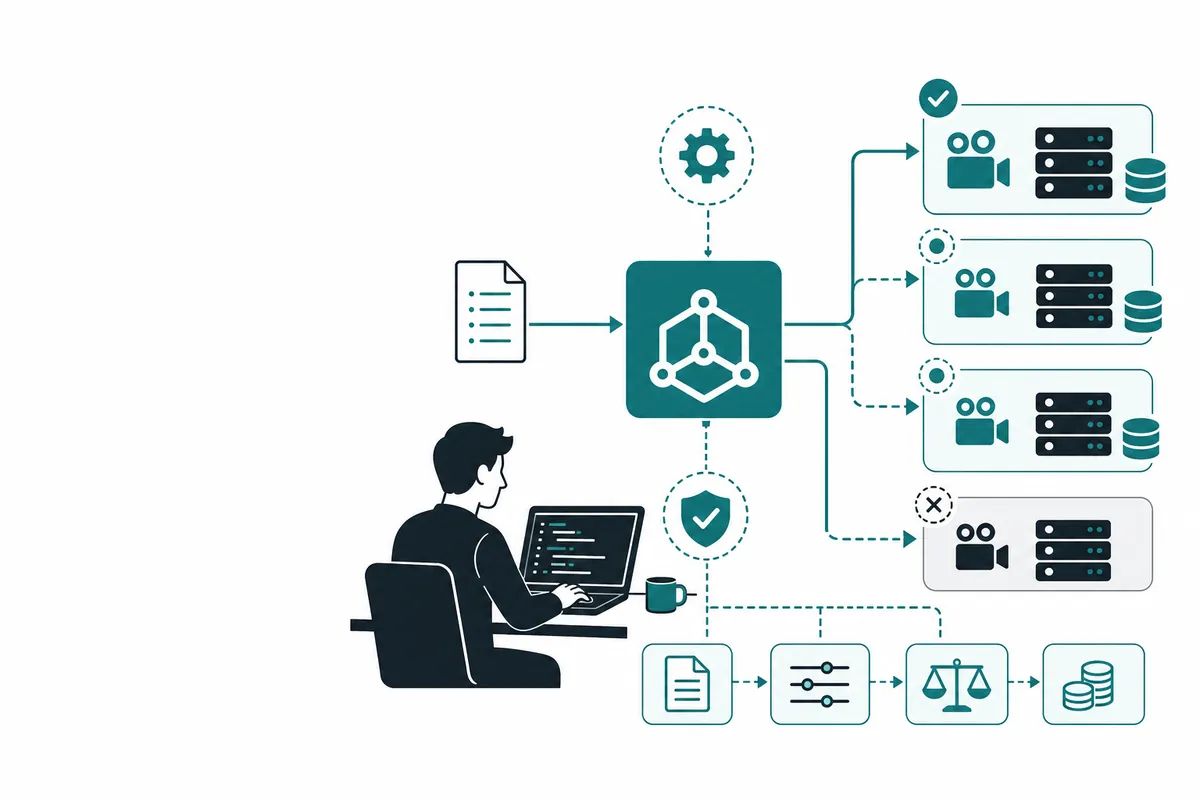
Google Veo3 API is best understood as part of the new developer stack around AI-native applications. Instead of calling a single model once, modern products often combine model selection, prompt templates, tool calls, retries, streaming, cost caps, logging, and fallbacks. The headline product matters, but the production system around it matters more.
For a prototype, you can often use the official UI or the official API directly. For a production app, you usually need answers to harder questions:
- Can the workflow run unattended in CI, queues, or background jobs?
- What happens when a provider rate-limits your account?
- Can you switch from a premium model to a cheaper model for routine tasks?
- Can finance understand the monthly cost by customer, feature, or environment?
- Can developers use one client library instead of maintaining five provider SDKs?
That is why many teams evaluate Veo3 API together with routers, observability tools, and fallback strategies. The goal is not only to access a model. The goal is to ship stable AI features with predictable cost.
Google Veo3 API vs alternatives#
The main alternatives are Runway Gen-4, Kling 2.1, Luma Ray 2, Pika 2.2, and Seedance. The best choice depends on your use case.
| Option | Best for | Tradeoff |
|---|---|---|
| Official Veo3 API access | Native features, latest docs, direct vendor support | Separate billing, quotas, SDK differences, and fewer fallback options |
| Single-provider stack | Simple prototypes and teams standardized on one vendor | Vendor lock-in and limited cost optimization |
| Multi-provider router | Production apps, agencies, SaaS products, fallback-heavy workflows | Requires clear routing policy and basic spend monitoring |
| Manual UI workflow | One-off research or content work | Not suitable for automated products or repeatable CI pipelines |
A useful rule: use the official product when you are learning the capability; use a router when the capability becomes part of a customer-facing product or repeated internal process.
How to use Google Veo3 API with code examples#
Most AI applications can be structured around a simple OpenAI-compatible request. With Crazyrouter, the same client pattern can call many supported models, so your application logic is not tied to one vendor SDK.
cURL example#
curl https://crazyrouter.com/v1/chat/completions \
  -H "Authorization: Bearer YOUR_CRAZYROUTER_API_KEY" \
  -H "Content-Type: application/json" \
  -d '{
    "model": "gemini-2.5-flash",
    "messages": [
      {"role": "system", "content": "You are a concise senior developer."},
      {"role": "user", "content": "Create a rollout checklist for Google Veo3 API."}
    ],
    "temperature": 0.3
  }'
Python example#
from openai import OpenAI
import os

client = OpenAI(
    api_key=os.environ.get("CRAZYROUTER_API_KEY", "YOUR_CRAZYROUTER_API_KEY"),
    base_url="https://crazyrouter.com/v1"
)

response = client.chat.completions.create(
    model="gemini-2.5-flash",
    messages=[
        {"role": "system", "content": "You are a practical API architect."},
        {"role": "user", "content": "Compare Google Veo3 API options for a SaaS team."}
    ],
)

print(response.choices[0].message.content)
Node.js example#
import OpenAI from "openai";

const client = new OpenAI({
  apiKey: process.env.CRAZYROUTER_API_KEY || "YOUR_CRAZYROUTER_API_KEY",
  baseURL: "https://crazyrouter.com/v1",
});

const result = await client.chat.completions.create({
  model: "gemini-2.5-flash",
  messages: [
    { role: "system", content: "You are a developer-focused AI consultant." },
    { role: "user", content: "Draft an implementation plan for Google Veo3 API." },
  ],
});

console.log(result.choices[0].message.content);
For production, add three layers around this basic call: retry policy, timeout policy, and fallback model selection. A simple pattern is to try a premium model first for complex requests, then fall back to a cheaper model for routine tasks or when the provider is unavailable.
Pricing breakdown#
Pricing is where many teams get surprised. The sticker price is not the real cost. Real cost includes failed generations, long prompts, cached context, retries, engineering time, account management, and vendor-specific billing dashboards.
| Pricing path | What you pay for | When it makes sense |
|---|---|---|
| Official product or model access | Native capability, direct documentation, and vendor support | Learning, evaluation, direct vendor workflows |
| Single-vendor API or seat plan | Usage, seats, quotas, or platform-specific billing | Teams committed to one vendor or one cloud |
| Crazyrouter unified access | Multi-model routing, OpenAI-compatible API, and operational simplicity | Production apps that need flexibility and cost control |
The most common mistake is using the most expensive model for every request. A better approach is workload segmentation:
- Use premium models for reasoning-heavy planning, code review, and high-value customer actions.
- Use fast mid-tier models for classification, rewriting, extraction, and routing.
- Use cheaper models for drafts, enrichment, and background jobs.
- Log cost by feature so product decisions are based on margin, not vibes.
Crazyrouter helps because you can keep the same API shape while testing different models for quality, latency, and cost.
Practical implementation checklist#
Before rolling Google Veo3 API into production, run this checklist:
- Define the exact user-facing job, not just the model name.
- Create a golden test set with 20-50 realistic prompts.
- Measure quality, latency, and cost for at least three models.
- Set request timeouts and retry limits.
- Add fallback routing for provider errors and rate limits.
- Store prompts and outputs for debugging, with privacy rules.
- Track cost per customer, project, or feature.
- Add a kill switch for expensive background jobs.
This is also a good place to use a router. You do not want every product feature hard-coded to a provider SDK if your model choice may change next month.
FAQ#
Is Google Veo3 API good for production apps?#
Yes, if you wrap it with timeouts, retries, monitoring, and fallback models. The model or tool is only one part of the production system.
What is the cheapest way to use Veo3 API?#
The cheapest reliable approach is usually not one model. It is routing: premium models for hard tasks, cheaper models for routine tasks, and caching for repeated context.
Can I use Crazyrouter instead of the official API?#
For many OpenAI-compatible workflows, yes. Crazyrouter is especially useful when you want one API key, one client format, and access to multiple model families. Always verify feature-specific requirements before migrating a workflow.
How should teams compare Veo3 API with alternatives?#
Use a small benchmark based on your own prompts. Public benchmarks are useful, but your prompts, latency targets, and cost limits decide the real winner.
What is the biggest pricing risk?#
Unbounded retries and long prompts. Add token limits, cache stable context, and log cost per feature from day one.
Summary: when to use Crazyrouter#
Use the official Veo3 API path when you need the newest native feature or direct vendor support. Use Crazyrouter when you are building a real product and need model choice, fallback routing, unified billing, and OpenAI-compatible integration.
The winning setup in 2026 is not “one best model forever.” It is a flexible AI layer that lets your team choose the best model for each job, control spend, and keep shipping even when provider availability changes.