简体中文
简体中文 繁體中文
繁體中文 English
 Français
 Русский
 日本語
日本語 Tiếng Việt
 한국어
한국어 Deutsch
 Español
 Italiano
 Português
 العربية
 ไทย
ไทย Bahasa Indonesia
 Bahasa Melayu
 Türkçe
 Polski
 Nederlands
 Dansk
Dansk Norsk
Norsk Қазақша
GPT-5 API Parameters Guide 2026: max_tokens, reasoning_effort, verbosity, and Unsupported Parameter Fixes
A practical GPT-5 API parameters guide covering max_tokens vs max_completion_tokens, reasoning_effort, verbosity, unsupported parameter errors, and safe gateway routing rules.
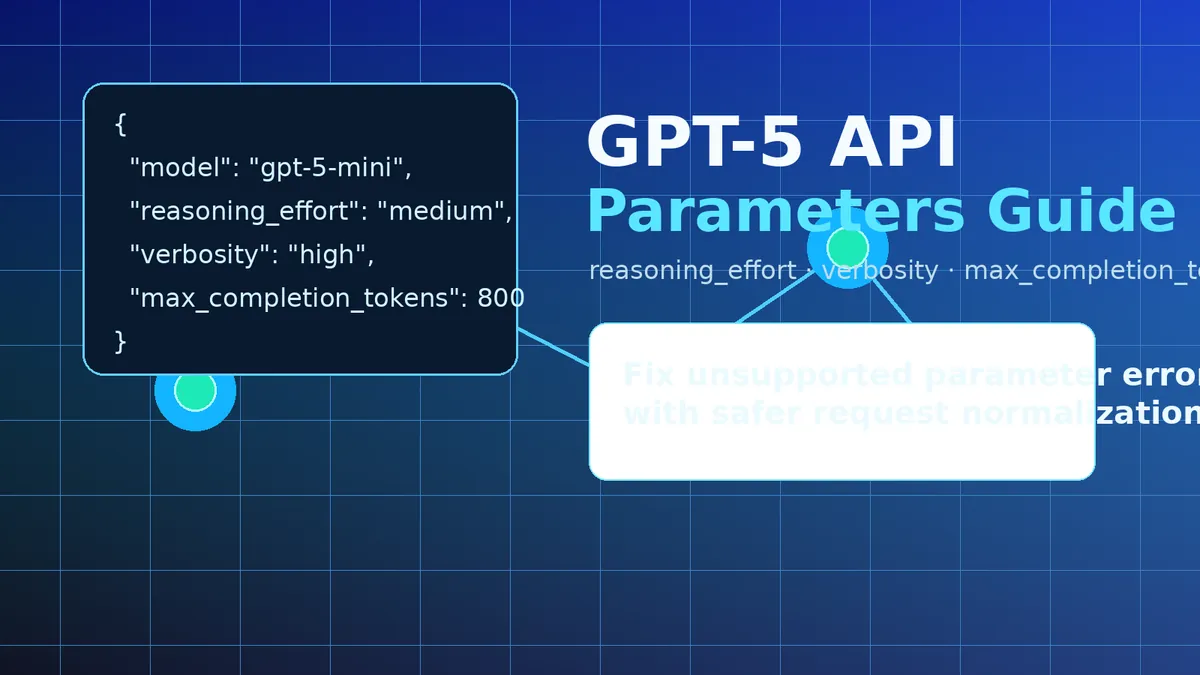
GPT-5 API Parameters Guide 2026: max_tokens, reasoning_effort, verbosity, and Unsupported Parameter Fixes#
If you are moving an app from older chat models to GPT-5, the hardest part is often not the prompt. It is the request body.
Fields that worked for older OpenAI-style chat models can behave differently on newer reasoning models. Some providers accept them. Some ignore them. Some reject the whole request with an unsupported parameter error. That is painful when your production app depends on retries, streaming, tools, and stable latency.
This guide explains the GPT-5 API parameters that matter in 2026: max_tokens, max_completion_tokens, reasoning_effort, verbosity, presence_penalty, frequency_penalty, logprobs, seed, stop, and tool-related fields. It is based on real API validation against a GPT-5 model list exposed by a Crazyrouter-compatible endpoint on June 8, 2026.
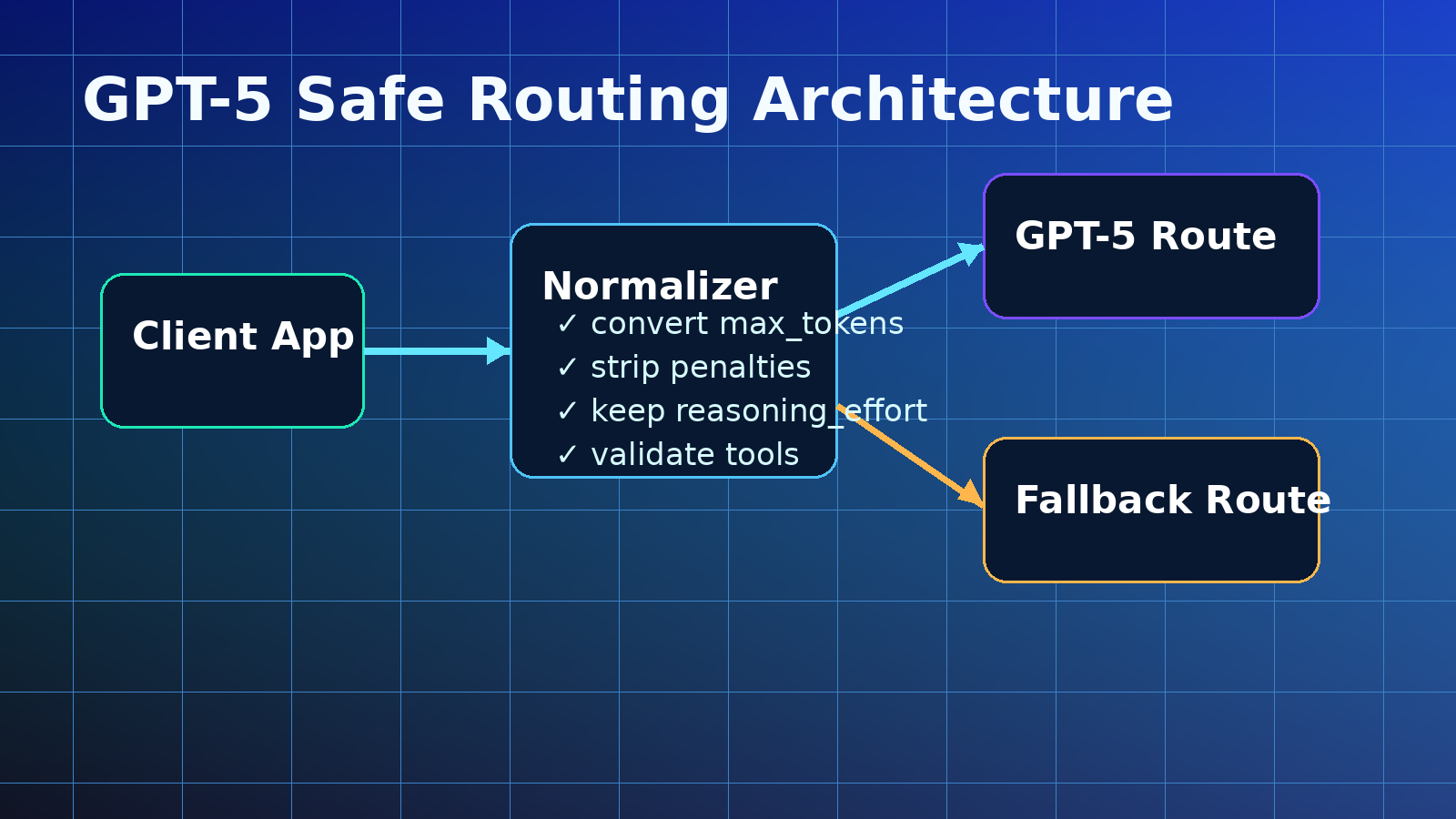
The short version: keep GPT-5 requests simple, prefer max_completion_tokens, use reasoning_effort and verbosity intentionally, and strip legacy parameters before routing to strict upstream providers.
Why GPT-5 API parameters break older apps#
Older chat apps often send the same default payload to every model:
{
  "model": "gpt-5-mini",
  "messages": [{"role": "user", "content": "Summarize this."}],
  "temperature": 0.7,
  "top_p": 1,
  "presence_penalty": 0,
  "frequency_penalty": 0,
  "max_tokens": 512
}
That looks harmless. The problem is that reasoning models are not always parameter-compatible with classic chat models. A field with a default value can still be treated as present. If a strict upstream does not support that field, it may reject the request even when the value is 0.
This matters for three common cases:
- SDK defaults: a client library may add fields automatically.
- Gateway routing: one request may route to different upstream providers.
- Model fallback: a fallback model may not support the same parameter set.
A good GPT-5 API strategy is not “send everything and hope.” It is “send the smallest payload that preserves intent.”
Tested GPT-5 models and practical result#
In a June 2026 validation run, the endpoint returned these GPT-5-related models:
gpt-5-nanogpt-5-minigpt-5gpt-5.1gpt-5.4gpt-5.5gpt-5-codexgpt-5.1-codex-minigpt-5.1-codexgpt-5.1-codex-max
Each model was tested with a minimal Chat Completions request and then with one extra parameter at a time. The tested fields included presence_penalty, frequency_penalty, max_tokens, temperature, top_p, stop, n, seed, logprobs, top_logprobs, response_format, reasoning_effort, verbosity, tools, and tool_choice.
The endpoint accepted most tested parameters. No stable unsupported parameter failure was reproduced in that run. The remaining failures looked like temporary availability or routing noise, not parameter rejection.
That sounds comforting, but it should not make teams careless. A compatibility layer may accept parameters today while another upstream route rejects them tomorrow. Production gateways should still normalize GPT-5 payloads before sending requests upstream.
GPT-5 parameter compatibility table#
| Parameter | Recommended status | Why |
|---|---|---|
model | Keep | Required |
messages | Keep | Required for Chat Completions |
stream | Keep | Common and useful |
max_completion_tokens | Prefer | Better fit for reasoning models |
max_tokens | Convert | Legacy field; may fail on strict reasoning routes |
reasoning_effort | Keep | Important GPT-5 reasoning control |
verbosity | Keep | Useful output-length/style control |
temperature | Keep with caution | Usually supported, but not always meaningful for reasoning |
top_p | Keep with caution | Same as temperature |
presence_penalty | Strip | Low value for reasoning; can trigger strict upstream errors |
frequency_penalty | Strip | Same risk as presence penalty |
logprobs | Strip unless required | Often unsupported or expensive |
top_logprobs | Strip unless required | Same as logprobs |
seed | Strip | Determinism is not guaranteed across routes |
best_of | Strip | Legacy/completions-style parameter |
stop | Greylist | Useful, but can be model-specific |
n | Greylist | Can multiply cost and may be unsupported |
tools | Keep | Needed for tool calling |
tool_choice | Keep | Needed for tool control |
response_format | Keep with validation | Useful for JSON output |
max_tokens vs max_completion_tokens#
For older chat models, many apps use max_tokens to cap output length. GPT-5-style reasoning models can spend hidden tokens on reasoning before producing visible output. That is why newer APIs often prefer max_completion_tokens.
A safe gateway rule is simple:
function normalizeTokenLimit(body) {
  if (body.max_tokens && !body.max_completion_tokens) {
    body.max_completion_tokens = body.max_tokens;
  }
  delete body.max_tokens;
  return body;
}
This keeps the user intent: “do not let this request run forever.” But it avoids sending a legacy field to a strict model route.
If you operate a gateway, log both values during migration. Many teams discover that old SDKs, plugins, or wrappers still send max_tokens even after the app code was updated.
reasoning_effort: when to use low, medium, or high#
reasoning_effort tells a reasoning model how hard it should think before answering. It is not just a quality toggle. It affects latency, cost, and answer depth.
Use this practical rule:
| reasoning_effort | Best for | Avoid for |
|---|---|---|
low | classification, short rewrite, simple extraction, routing | deep debugging, complex math, architecture decisions |
medium | normal chat, coding help, product Q&A, support agents | ultra-low-latency tasks |
high | hard coding tasks, multi-step analysis, legal/financial review drafts, complex planning | high-volume cheap traffic |
Example:
const response = await client.chat.completions.create({
  model: "gpt-5-mini",
  messages: [
    { role: "system", content: "Be concise and accurate." },
    { role: "user", content: "Find the bug in this retry function." }
  ],
  reasoning_effort: "medium",
  max_completion_tokens: 700
});
Do not set high everywhere. It can improve hard tasks, but it may waste budget on simple requests.
verbosity: the underrated GPT-5 parameter#
verbosity controls how much detail the model should include. It is different from max_completion_tokens.
max_completion_tokensis a hard budget limit.verbosityis a style and detail preference.
For support bots, use low or medium. For tutorials, reports, and code reviews, use medium or high.
{
  "model": "gpt-5",
  "messages": [
    {"role": "user", "content": "Explain this API migration plan."}
  ],
  "reasoning_effort": "medium",
  "verbosity": "high",
  "max_completion_tokens": 1200
}
A useful pattern is to map product surfaces to verbosity:
| Surface | verbosity |
|---|---|
| Search snippet | low |
| Chat support | medium |
| Developer docs | high |
| Internal logs summary | low |
| Code review explanation | medium or high |
The safest GPT-5 cleanup function#
Here is a production-friendly JavaScript normalizer for GPT-5 requests:
function normalizeGpt5Request(body) {
  const normalized = { ...body };

  // Prefer the newer completion budget field.
  if (normalized.max_tokens && !normalized.max_completion_tokens) {
    normalized.max_completion_tokens = normalized.max_tokens;
  }
  delete normalized.max_tokens;

  // Strip legacy or high-risk fields for strict reasoning routes.
  delete normalized.presence_penalty;
  delete normalized.frequency_penalty;
  delete normalized.logprobs;
  delete normalized.top_logprobs;
  delete normalized.best_of;
  delete normalized.seed;

  // Optional: remove risky fields for stricter routes.
  // delete normalized.stop;
  // delete normalized.n;

  return normalized;
}
If you support both GPT-5 and classic models, apply this only to GPT-5-like model names:
function isGpt5Model(model) {
  return /^gpt-5(\.|-|$)/.test(model);
}

function normalizeByModel(body) {
  if (isGpt5Model(body.model)) {
    return normalizeGpt5Request(body);
  }
  return body;
}
How to use GPT-5 through a unified API gateway#
With a unified gateway, you can call GPT-5-style models through one OpenAI-compatible client. This helps when you need fallback, cost control, or multi-region routing.
With Crazyrouter, you can access many AI models through one API key while keeping an OpenAI-compatible code path. Use the base URL below in code. Do not add UTM parameters to API endpoints.
from openai import OpenAI

client = OpenAI(
    api_key="CRAZYROUTER_API_KEY",
    base_url="https://crazyrouter.com/v1"
)

response = client.chat.completions.create(
    model="gpt-5-mini",
    messages=[
        {"role": "system", "content": "You are a careful API migration assistant."},
        {"role": "user", "content": "Convert this old GPT request body to a GPT-5-safe payload."}
    ],
    reasoning_effort="medium",
    verbosity="medium",
    max_completion_tokens=800
)

print(response.choices[0].message.content)
For browser-facing links, add UTM tracking:
- Pricing: AI model pricing
- Playground: test models in the playground
- Token page: manage API keys
- Blog: read more AI API guides
- Docs: Crazyrouter documentation
How to debug unsupported parameter errors#
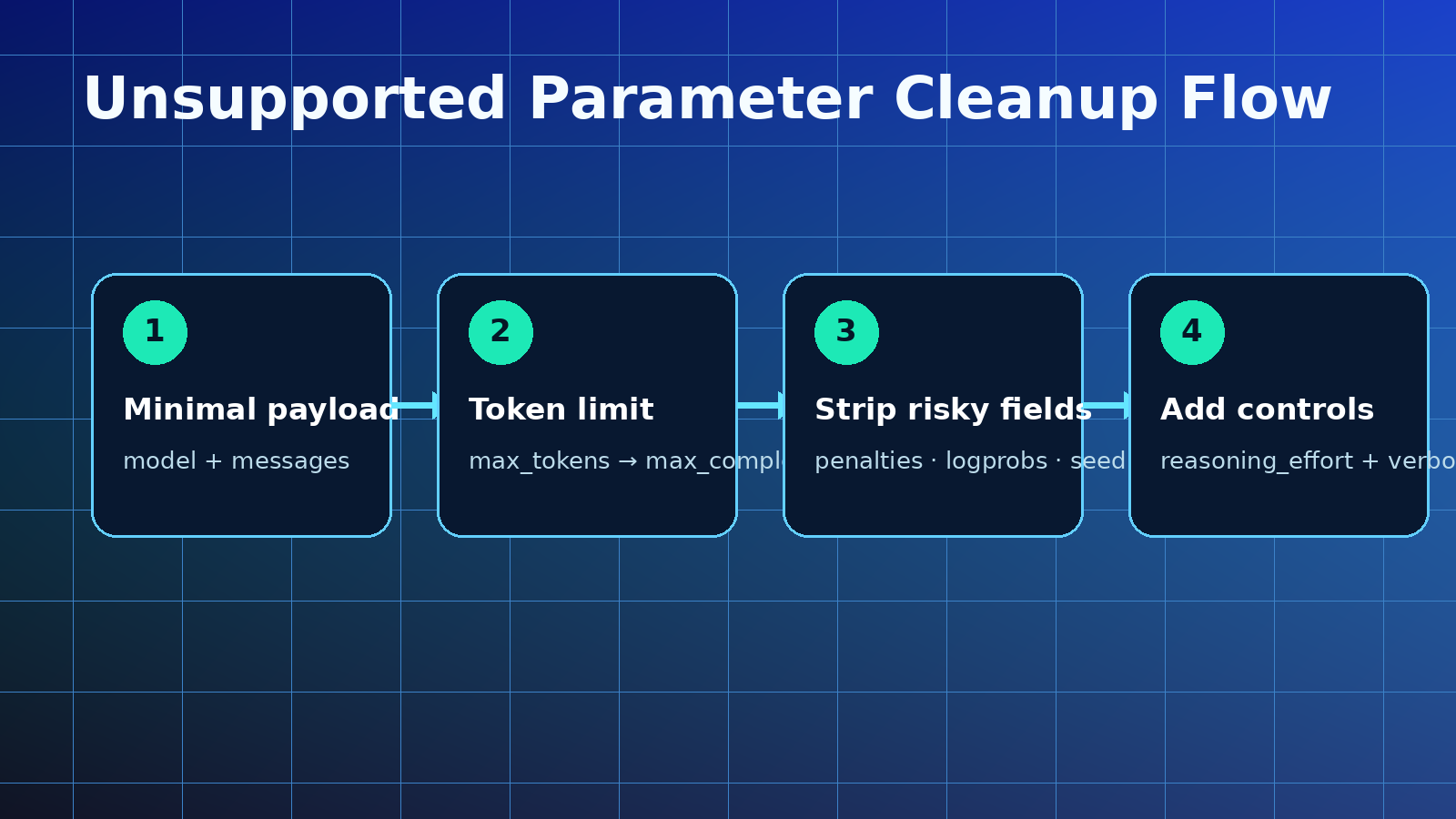
When you see an unsupported parameter error, do not start by changing the prompt. Start by shrinking the payload.
Use this checklist:
- Send only
model,messages, andmax_completion_tokens. - Add
reasoning_effort. - Add
verbosity. - Add
temperatureortop_ponly if needed. - Add tools only after the basic call works.
- Avoid
presence_penalty,frequency_penalty,logprobs,top_logprobs,seed, andbest_of. - If
max_tokensexists, convert it tomax_completion_tokens.
A minimal safe request looks like this:
{
  "model": "gpt-5-mini",
  "messages": [
    {"role": "user", "content": "Return a short migration checklist."}
  ],
  "reasoning_effort": "low",
  "verbosity": "medium",
  "max_completion_tokens": 500
}
If that works, add fields one by one. This makes the failing parameter obvious.
Recommended GPT-5 parameter whitelist#
For most production apps, this whitelist is enough:
const GPT5_ALLOWED = new Set([
  "model",
  "messages",
  "stream",
  "max_completion_tokens",
  "temperature",
  "top_p",
  "reasoning_effort",
  "verbosity",
  "tools",
  "tool_choice",
  "parallel_tool_calls",
  "response_format",
  "metadata"
]);
A strict gateway can remove anything outside the whitelist:
function whitelistGpt5Params(body) {
  const output = {};
  for (const [key, value] of Object.entries(body)) {
    if (GPT5_ALLOWED.has(key)) output[key] = value;
  }
  return output;
}
This approach is less flexible, but safer for enterprise traffic.
FAQ: GPT-5 API parameters#
1. Should I use max_tokens or max_completion_tokens for GPT-5?#
Use max_completion_tokens for GPT-5-style reasoning models. If your old app sends max_tokens, convert it to max_completion_tokens before routing the request.
2. Does GPT-5 support presence_penalty and frequency_penalty?#
Some compatible routes may accept them, but production gateways should strip them for GPT-5. They are low-value for reasoning tasks and can trigger unsupported parameter errors on strict upstream routes.
3. What does reasoning_effort do in the GPT-5 API?#
reasoning_effort controls how much reasoning the model should spend before answering. Use low for simple tasks, medium for normal work, and high for hard coding or analysis tasks.
4. What does verbosity do in GPT-5?#
verbosity controls how detailed the answer should be. It is a style control, not a hard token cap. Use it together with max_completion_tokens.
5. How do I fix an unsupported parameter error with GPT-5?#
Start with a minimal payload. Remove legacy fields such as presence_penalty, frequency_penalty, logprobs, top_logprobs, seed, and best_of. Convert max_tokens to max_completion_tokens. Then add fields back one at a time.
Final recommendation#
GPT-5 API migration is mostly a request-normalization problem. The model can be powerful, but your production app needs stable payload rules.
Use this default strategy:
- Prefer
max_completion_tokensovermax_tokens. - Keep
reasoning_effortandverbosity. - Strip legacy penalty and logprob fields.
- Treat
stop,n,temperature, andtop_pas greylist fields. - Test the smallest payload first.
- Use a gateway when you need fallback, cost control, and multi-model routing.
That gives you the best balance: fewer unsupported parameter errors, cleaner GPT-5 requests, and more predictable production behavior.