简体中文
简体中文 繁體中文
繁體中文 English
 Français
 Русский
 日本語
日本語 Tiếng Việt
 한국어
한국어 Deutsch
 Español
 Italiano
 Português
 العربية
 ไทย
ไทย Bahasa Indonesia
 Bahasa Melayu
 Türkçe
 Polski
 Nederlands
 Dansk
Dansk Norsk
Norsk Қазақша
Qwen 2.5 Omni Guide 2026: Building Multimodal Chatbots with Voice and Vision
"Build multimodal chatbots with Qwen 2.5 Omni — voice input, image understanding, and text in one model. Includes architecture patterns, code examples, and cost tips."
Qwen 2.5 Omni Guide 2026: Building Multimodal Chatbots with Voice and Vision#
Most AI chatbots still only handle text. Users send a photo and get "I can't process images." They send a voice message and get silence. Qwen 2.5 Omni changes that equation — it handles text, images, and audio in a single model, which means you can build genuinely multimodal products without stitching together three separate pipelines.
What is Qwen 2.5 Omni?#
Qwen 2.5 Omni is Alibaba's multimodal model that natively processes text, images, and audio input, and can generate text and audio output. Unlike traditional setups where you chain a speech-to-text model → a language model → a text-to-speech model, Qwen 2.5 Omni handles the full loop in one inference call.
Key capabilities:
- Text understanding: standard chat, reasoning, coding
- Image understanding: describe photos, read documents, analyze charts
- Audio input: process voice messages, transcribe, understand spoken instructions
- Audio output: generate spoken responses (text-to-speech built in)
- Bilingual strength: excellent Chinese and English performance
For developers, the practical value is fewer moving parts. One model, one API call, multiple modalities.
Qwen 2.5 Omni vs Alternatives#
| Model | Text | Images | Audio In | Audio Out | Chinese Quality |
|---|---|---|---|---|---|
| Qwen 2.5 Omni | ✅ | ✅ | ✅ | ✅ | Excellent |
| GPT-4o | ✅ | ✅ | ✅ | ✅ | Good |
| Gemini 2.5 | ✅ | ✅ | ✅ | ✅ | Good |
| Claude Sonnet 4.5 | ✅ | ✅ | ❌ | ❌ | Good |
Qwen 2.5 Omni's edge is the combination of native multimodal support with strong Chinese language quality. If you're building for Chinese-speaking users or bilingual markets, it's one of the strongest options available.
Architecture Patterns for Multimodal Chatbots#
Pattern 1: Simple Multimodal Chat#
The most straightforward pattern — send whatever the user provides (text, image, audio) directly to Qwen 2.5 Omni.
User Input (text/image/audio)
        ↓
   Qwen 2.5 Omni
        ↓
   Response (text + optional audio)
Good for: customer support bots, personal assistants, internal tools.
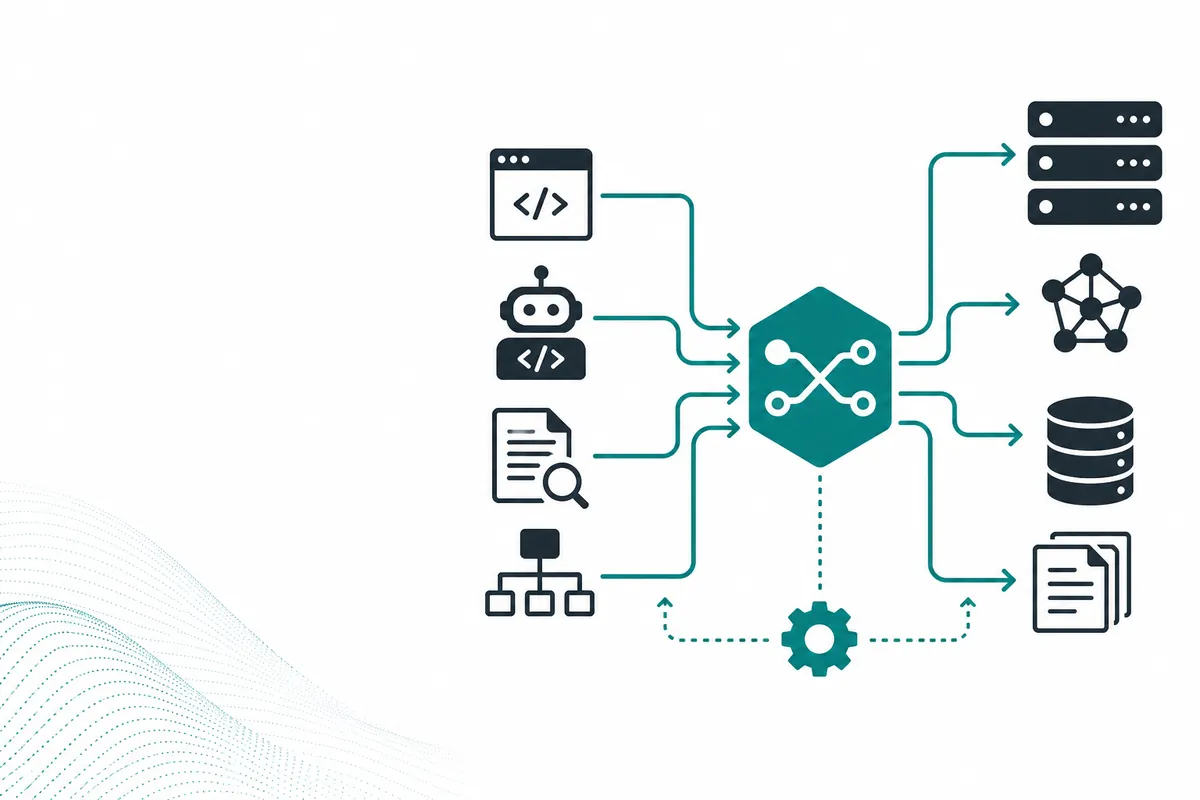
Pattern 2: Modality Router#
For production apps with cost sensitivity, route by input type:
User Input
    ↓
[Modality Detector]
    ├── Text only → Cheaper text model (Qwen-turbo, Haiku)
    ├── Image + Text → Qwen 2.5 Omni or GPT-4o
    └── Audio → Qwen 2.5 Omni
This saves money because most messages are text-only, and you only pay multimodal pricing when needed.
Pattern 3: Voice-First Assistant#
For apps where voice is the primary interface (mobile apps, IoT devices, accessibility tools):
Voice Input → Qwen 2.5 Omni → Text + Audio Output
                                    ↓
                              [Play audio to user]
No separate STT/TTS pipeline needed. One round trip.
How to Use Qwen 2.5 Omni with Code#
Python — Text + Image Input#
from openai import OpenAI
import base64

client = OpenAI(
    api_key="sk-your-crazyrouter-key",
    base_url="https://crazyrouter.com/v1"
)

# Read and encode an image
with open("receipt.jpg", "rb") as f:
    image_b64 = base64.b64encode(f.read()).decode()

response = client.chat.completions.create(
    model="qwen2.5-omni",
    messages=[
        {
            "role": "user",
            "content": [
                {"type": "text", "text": "Extract the total amount and date from this receipt."},
                {"type": "image_url", "image_url": {"url": f"data:image/jpeg;base64,{image_b64}"}}
            ]
        }
    ]
)

print(response.choices[0].message.content)
Python — Audio Input#
import base64
from openai import OpenAI

client = OpenAI(
    api_key="sk-your-crazyrouter-key",
    base_url="https://crazyrouter.com/v1"
)

with open("voice_message.wav", "rb") as f:
    audio_b64 = base64.b64encode(f.read()).decode()

response = client.chat.completions.create(
    model="qwen2.5-omni",
    messages=[
        {
            "role": "user",
            "content": [
                {"type": "text", "text": "Listen to this voice message and summarize the key request."},
                {"type": "input_audio", "input_audio": {"data": audio_b64, "format": "wav"}}
            ]
        }
    ]
)

print(response.choices[0].message.content)
Node.js — Image Understanding#
import OpenAI from "openai";
import fs from "fs";

const client = new OpenAI({
  apiKey: process.env.CRAZYROUTER_API_KEY,
  baseURL: "https://crazyrouter.com/v1"
});

const imageBuffer = fs.readFileSync("dashboard.png");
const imageB64 = imageBuffer.toString("base64");

const response = await client.chat.completions.create({
  model: "qwen2.5-omni",
  messages: [
    {
      role: "user",
      content: [
        { type: "text", text: "Analyze this dashboard screenshot and identify any anomalies." },
        { type: "image_url", image_url: { url: `data:image/png;base64,${imageB64}` } }
      ]
    }
  ]
});

console.log(response.choices[0].message.content);
cURL — Text Query#
curl https://crazyrouter.com/v1/chat/completions \
  -H "Authorization: Bearer $CRAZYROUTER_API_KEY" \
  -H "Content-Type: application/json" \
  -d '{
    "model": "qwen2.5-omni",
    "messages": [
      {"role": "user", "content": "Explain the difference between RAG and fine-tuning for a product manager."}
    ]
  }'
Pricing Considerations#
Multimodal models cost more per request than text-only models. The smart approach:
| Input Type | Cost Level | Optimization |
|---|---|---|
| Text only | Low | Use cheaper text models when possible |
| Text + small image | Medium | Resize images before sending |
| Text + large image | Higher | Compress and crop to relevant area |
| Audio input | Medium-High | Trim silence, send only relevant audio |
Official vs Crazyrouter#
| Factor | Official Qwen API | Crazyrouter |
|---|---|---|
| Direct access | ✅ | ✅ |
| Multi-model routing | Manual | Built-in |
| Fallback to GPT-4o/Gemini | Build yourself | Easy |
| Unified billing | No | Yes |
| OpenAI-compatible format | Varies | Yes |
Crazyrouter is especially useful for multimodal apps because you can fall back between Qwen 2.5 Omni, GPT-4o, and Gemini depending on availability and cost.
Real-World Use Cases#
1. Multilingual Customer Support#
Users send photos of broken products + voice descriptions in Chinese or English. Qwen 2.5 Omni processes both, generates a structured ticket, and responds in the user's language.
2. Field Inspection Apps#
Workers photograph equipment, describe issues by voice. The model analyzes the image, transcribes the audio, and generates a maintenance report.
3. Educational Tutoring#
Students photograph homework problems or speak questions aloud. The model sees the image, hears the question, and explains the solution step by step.
4. Accessibility Tools#
Voice-first interfaces for visually impaired users. They describe what they need, the model processes screen captures or documents, and responds with audio.
Common Mistakes#
- Sending full-resolution images — resize to 1024px max side before sending. Saves cost, rarely hurts quality.
- No modality routing — sending every text-only message through the multimodal model wastes money.
- Ignoring audio format — WAV is safest. MP3 works but check encoding compatibility.
- No fallback — if Qwen is down, your whole app breaks. Route through Crazyrouter for automatic failover.
- Expecting real-time streaming audio — latency exists. Design your UX around it.
FAQ#
What is Qwen 2.5 Omni best for?#
Qwen 2.5 Omni is best for applications that need text, image, and audio understanding in a single model — especially for Chinese-speaking or bilingual user bases.
Can Qwen 2.5 Omni replace separate STT and TTS models?#
For many use cases, yes. It can process audio input and generate audio output natively. For high-volume production TTS with specific voice requirements, you may still want a dedicated TTS service.
How does Qwen 2.5 Omni compare to GPT-4o?#
Both are strong multimodal models. Qwen 2.5 Omni has better Chinese language quality. GPT-4o has a larger ecosystem and more third-party integrations. For bilingual apps, Qwen is often the better fit.
Is Qwen 2.5 Omni available through Crazyrouter?#
Yes. Access Qwen 2.5 Omni through Crazyrouter using the standard OpenAI-compatible API format. One key, unified billing, easy fallback to other multimodal models.
What's the cheapest way to build a multimodal chatbot?#
Use modality routing: send text-only messages to a cheap text model, and only route image or audio messages to Qwen 2.5 Omni. This can cut costs by 60-70% compared to sending everything through the multimodal model.
Summary#
Qwen 2.5 Omni lets you build genuinely multimodal chatbots — voice, vision, and text — without stitching together separate pipelines. The key to using it well is routing: send multimodal inputs to Omni, keep text-only traffic on cheaper models, and use Crazyrouter to manage fallback and billing across providers.