Crazyrouter
AI Image API Playground: Test GPT Image, Imagen, Qwen Image and FLUX Online
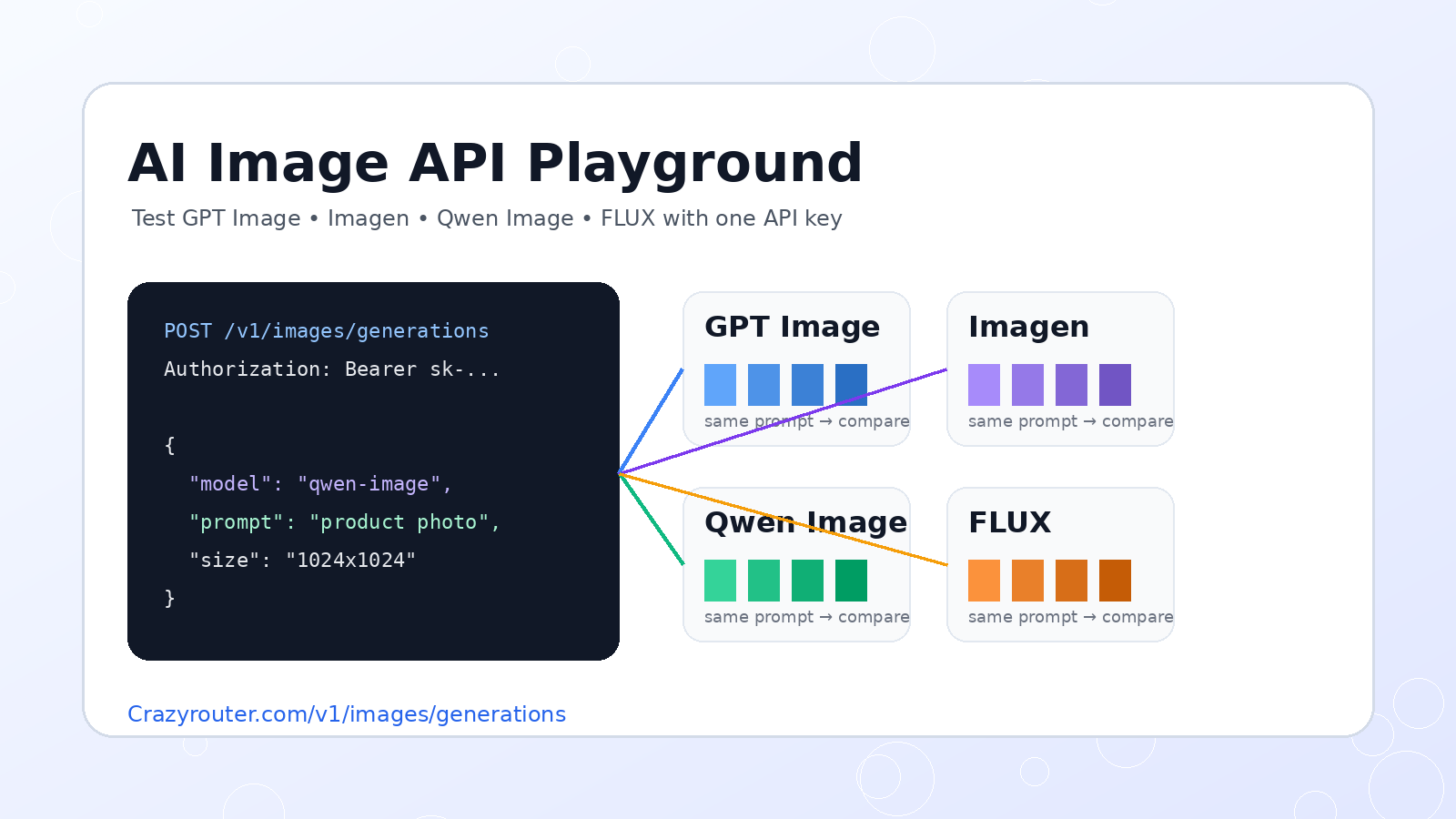
A practical guide for developers who need to compare AI image generation models before building production code. Learn how to test GPT Image, Imagen, Qwen Image, FLUX, and DALL-E style workflows from one playground and one API key.
AI Image API Playground: Test GPT Image, Imagen, Qwen Image and FLUX Online#
If you are building image generation into a product, do not pick a model from a pricing table alone.
Test the same prompt across multiple image models first.
A good AI image API playground lets you compare output style, prompt following, text rendering, product accuracy, speed, and cost before you commit to a provider-specific integration. That matters because GPT Image, Imagen, Qwen Image, FLUX, and DALL-E-style workflows can behave very differently on the same request.
This guide shows how developers can use an image API playground to test multiple AI image models with one API key, then move the winning model into production through an OpenAI-compatible endpoint.
Quick answer#
Use an AI image API playground when you need to answer questions like:
- Which image model follows my prompt most accurately?
- Which model handles product photos, posters, UI assets, or text-heavy images best?
- Which model is good enough for the cost?
- Can I copy a working API request after testing visually?
- Can my application switch models later without rewriting the integration?
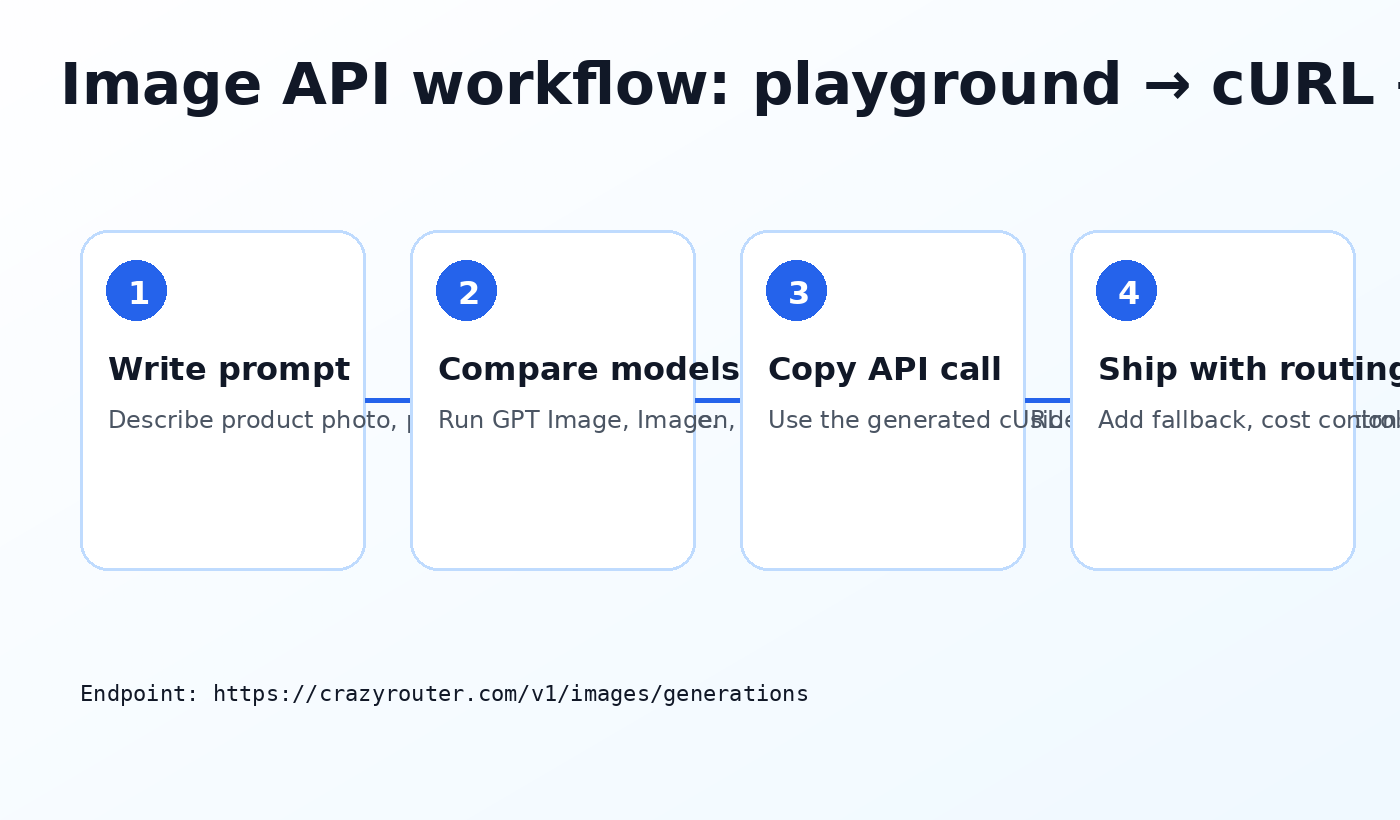
For Crazyrouter users, the image workflow is:
- open the image playground;
- write one test prompt;
- run it across image models such as GPT Image, Imagen, Qwen Image, FLUX, and DALL-E-style models;
- compare results;
- copy the cURL/API request;
- move the request to
https://crazyrouter.com/v1/images/generations.
Human-facing test page:
https://image.crazyrouter.com?utm_source=blog&utm_medium=article&utm_campaign=image_api_playground
Production API endpoint:
https://crazyrouter.com/v1/images/generations
Do not add UTM parameters to API endpoints. Use tracking only on human-facing links.
Why image model testing is different from chat model testing#
Chat models are usually judged by text quality, reasoning, latency, tool use, and price.
Image models need a different checklist:
- visual style consistency;
- prompt following;
- product detail accuracy;
- text rendering inside images;
- brand-safety behavior;
- aspect ratio support;
- edit vs generation support;
- reproducibility;
- cost per accepted asset, not just cost per request.
For example, a model that creates beautiful cinematic images may fail on product packaging text. A model that handles text well may not be the cheapest for bulk poster generation. A model that is excellent for photorealism may not fit UI mockups.
That is why a playground is useful: it lets you compare before you wire the model into a production workflow.
Model comparison: what to test first#
Start with a small matrix. Do not test twenty models with random prompts. Pick three real prompts from your product and run them consistently.
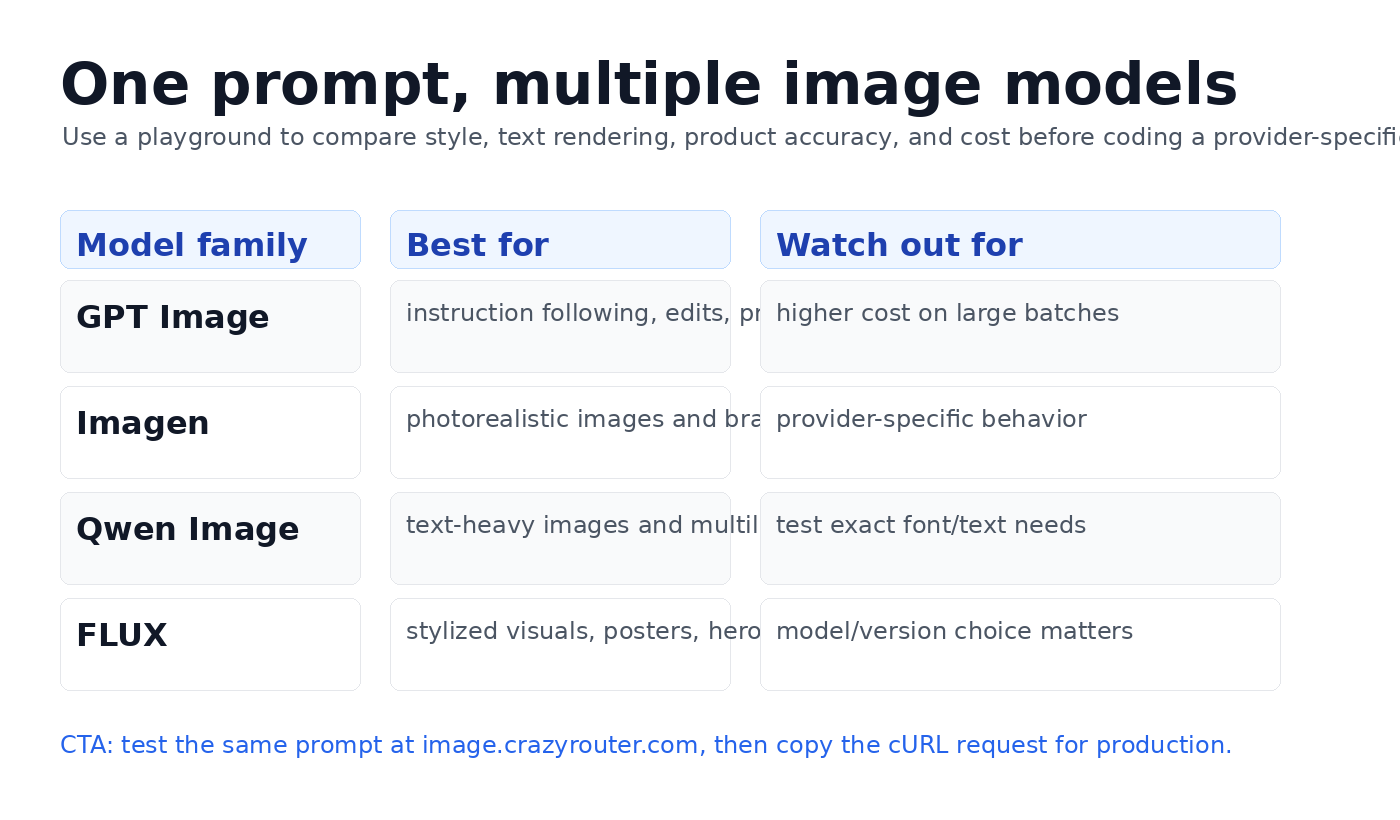
| Model family | Best for | Watch out for | Recommended test prompt |
|---|---|---|---|
| GPT Image / DALL-E-style workflows | Instruction following, edits, product mockups, structured scenes | May cost more on large batches | “Create a clean SaaS hero image showing a dashboard, API routing lines, and four model cards.” |
| Imagen | Photorealistic visuals, natural lighting, polished marketing images | Provider-specific behavior can differ across versions | “Photorealistic product photo of a matte black wireless keyboard on a white desk, soft studio lighting.” |
| Qwen Image | Text-heavy images, multilingual prompts, practical creative assets | Test exact typography and small text before production | “A bilingual poster with the words ‘One API Key’ and ‘统一模型入口’, clean developer conference style.” |
| FLUX | Stylized posters, creative visuals, hero images, social media graphics | Version choice matters; compare style vs accuracy | “Cyberpunk developer workspace with floating API nodes and neon model labels, editorial illustration.” |
The goal is not to declare one universal winner. The goal is to pick the right model for the task.
Three prompts to use in your first test#
Use prompts that map to real production needs.
1. Product photo prompt#
Create a photorealistic ecommerce product image of a minimalist white smart speaker on a light gray background. Soft studio lighting, realistic shadows, no text, centered composition, high-end product catalog style.
What to evaluate:
- product shape consistency;
- realistic reflections and shadows;
- whether the model invents unwanted logos or text;
- whether the result is clean enough for an ecommerce page.
2. SaaS hero image prompt#
Create a clean SaaS hero image for an AI API dashboard. Show multiple model cards connected to one central API key, with subtle blue and purple gradients, modern UI panels, no brand logos, professional developer-tool style.
What to evaluate:
- dashboard layout clarity;
- whether the image looks like a real product visual;
- whether it avoids fake unreadable UI clutter;
- whether the style matches a B2B website.
3. Text-heavy poster prompt#
Design a modern developer conference poster with the exact headline “One API Key, Many AI Models”. Include small abstract icons for text, image, audio, and video generation. Clean typography, white background, blue accent color.
What to evaluate:
- exact text rendering;
- typography quality;
- layout balance;
- whether the model introduces misspellings.
Text-heavy prompts are especially important because many image models still struggle with precise typography.
How to use the playground#
A developer-friendly AI image playground should not only return a pretty image. It should help you turn the result into an API call.
Use this workflow:
- Open the playground.
- Paste a real production prompt.
- Choose the first candidate model.
- Set size, quality, and count.
- Generate the image.
- Save the output and notes.
- Repeat with the same prompt on other models.
- Compare accepted outputs, not just raw generations.
- Copy the generated cURL/API request.
- Move the request into your application.
For Crazyrouter image testing, use:
https://image.crazyrouter.com?utm_source=blog&utm_medium=article&utm_campaign=image_api_playground
The key point is repeatability. Run the same prompt across models, then score the results with the same criteria.
Production API example#
Once you find a model that works, move to the API.
A typical OpenAI-compatible image generation request looks like this:
curl https://crazyrouter.com/v1/images/generations \
  -H "Authorization: Bearer $CRAZYROUTER_API_KEY" \
  -H "Content-Type: application/json" \
  -d '{
    "model": "qwen-image",
    "prompt": "Create a clean SaaS hero image for an AI API dashboard. Show multiple model cards connected to one central API key, with subtle blue and purple gradients, modern UI panels, no brand logos.",
    "size": "1024x1024",
    "n": 1
  }'
In Python:
from openai import OpenAI

client = OpenAI(
    api_key="YOUR_CRAZYROUTER_API_KEY",
    base_url="https://crazyrouter.com/v1",
)

result = client.images.generate(
    model="qwen-image",
    prompt="Create a clean SaaS hero image for an AI API dashboard. Show multiple model cards connected to one central API key.",
    size="1024x1024",
    n=1,
)

print(result)
The exact available model IDs can change as providers release new versions. Always copy the current model ID from the live model list or playground.
What to measure before production#
A playground test is useful only if you measure the right things.
Use this scoring sheet:
| Criterion | Question | Score 1-5 |
|---|---|---|
| Prompt following | Did the image include the requested objects, layout, and constraints? | |
| Visual quality | Would you publish this asset without heavy editing? | |
| Text accuracy | If text was requested, was it spelled correctly? | |
| Brand fit | Does the style match your product or campaign? | |
| Cost fit | Is the accepted-output cost reasonable? | |
| Repeatability | Can the model produce similar quality across multiple runs? | |
| API fit | Does the model support the size, quality, and workflow you need? |
The most important metric is not price per generation. It is price per accepted image.
If one model costs 30% more but produces usable assets twice as often, it may be cheaper in practice.
One API key vs separate provider accounts#
You can integrate image models provider by provider. That works for a small test, but it becomes painful when your product grows.
Separate provider accounts usually mean:
- multiple API keys;
- different request formats;
- different billing dashboards;
- different quota systems;
- different failure modes;
- more engineering work when switching models.
A unified API gateway changes the workflow:
- one API key;
- one account balance;
- one OpenAI-compatible request style;
- multiple image model families;
- easier model switching;
- simpler fallback logic.
For teams building SaaS tools, ecommerce automation, marketing creative systems, or AI agents, this flexibility matters more than the playground itself.
Recommended model selection workflow#
Use this simple process:
- Explore: run your prompt in the playground across 3-5 model families.
- Score: evaluate accepted outputs with a consistent rubric.
- Estimate: calculate cost per accepted image.
- Integrate: copy the API request into your app.
- Fallback: define a second model for failures or cost spikes.
- Monitor: track latency, failures, and acceptance rate.
That last step is easy to skip. Do not skip it.
Image generation quality changes over time as providers update models. The best model for your prompt in June may not be the best model three months later.
Common mistakes#
Mistake 1: Testing only one prompt#
A single beautiful output does not prove the model is right for your product.
Use at least three prompt types: product photo, website hero, and text-heavy poster.
Mistake 2: Comparing screenshots instead of accepted outputs#
If a model returns five images and only one is usable, count that. Your real cost is higher than the sticker price.
Mistake 3: Forgetting text rendering#
If your use case needs labels, posters, packaging, or UI text, test exact spelling early.
Mistake 4: Hardcoding one model forever#
Use model IDs intentionally, but keep your application flexible. Image model quality and pricing move quickly.
Mistake 5: Adding UTM parameters to API URLs#
Use UTM parameters on article links and landing pages. Do not append them to API endpoints such as /v1/images/generations.
FAQ#
What is an AI image API playground?#
An AI image API playground is a web interface where developers can test image generation models before integrating them into code. A good playground also provides copyable API requests.
Why test multiple AI image models?#
Different models perform differently on photorealism, text rendering, edits, product accuracy, style, and cost. Testing multiple models reduces the risk of choosing the wrong provider too early.
Can I use one API key for multiple image models?#
Yes. With Crazyrouter, you can use one API key and an OpenAI-compatible endpoint to access multiple model families, including image generation workflows.
Which image model is best for product photos?#
There is no universal answer. Start by testing Imagen, GPT Image/DALL-E-style models, Qwen Image, and FLUX-style models with the same product photo prompt. Score accepted outputs, not just raw generations.
Which image model is best for text in images?#
Text rendering varies by model and version. Qwen Image and newer instruction-following image models are worth testing, but you should always test your exact headline, language, and layout.
Is the playground only for non-technical users?#
No. A playground is useful for developers because it shortens the model selection loop. You can test visually, then copy a request into production code.
How do I move from playground to production?#
Use the generated request as a starting point. In production, call https://crazyrouter.com/v1/images/generations with your API key, chosen model, prompt, size, and generation options.
Final recommendation#
If you are adding image generation to an app, do not start by writing provider-specific integration code.
Start with a playground.
Test the same prompts across GPT Image, Imagen, Qwen Image, FLUX, and DALL-E-style workflows. Pick the model that produces the best accepted-output cost for your actual use case. Then integrate through one OpenAI-compatible API so you can switch models later.
Try the playground:
https://image.crazyrouter.com?utm_source=blog&utm_medium=article&utm_campaign=image_api_playground
Explore live models and pricing:
https://crazyrouter.com/models?utm_source=blog&utm_medium=article&utm_campaign=image_api_playground