Crazyrouter
Hermes Agent + Crazyrouter: One-Click Setup for 627+ AI Models
Connect Hermes Agent to Crazyrouter in under a minute. One script, one API key, 627+ models — Claude, GPT, Gemini, DeepSeek, Qwen and more.
What is Hermes Agent?#
Hermes Agent is an open-source AI coding assistant that runs in your terminal. Think of it as a local, privacy-friendly alternative to cloud-based coding copilots — it connects to any OpenAI-compatible API and gives you an interactive chat or autonomous coding workflow right from the command line.
The problem? You still need an inference provider. That's where Crazyrouter comes in.
Why Crazyrouter + Hermes?#
Instead of juggling multiple API keys and endpoints for different model providers, Crazyrouter gives you:
- One API key for 627+ models (OpenAI, Anthropic, Google, DeepSeek, Qwen, Meta, and more)
- One endpoint — fully OpenAI-compatible:
https://crazyrouter.com/v1 - Pay-as-you-go — no subscriptions, no minimums
- Switch models instantly — no config changes needed
Hermes Agent speaks the OpenAI protocol natively, so the integration is seamless.
Quick Start#
Linux / macOS / WSL2#
curl -fsSL https://raw.githubusercontent.com/xujfcn/crazyrouter-hermes/main/setup.sh | bash
Windows (PowerShell)#
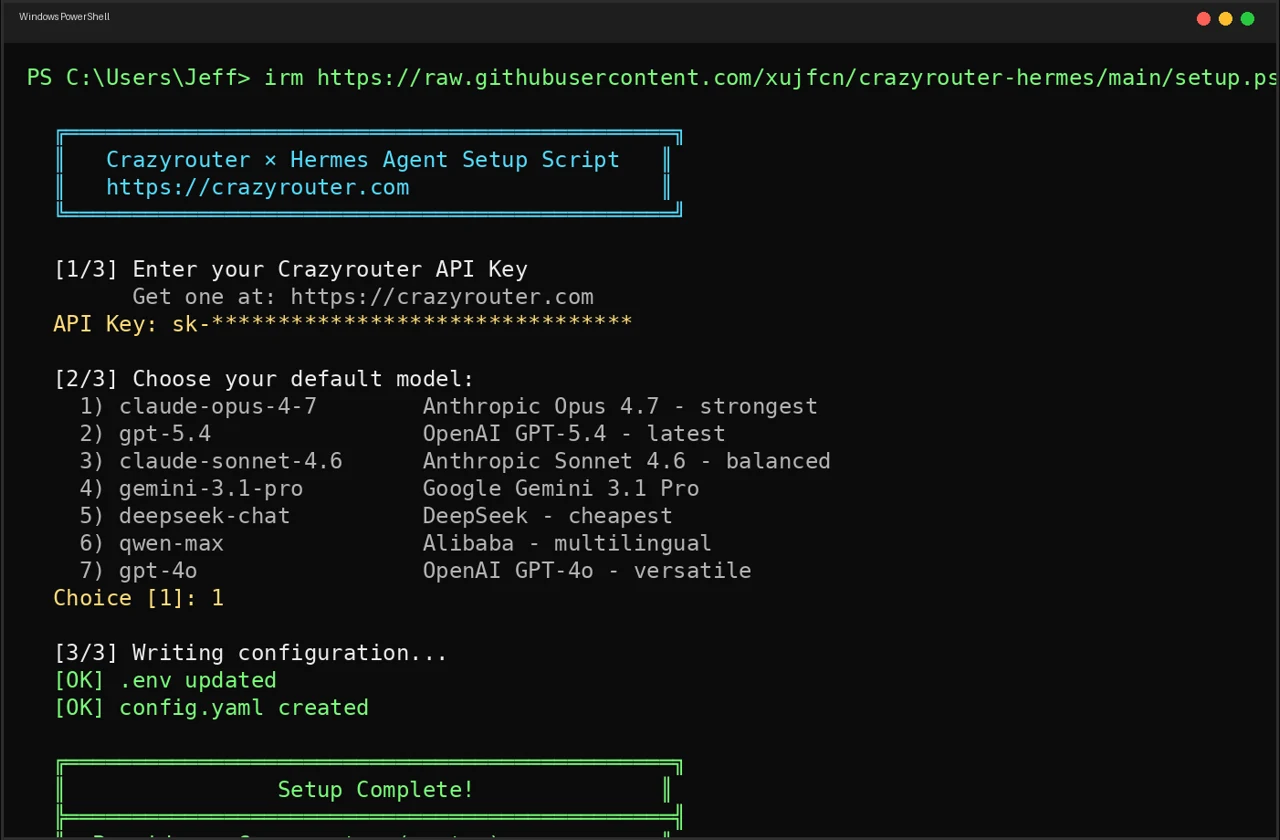
irm https://raw.githubusercontent.com/xujfcn/crazyrouter-hermes/main/setup.ps1 | iex
Windows (CMD)#
curl -o setup.bat https://raw.githubusercontent.com/xujfcn/crazyrouter-hermes/main/setup.bat
setup.bat
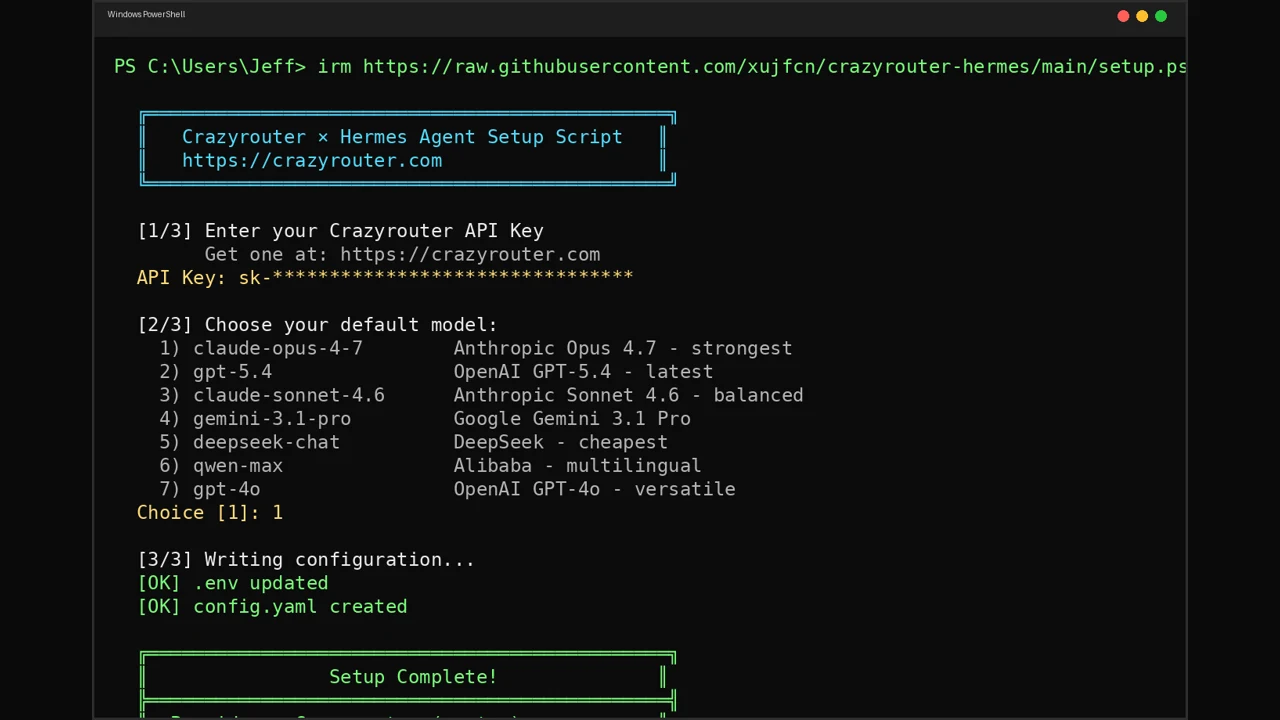
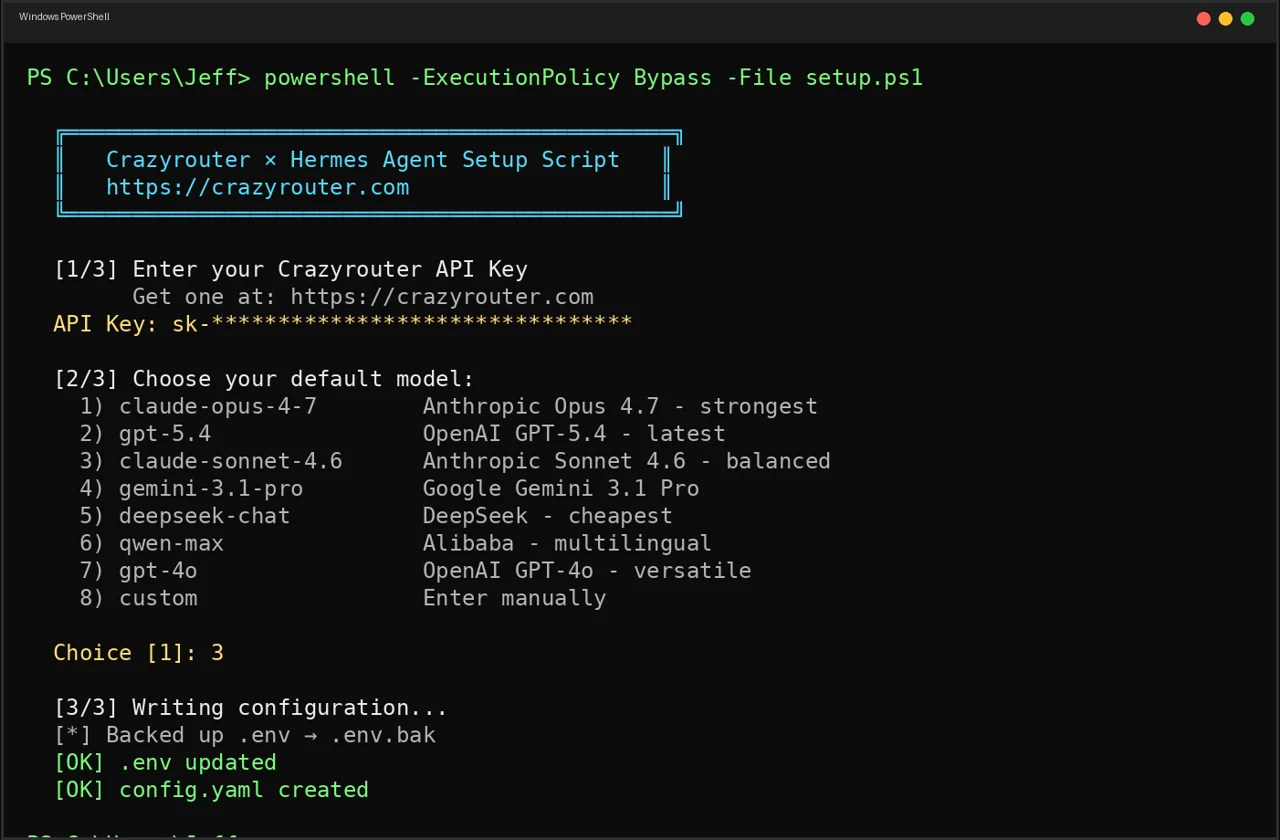
The script will:
- Check that Hermes Agent is installed
- Ask for your Crazyrouter API key
- Let you pick a default model
- Write the config to
~/.hermes/ - Optionally test the connection
That's it. The whole process takes about 30 seconds.
What the Setup Does Under the Hood#
The script writes two files in ~/.hermes/:
.env — stores your credentials:
OPENAI_API_KEY=sk-your-crazyrouter-key
OPENAI_BASE_URL=https://crazyrouter.com/v1
config.yaml — sets the default model:
model:
  provider: "custom"
  default: "claude-opus-4-7"
  base_url: "https://crazyrouter.com/v1"
Existing configs are backed up automatically (.env.bak, config.yaml.bak).
Available Models#
During setup you can choose from popular defaults:
| # | Model | Best For |
|---|---|---|
| 1 | claude-opus-4-7 | Complex reasoning, coding |
| 2 | gpt-5.4 | General tasks, fast |
| 3 | claude-sonnet-4.6 | Balanced speed & quality |
| 4 | gemini-3.1-pro | Multimodal, long context |
| 5 | deepseek-chat | Budget-friendly reasoning |
| 6 | qwen-max | Chinese + English |
| 7 | gpt-4o | Multimodal |
Or enter any model name from the full catalog — all 627+ are available.
Switching Models After Setup#
Once configured, switch models anytime:
hermes model             # interactive picker
hermes model list        # see all available models
Or just edit ~/.hermes/config.yaml and change the default field. No restart needed.
Prerequisites#
- Hermes Agent installed
- A Crazyrouter API key — get one free (includes starter credit)
curl(Linux/macOS) or PowerShell 5+ (Windows)
Troubleshooting#
"Hermes Agent not found" — Install Hermes first:
curl -fsSL https://raw.githubusercontent.com/NousResearch/hermes-agent/main/scripts/install.sh | bash
Connection test fails — Double-check your API key at crazyrouter.com/dashboard. Make sure you have credit on your account.
Want to reset? — Run the setup script again. It backs up your old config and writes fresh files.
Source Code#
The setup scripts are fully open-source (MIT):
👉 github.com/xujfcn/crazyrouter-hermes
Supports Linux, macOS, WSL2, Windows PowerShell, and Windows CMD.
Get Started#
- Get your API key at crazyrouter.com
- Run the one-liner for your platform
- Start coding with
hermes
One key. 627+ models. Zero friction.