中文
中文 English
 Français
 Русский
 日本語
日本語 Tiếng Việt
 한국어
한국어 Deutsch
 Español
 Italiano
 Português
 العربية
 ไทย
ไทย Bahasa Indonesia
 Bahasa Melayu
 Türkçe
 Polski
 Nederlands
 Dansk
Dansk Norsk
Norsk Қазақша
WAN 2.2 Animate Tutorial 2026: Prompt Patterns and API Pipelines
A hands-on WAN 2.2 Animate tutorial covering prompt structure, API workflow design, and common mistakes for developers.
WAN 2.2 Animate Tutorial 2026: Prompt Patterns and API Pipelines#
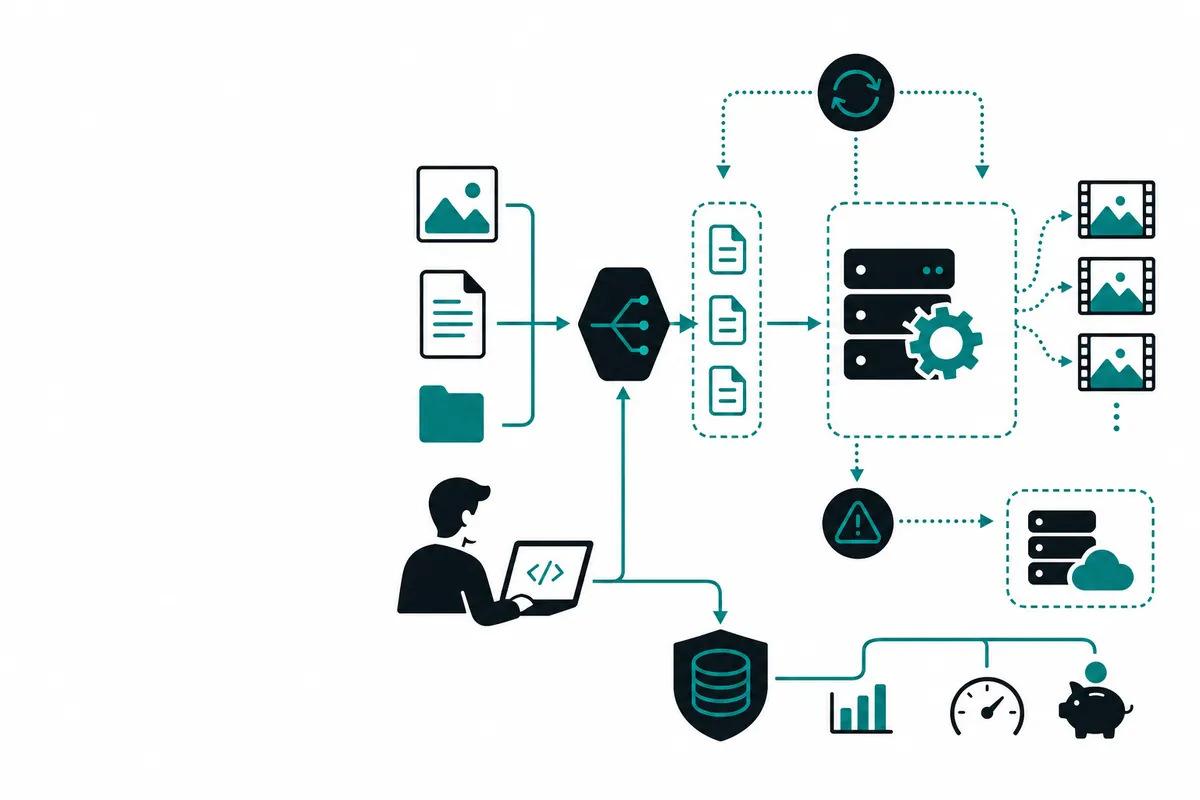
This WAN 2.2 Animate tutorial is for developers who want more than a showcase clip. The interesting part of WAN 2.2 Animate is not that it can animate an image. The interesting part is how you build a repeatable workflow around it: prompt shaping, asset preparation, job polling, and fallback when outputs drift.
What is WAN 2.2 Animate?#
WAN 2.2 Animate is an image-to-video workflow that turns a still input into short animated motion. It is useful for product promos, social content, game concept art previews, and lightweight storyboarding.
The keyword WAN 2.2 Animate tutorial usually attracts two audiences:
- creators who want better output quality
- developers who want to automate the generation pipeline
This article focuses on the second group.
WAN 2.2 Animate vs alternatives#
| Tool | Best for | Limitation |
|---|---|---|
| WAN 2.2 Animate | image-to-video motion workflows | prompt drift still needs control |
| Veo / Kling / Luma style models | broader video use cases | may be slower or costlier for specific animation tasks |
| local open workflows | experimentation | higher infra burden |
How to use WAN 2.2 Animate with code#
cURL example#
curl https://crazyrouter.com/v1/video/generations           -H "Authorization: Bearer YOUR_API_KEY"           -H "Content-Type: application/json"           -d '{
    "model": "wan-2.2-animate",
    "image_url": "https://example.com/input.png",
    "prompt": "Subtle camera push-in, soft hair movement, cinematic lighting, natural facial motion",
    "duration": 5
  }'
Python example#
import requests

payload = {
    "model": "wan-2.2-animate",
    "image_url": "https://example.com/input.png",
    "prompt": "A gentle breeze moving clothing and background foliage, realistic motion, premium ad style",
    "duration": 5,
}

r = requests.post(
    "https://crazyrouter.com/v1/video/generations",
    headers={"Authorization": "Bearer YOUR_API_KEY"},
    json=payload,
    timeout=60,
)

print(r.json())
Node.js example#
const result = await fetch("https://crazyrouter.com/v1/video/generations", {
  method: "POST",
  headers: {
    "Authorization": `Bearer ${process.env.CRAZYROUTER_API_KEY}`,
    "Content-Type": "application/json",
  },
  body: JSON.stringify({
    model: "wan-2.2-animate",
    image_url: "https://example.com/input.png",
    prompt: "Parallax depth, soft cinematic motion, natural eye movement, clean product teaser pacing",
    duration: 5,
  }),
});

console.log(await result.json());
Prompt patterns that work better#
In a practical WAN 2.2 Animate tutorial, the prompt should describe motion rather than only describe the scene.
Strong motion prompt structure:
- subject and frame composition
- camera movement
- environmental motion
- motion intensity
- style and realism target
Example: "Portrait shot of a traveler on a train platform, slow dolly in, coat and hair moving lightly in wind, subtle neon reflections, realistic movement, moody cinematic tone."
Common mistakes#
- Asking for too much motion in one short clip.
- Using a weak source image with unclear subject separation.
- Ignoring aspect ratio and output destination.
- Treating all failures as retry-only instead of prompt problems.
- Shipping without a fallback model or queue policy.
Pricing breakdown#
| Option | Pricing style | Best fit |
|---|---|---|
| official / native access | direct usage pricing | single-model workflows |
| Crazyrouter routing | unified pricing across models | teams comparing image-to-video backends |
This matters because many teams will test WAN 2.2 Animate against other video tools before standardizing. A unified endpoint keeps the application layer cleaner during that evaluation period.
FAQ#
What is WAN 2.2 Animate used for?#
It is mainly used for turning still images into short animated clips for creative and marketing workflows.
Is WAN 2.2 Animate good for developers?#
Yes, especially if you need image-to-video generation inside a larger automated pipeline.
What makes WAN 2.2 Animate output better?#
Better source images, clearer motion prompts, and conservative movement requests usually improve results.
How can I integrate WAN 2.2 Animate without vendor lock-in?#
Use a gateway such as Crazyrouter, where you can test WAN-style workflows alongside other video models through one API.
Summary#
The best WAN 2.2 Animate tutorial is not just a sample prompt. It is a pipeline design. If you want stable output, focus on image quality, motion-specific prompting, async jobs, and model fallback. That is how teams move from experiments to a real creative feature.
For image-to-video workflows that need multi-model flexibility, start with Crazyrouter.