简体中文
简体中文 繁體中文
繁體中文 English
 Français
 Русский
 日本語
日本語 Tiếng Việt
 한국어
한국어 Deutsch
 Español
 Italiano
 Português
 العربية
 ไทย
ไทย Bahasa Indonesia
 Bahasa Melayu
 Türkçe
 Polski
 Nederlands
 Dansk
Dansk Norsk
Norsk Қазақша
Authorize LLM Tool Calls: Tenant Isolation with a Tested Python Executor
Validate tool names and arguments, then authorize records using trusted tenant context. One live invoice lookup and six local fixtures demonstrate the boundary.

A model-requested tool call is a request for your application to evaluate. Validate its name and arguments, then authorize the target record using trusted server-side identity before performing the operation. A correctly shaped tool argument does not establish permission to access another tenant's data.
Crazyrouter is the AI API gateway used in this authorization test: one model-driven invoice lookup completed, while five invalid or unauthorized local requests were rejected. The allowed fixture read returned only the invoice ID and status.
By Brian J · Tested November 3, 2026
How do I authorize LLM tool calls across tenants?#
Bind the tool executor to the tenant established by your server's authenticated session. Do not let the model or user choose that tenant in the tool arguments. Look up the record, compare its tenant with the trusted context, and fail before returning any record content when they differ.
The OWASP authorization guidance recommends default denial, least privilege and permission checks on every request. Here we demonstrate the boundary with synthetic in-memory data, not a production identity provider or database policy.
Test setup and observed decisions#
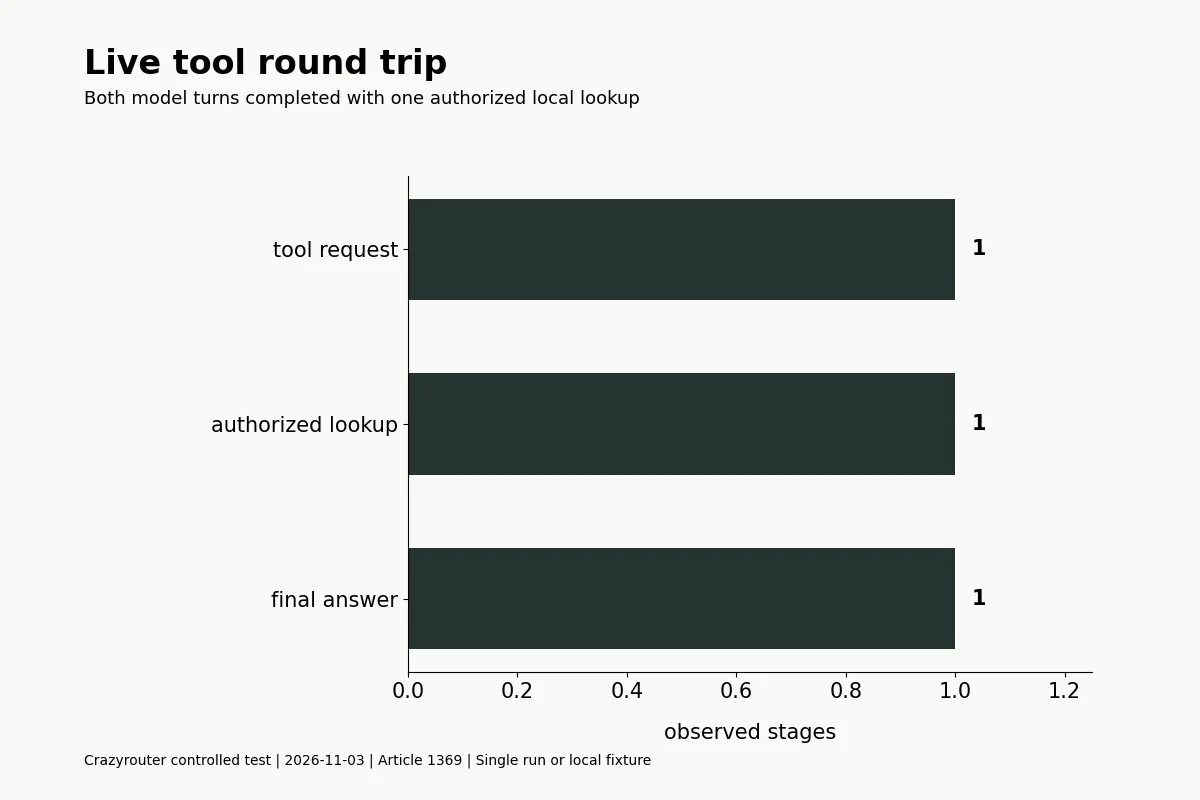
Python 3.10.2 ran the example on November 3, 2026. The live model was gpt-4.1-mini, using /v1/chat/completions at https://api.crazyrouter.com. It requested the lookup_invoice tool for INV-A. The server fixture supplied tenant A; that value did not come from the model.
| Fixture | Observed decision |
|---|---|
| same tenant allowed | Passed expected decision |
| cross tenant | Passed expected decision |
| unknown record | Passed expected decision |
| extra tenant argument | Passed expected decision |
| wrong type | Passed expected decision |
| unapproved tool | Passed expected decision |
Observed response IDs (successful responses only):
chatcmpl-Eg67LSZtw7T18Vc1g876lFOeq80p0
chatcmpl-Eg67MccyOB8X9eH8wSCTc3ssi77ZS
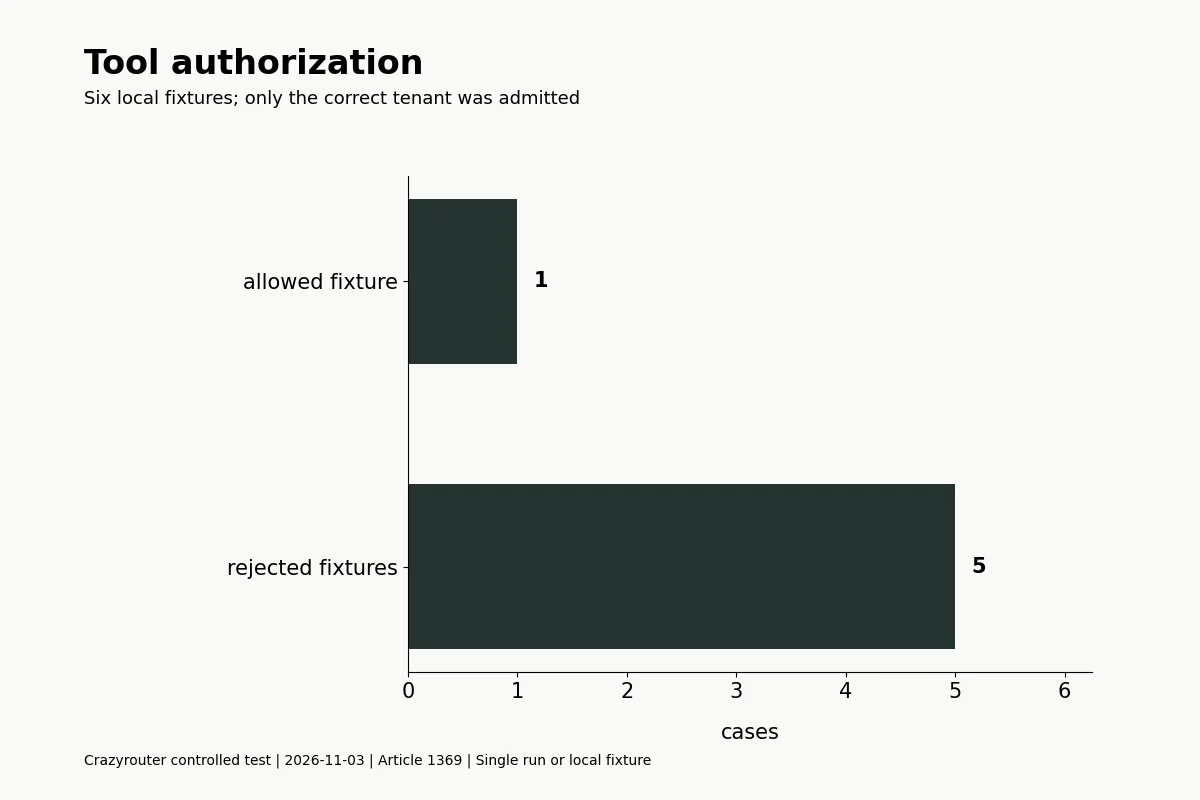
The live sequence completed both model turns: tool selection, local authorization and lookup, matching tool result, then the final answer paid. The synthetic INV-B record belongs to tenant B; an attempt to read it as tenant A raised PermissionError locally. Unknown IDs use the same unavailable outcome in this example.
Run the tool executor and tests#
Install requests, set CRAZYROUTER_API_KEY in the process environment, save the code as authorized_tool.py, and run it. All records are synthetic. The tool cannot edit invoices or call an external service.
"""Authorize a model-requested lookup using server-side tenant context."""
import json
import os
import requests

FIXTURES={'INV-A':{'tenant':'A','status':'paid'},'INV-B':{'tenant':'B','status':'pending'}}

def lookup(name,args,*,tenant):
    if name!='lookup_invoice':raise ValueError('tool not allowed')
    if not isinstance(args,dict) or set(args)!={'invoice_id'} or not isinstance(args['invoice_id'],str):raise ValueError('invalid arguments')
    record=FIXTURES.get(args['invoice_id'])
    if record is None or record['tenant']!=tenant:raise PermissionError('record unavailable')
    return {'invoice_id':args['invoice_id'],'status':record['status']}

def local_tests():
    assert lookup('lookup_invoice',{'invoice_id':'INV-A'},tenant='A')['status']=='paid'
    cases=[{'case':'same tenant allowed','passed':True}]
    for label,name,args in [('cross tenant','lookup_invoice',{'invoice_id':'INV-B'}),('unknown record','lookup_invoice',{'invoice_id':'missing'}),('extra tenant argument','lookup_invoice',{'invoice_id':'INV-B','tenant':'B'}),('wrong type','lookup_invoice',{'invoice_id':1}),('unapproved tool','delete_invoice',{'invoice_id':'INV-A'})]:
        try:lookup(name,args,tenant='A')
        except (ValueError,PermissionError):cases.append({'case':label,'passed':True})
        else:raise AssertionError(label)
    return cases

def main():
    tests=local_tests();session=requests.Session();session.trust_env=False
    session.headers['Authorization']='Bearer '+os.environ['CRAZYROUTER_API_KEY']
    endpoint='https://api.crazyrouter.com/v1/chat/completions';model='gpt-4.1-mini'
    tool={'type':'function','function':{'name':'lookup_invoice','description':'Read a synthetic invoice status.','parameters':{'type':'object','properties':{'invoice_id':{'type':'string'}},'required':['invoice_id'],'additionalProperties':False}}}
    payload={'model':model,'max_tokens':100,'tools':[tool],'tool_choice':{'type':'function','function':{'name':'lookup_invoice'}},'messages':[{'role':'user','content':'Look up invoice INV-A. After receiving the result, reply only paid.'}]}
    def send():
        response=session.post(endpoint,json=payload,timeout=60);response.raise_for_status();return response.json()
    first=send();message=first['choices'][0]['message'];calls=message.get('tool_calls') or []
    assert len(calls)==1
    call=calls[0];args=json.loads(call['function']['arguments'])
    result=lookup(call['function']['name'],args,tenant='A')
    payload['messages']+=[message,{'role':'tool','tool_call_id':call['id'],'content':json.dumps(result)}]
    payload.pop('tool_choice');final=send();choice=final['choices'][0]
    assert choice['finish_reason']=='stop' and choice['message']['content'].strip().lower()=='paid'
    print(json.dumps({'endpoint':endpoint,'model':model,'local_tests':tests,'first_id':first['id'],'final_id':final['id'],'tool_call_id':call['id'],'arguments':args,'tool_result':result,'answer':choice['message']['content'],'finished':True}))

if __name__=='__main__':main()
The code checks an exact argument-key set and a string invoice ID. It rejects extra tenant fields instead of letting them override server context. The tool name is allowlisted, so a request for delete_invoice cannot become an operation simply because it resembles the expected schema.
Put the permission check at the data boundary#
| Boundary | Example behavior | Production requirement |
|---|---|---|
| Tool selection | Only lookup_invoice is executable | Avoid dispatching arbitrary names to general functions |
| Arguments | Exactly one string invoice_id | Validate schema and business constraints |
| Identity | Tenant A supplied by the fixture server | Obtain tenant and actor from authenticated context |
| Record access | Tenant checked before returning status | Enforce equivalent rules in the actual data-access layer |
| Crazyrouter model response | Proposes the lookup | Does not grant authorization |
For a real database, avoid a check-then-use gap where permissions or ownership can change between lookup and access. Put the relevant constraints into the transaction or data-access query. This small dictionary example does not test row-level security, revocation races, distributed services or identity federation.
Preserve protocol correctness without granting extra power#
Return tool results under the invocation ID supplied by the model. Protocol pairing matters, but it is not an authorization mechanism. See the native Claude tool-result validator and the cross-model function-calling experiment.
Keep tools narrow and prefer read-only operations when that meets the task. For side effects, add explicit authorization, persistent idempotency and appropriate confirmation in your product. The retry implementation explains why a lost response does not mean an operation never ran.
Use restricted operational receipts instead of logging all record contents. If answers are cached, include the relevant authorization scope and revisions in the cache key; a cache hit must not bypass a permission check.
FAQ#
Can the model decide which tenant to use?#
Not in this design. Tenant identity comes from trusted server context and is not a tool argument.
Is valid JSON enough to authorize a tool?#
No. Syntax, schema and permission checks are separate gates.
Why reject extra fields instead of ignoring them?#
An exact contract makes attempted overrides visible. Decide any normalization policy explicitly before execution.
Does a tool invocation ID prove the caller has permission?#
No. It correlates model messages and tool results; it is not an access-control credential.
Does this prevent every prompt-injection attack?#
No. It limits what this one executor can read. Other tools, inputs and output paths need their own controls.
Was a real customer invoice queried?#
No. Both records were synthetic in-memory fixtures. The live part was the model-to-tool-to-answer round trip.
Implementation Guides
Podcast
AI Dev Tools: The Crazyrouter Podcast
Short episodes for developers on AI APIs, gateways, cost control and coding tools.
Latest episodes
EP196 · Oct 29, 2026 · 6:53
AI API Security Posture — Turn Controls Into Continuous Evidence
A practical guide to AI API security posture: inventory exposure, verify controls continuously, protect keys and data, constrain tools, and turn security assumptions into evidence that operators can act on.
EP195 · Oct 28, 2026 · 7:21
AI API Policy Drift — Detect When Production Rules Stop Matching Intent
A practical guide to policy drift in AI APIs: version routing and safety rules, detect stale enforcement, compare intended and observed behavior, and restore control before small gaps become incidents.