Crazyrouter
GPT-image-2: Nhận Diện Khuôn Mặt Và Phân Tích Màu Sắc Bằng AI
Xây dựng công cụ nhận diện khuôn mặt và phân tích màu sắc cá nhân theo mùa bằng GPT-image-2 qua Crazyrouter API. Kèm mã nguồn đầy đủ Python, curl và Node.js.
Nhận Diện Khuôn Mặt & Phân Tích Màu Sắc Cá Nhân Bằng AI Với GPT-image-2#
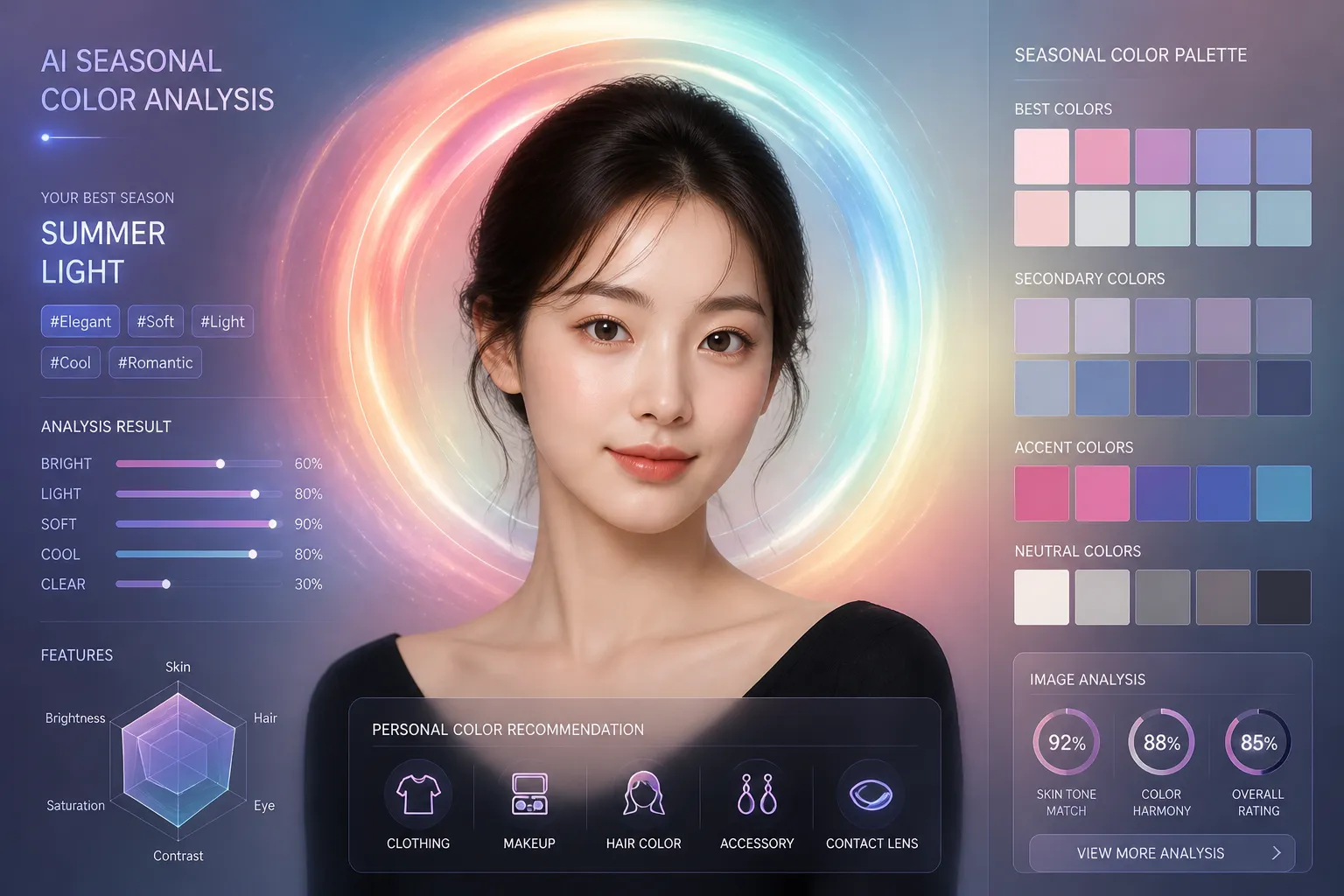
Hai ứng dụng AI tạo ảnh viral đang bùng nổ trên mạng xã hội: Nhận diện khuôn mặt bằng AI và Phân tích màu sắc cá nhân theo mùa. Cả hai đều tận dụng khả năng tạo infographic chi tiết với chú thích văn bản rõ ràng của GPT-image-2.
Đây là Phần 2 trong chuỗi bài viết về GPT-image-2. Chúng ta sẽ xây dựng cả hai công cụ với mã nguồn đầy đủ.
Xem Trước Kết Quả#
Nhận Diện Khuôn Mặt Bằng AI#
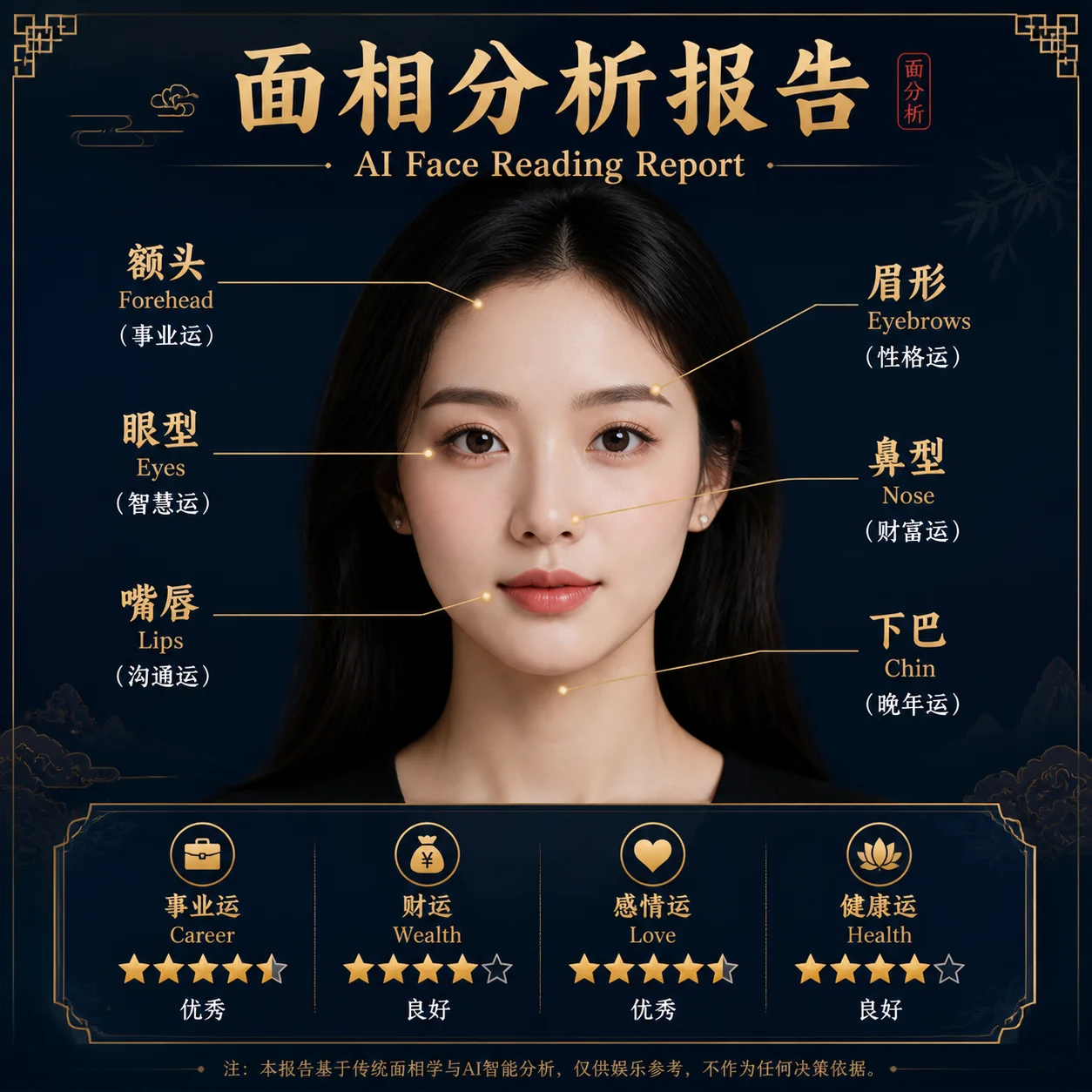
Mô hình phân tích các đặc điểm khuôn mặt — hình dáng trán, cung lông mày, khoảng cách mắt, sống mũi, hình dáng môi — và tạo ra các phân tích tính cách tương ứng cho từng đặc điểm.
Phân Tích Màu Sắc Cá Nhân#
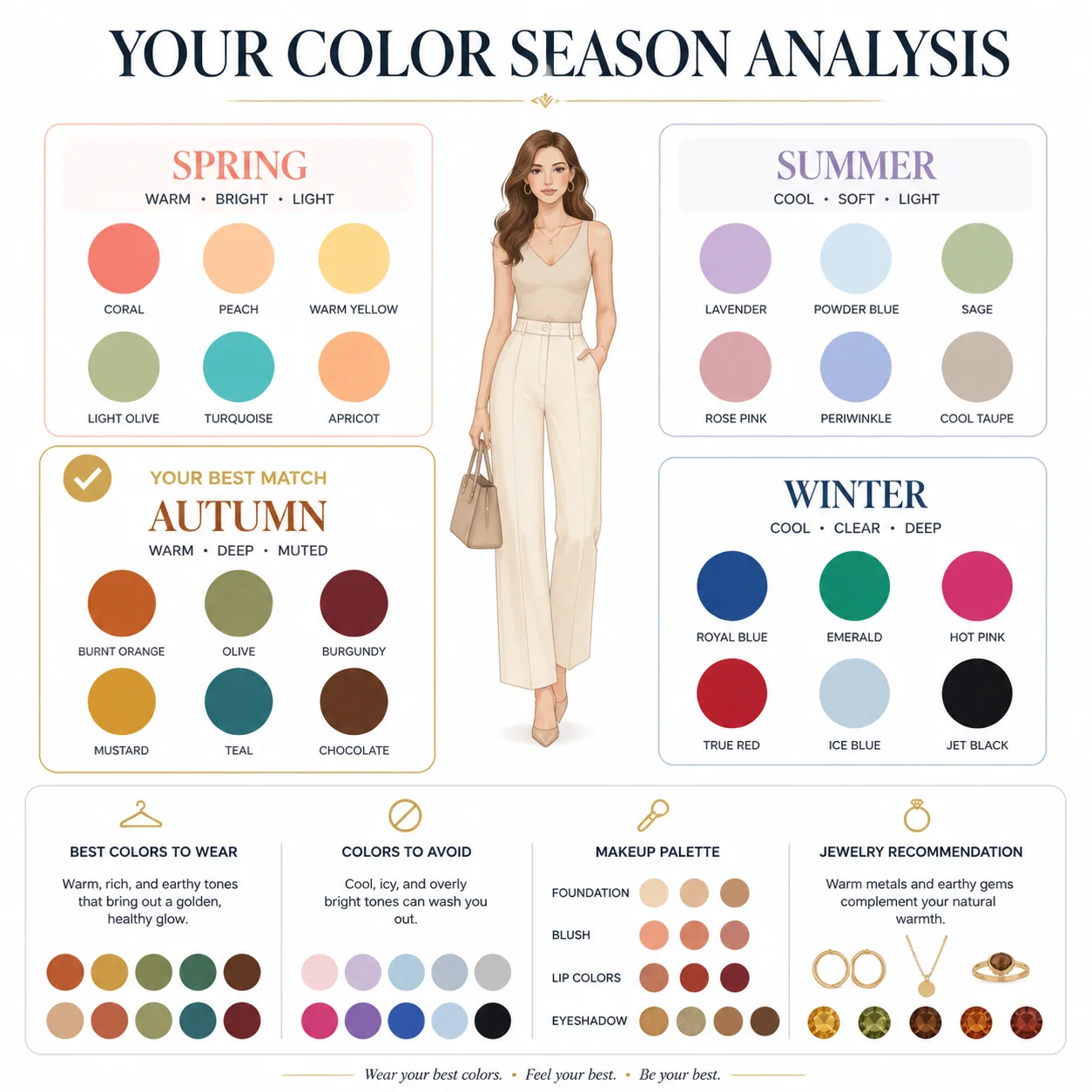
Xác định mùa màu sắc nào (Xuân, Hạ, Thu, Đông) phù hợp nhất với bạn, kèm bảng màu gợi ý cho trang phục, trang điểm và phụ kiện.
Nhận Diện Khuôn Mặt — Mã Nguồn Đầy Đủ#
Python#
from openai import OpenAI

client = OpenAI(
    api_key="your-crazyrouter-api-key",
    base_url="https://crazyrouter.com/v1"
)

face_reading_prompt = """
Create a professional AI face reading analysis infographic.
Style: elegant, modern, dark background with golden accent lines.

Analyze and annotate these facial features:
- Forehead shape → Career & wisdom interpretation
- Eyebrow arch → Personality & temperament
- Eye shape & spacing → Emotional intelligence
- Nose bridge & tip → Wealth & determination
- Lip shape → Communication & relationships
- Jawline → Willpower & resilience

Layout:
- Center: a stylized face outline with golden annotation lines
- Sides: interpretation cards for each feature
- Bottom: overall personality summary with strengths

Professional consultation report style. Clean typography.
"""

response = client.images.generate(
    model="gpt-image-2",
    prompt=face_reading_prompt,
    size="1024x1024",
    n=1
)

print(f"Face Reading: {response.data[0].url}")
curl#
curl -X POST https://crazyrouter.com/v1/images/generations \
  -H "Content-Type: application/json" \
  -H "Authorization: Bearer your-crazyrouter-api-key" \
  -d '{
    "model": "gpt-image-2",
    "prompt": "Professional AI face reading infographic. Dark background, golden accents. Annotate facial features: forehead, eyebrows, eyes, nose, lips, jawline. Each with personality interpretation. Consultation report style.",
    "size": "1024x1024",
    "n": 1
  }'
Phân Tích Màu Sắc Cá Nhân — Mã Nguồn Đầy Đủ#
Python#
color_analysis_prompt = """
Create a personal color season analysis infographic.
Style: fashion magazine quality, clean and elegant.

Show four seasonal color palettes:
- Spring: warm, bright (coral, peach, warm green, golden yellow)
- Summer: cool, muted (lavender, dusty rose, powder blue, soft gray)
- Autumn: warm, deep (burnt orange, olive, burgundy, mustard)
- Winter: cool, vivid (true red, royal blue, emerald, black & white)

For each season, show:
- Color swatches (6-8 colors)
- Best clothing colors
- Makeup recommendations
- Metals: gold vs silver

Center: a stylized face/silhouette
Layout: 4 quadrants, one per season
Bottom: "Your Season: [Spring]" with personalized recommendations
"""

response = client.images.generate(
    model="gpt-image-2",
    prompt=color_analysis_prompt,
    size="1024x1024",
    n=1
)

print(f"Color Analysis: {response.data[0].url}")
curl#
curl -X POST https://crazyrouter.com/v1/images/generations \
  -H "Content-Type: application/json" \
  -H "Authorization: Bearer your-crazyrouter-api-key" \
  -d '{
    "model": "gpt-image-2",
    "prompt": "Personal color season analysis infographic. Four seasons: Spring, Summer, Autumn, Winter. Each with color swatches and clothing recommendations. Fashion magazine quality, clean elegant design.",
    "size": "1024x1024",
    "n": 1
  }'
Node.js#
import OpenAI from "openai";

const client = new OpenAI({
  apiKey: "your-crazyrouter-api-key",
  baseURL: "https://crazyrouter.com/v1",
});

// Face Reading
const faceResult = await client.images.generate({
  model: "gpt-image-2",
  prompt: `Professional AI face reading analysis infographic. Dark background, golden accents.
Annotate: forehead, eyebrows, eyes, nose, lips, jawline.
Each with personality interpretation. Clean modern consultation report style.`,
  size: "1024x1024",
  n: 1,
});

// Color Analysis
const colorResult = await client.images.generate({
  model: "gpt-image-2",
  prompt: `Personal color season analysis infographic. Four seasons: Spring, Summer, Autumn, Winter.
Each with color swatches and clothing recommendations.
Fashion magazine quality, clean elegant design.`,
  size: "1024x1024",
  n: 1,
});

console.log("Face:", faceResult.data[0].url);
console.log("Color:", colorResult.data[0].url);
Ý Tưởng Kiếm Tiền#
Cả hai công cụ đều có tiềm năng viral và khả năng kiếm tiền cao:
| Cách tiếp cận | Cách hoạt động |
|---|---|
| Bộ lọc mạng xã hội | Người dùng tải ảnh selfie lên, chia sẻ kết quả → tăng trưởng tự nhiên |
| Báo cáo trả phí | Phân tích cơ bản miễn phí, báo cáo chi tiết cao cấp $1-3 |
| Bot LINE / Telegram | Bot tự động thu phí mỗi lần phân tích |
| Công cụ cho influencer | Beauty influencer sử dụng phân tích màu sắc để tạo nội dung |
Chi Phí#
Mỗi lần tạo ảnh tốn khoảng ~1 cho mỗi lần phân tích trả phí, biên lợi nhuận đạt trên 90%.
🚀 Crazyrouter — Một API key, hơn 600 mô hình. GPT-image-2, GPT-5.5, Claude Opus 4.7, DeepSeek V4 và nhiều hơn nữa.