简体中文
简体中文 繁體中文
繁體中文 English
 Français
 Русский
 日本語
日本語 Tiếng Việt
 한국어
한국어 Deutsch
 Español
 Italiano
 Português
 العربية
 ไทย
ไทย Bahasa Indonesia
 Bahasa Melayu
 Türkçe
 Polski
 Nederlands
 Dansk
Dansk Norsk
Norsk Қазақша
한국어튜토리얼
GPT-image-2로 AI 미래 아기 예측 — 우리 아이는 어떤 모습일까?
Crazyrouter API를 통해 GPT-image-2로 미래 아기의 모습을 사실적으로 예측합니다. Python, curl, Node.js 전체 코드 포함.
C
Crazyrouter Team
2026년 5월 2일 / 953 회 조회
공유:
Crazyrouter
GPT-image-2로 AI 미래 아기 예측 — 우리 아이는 어떤 모습일까?#
"우리 아기는 어떻게 생겼을까?" — 모든 커플이 한 번쯤 해본 질문입니다. 이제 GPT-image-2가 부모의 외모 특징을 조합하여 놀라울 정도로 사실적인 아기 초상화를 생성할 수 있습니다.
TikTok과 Instagram에서 커플들이 AI가 예측한 아기 사진을 공유하며 큰 화제가 되었습니다. 결과물은 귀엽고, 공유하기 좋고, 놀라울 만큼 그럴듯합니다.
이 글은 GPT-image-2 시리즈의 다섯 번째 편입니다.
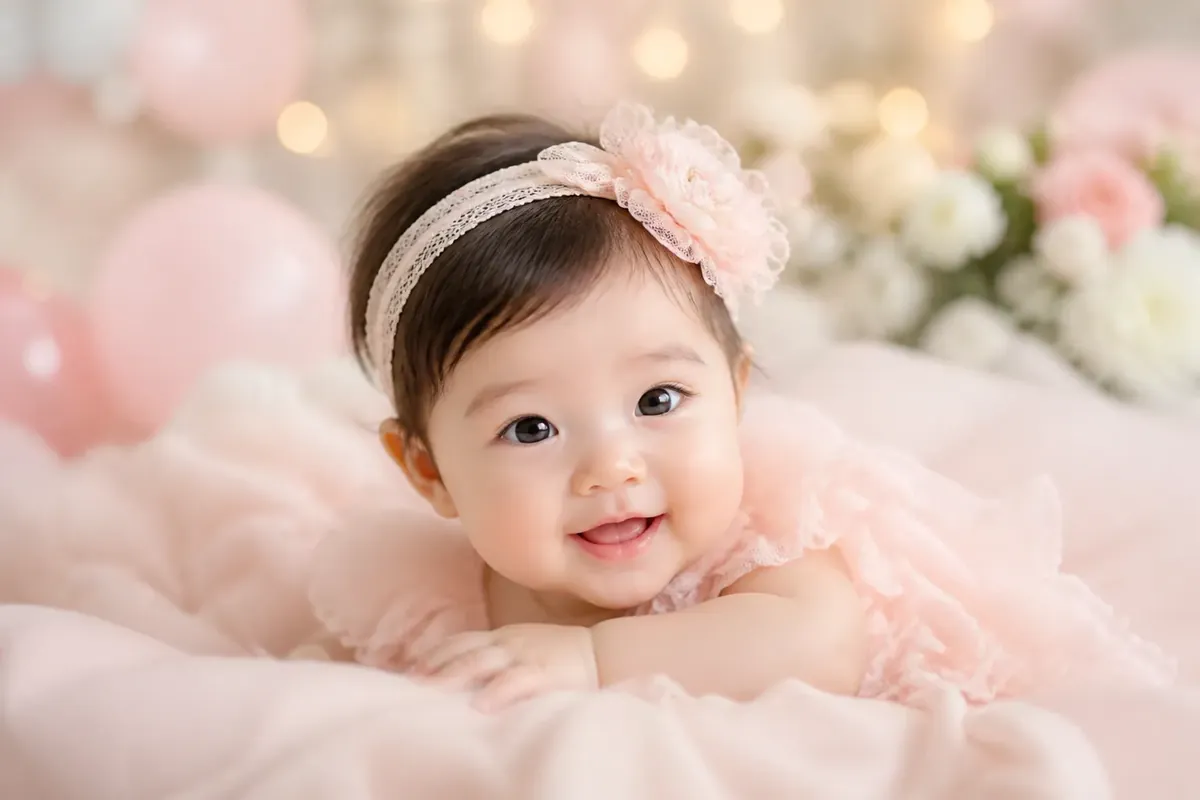
결과 미리보기#
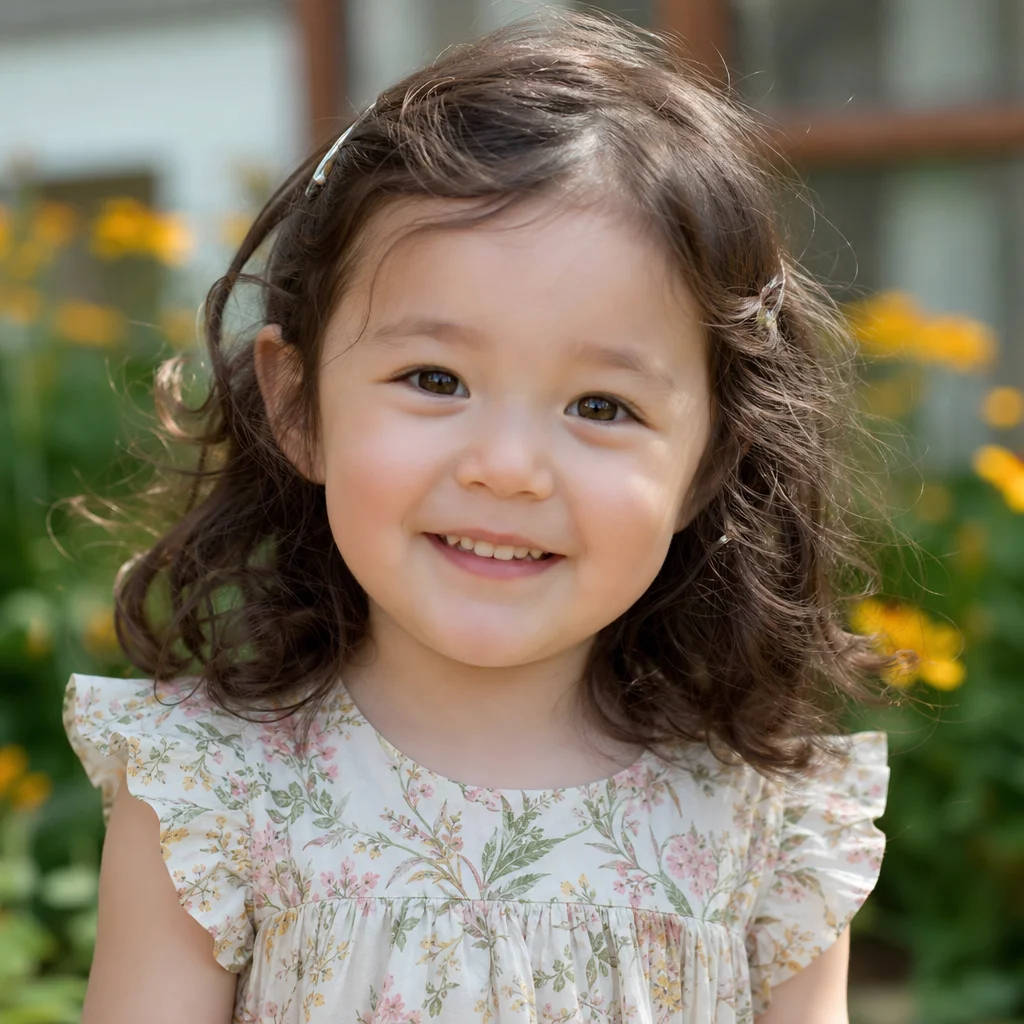
동아시아와 유럽 특징이 자연스럽게 조합된 혼혈 아기 — 자연광, 전문 인물 사진 스타일. 실제 사진처럼 보입니다.
전체 코드#
Python#
python
from openai import OpenAI

client = OpenAI(
    api_key="your-crazyrouter-api-key",
    base_url="https://crazyrouter.com/v1"
)

# Describe both parents' features
parent_a = {
    "ethnicity": "East Asian",
    "features": "dark brown eyes, straight black hair, round face, small nose"
}

parent_b = {
    "ethnicity": "Northern European",
    "features": "blue eyes, wavy light brown hair, oval face, high nose bridge"
}

baby_prompt = f"""
A professional portrait photo of an adorable 1-year-old baby.
The baby is a natural blend of two parents:
- Parent A: {parent_a['ethnicity']} — {parent_a['features']}
- Parent B: {parent_b['ethnicity']} — {parent_b['features']}

The baby should have a natural, realistic blend of both parents' features.
Possible traits: light brown eyes, slightly wavy dark brown hair,
medium nose bridge, mixed facial structure.

Setting: natural soft window light, clean white/cream background.
Style: professional baby portrait photography, 85mm lens,
shallow depth of field, warm tones.
The baby is smiling gently, wearing a simple white onesie.

Photorealistic. No text, no watermark.
"""

response = client.images.generate(
    model="gpt-image-2",
    prompt=baby_prompt,
    size="1024x1024",
    n=1
)

print(f"아기 예측: {response.data[0].url}")
curl#
bash
curl -X POST https://crazyrouter.com/v1/images/generations \
  -H "Content-Type: application/json" \
  -H "Authorization: Bearer your-crazyrouter-api-key" \
  -d '{
    "model": "gpt-image-2",
    "prompt": "Professional portrait photo of an adorable 1-year-old baby. Natural blend of East Asian and Northern European features: light brown eyes, slightly wavy dark brown hair, medium nose bridge. Soft window light, cream background. Baby portrait photography, 85mm lens, shallow depth of field, warm tones. Baby smiling in white onesie. Photorealistic. No text.",
    "size": "1024x1024",
    "n": 1
  }'
Node.js#
javascript
import OpenAI from "openai";

const client = new OpenAI({
  apiKey: "your-crazyrouter-api-key",
  baseURL: "https://crazyrouter.com/v1",
});

const response = await client.images.generate({
  model: "gpt-image-2",
  prompt: `Professional portrait of an adorable 1-year-old baby.
Natural blend of East Asian and Northern European features.
Light brown eyes, slightly wavy dark brown hair, medium nose bridge.
Soft window light, cream background, baby portrait photography.
85mm lens, shallow depth of field, warm tones.
Baby smiling in white onesie. Photorealistic. No text.`,
  size: "1024x1024",
  n: 1,
});

console.log(response.data[0].url);
특징 조합 템플릿#
바로 사용할 수 있는 부모 특징 조합입니다:
동아시아 × 동아시아#
code
부모 A: 둥근 얼굴, 홑꺼풀, 직모 검은 머리, 작은 코
부모 B: 타원형 얼굴, 쌍꺼풀, 짙은 갈색 머리, 뚜렷한 광대뼈
아기 특징: 아몬드형 눈, 부드러운 검은 머리, 균형 잡힌 이목구비
동아시아 × 아프리카#
code
부모 A: 짙은 갈색 눈, 직모 검은 머리, 둥근 얼굴
부모 B: 짙은 갈색 눈, 곱슬 검은 머리, 강한 턱선, 도톰한 입술
아기 특징: 따뜻한 갈색 피부, 웨이브 짙은 머리, 표현력 있는 짙은 눈
유럽 × 라틴아메리카#
code
부모 A: 파란 눈, 금발, 밝은 피부, 좁은 얼굴
부모 B: 갈색 눈, 짙은 웨이브 머리, 올리브색 피부, 도톰한 입술
아기 특징: 헤이즐 눈, 밝은 갈색 웨이브 머리, 따뜻한 피부톤
남아시아 × 유럽#
code
부모 A: 짙은 갈색 눈, 검은 머리, 따뜻한 갈색 피부, 진한 눈썹
부모 B: 녹색 눈, 적갈색 머리, 밝은 피부, 주근깨
아기 특징: 밝은 갈색 눈, 짙은 갈색 웨이브 머리, 중간 피부톤
다양한 연령대 생성#
아기가 자라면서 어떤 모습일지 확인해보세요:
python
ages = [
    ("신생아", "a sleeping newborn baby wrapped in a white blanket"),
    ("1세", "a smiling 1-year-old baby sitting up"),
    ("3세", "a cheerful 3-year-old toddler playing"),
    ("5세", "a happy 5-year-old child laughing"),
]

features = "blend of East Asian and European features, light brown eyes, wavy dark hair"

for age, description in ages:
    response = client.images.generate(
        model="gpt-image-2",
        prompt=f"Professional portrait of {description}. {features}. "
               f"Natural soft lighting, clean background. Photorealistic. No text.",
        size="1024x1024",
        n=1
    )
    print(f"{age}: {response.data[0].url}")
프롬프트 팁#
- 특징을 구체적으로 묘사 — "밝은 갈색 눈"이 "혼합된 눈"보다 효과적
- 조합 결과를 묘사 — 부모 특징만 나열하지 말고, 예상되는 결과를 설명
- 사진 키워드가 중요 —
85mm lens, shallow depth of field, natural light가 사실감을 크게 향상 - "Photorealistic. No text." 추가 — 만화 스타일 출력과 텍스트 아티팩트 방지
주의사항#
AI 아기 예측은 순수하게 재미를 위한 것입니다. 유전학은 눈에 보이는 특징을 조합하는 것보다 훨씬 복잡합니다. 결과는 실제 유전적 결과를 나타내지 않습니다. 책임감 있게 사용하고 개인정보를 존중해 주세요.
비용#
| 항목 | 가격 (Crazyrouter 기준) |
|---|---|
| 아기 초상화 1장 | 약 $0.04–0.08 |
| 4연령 시리즈 | 약 $0.20–0.32 |
🚀 Crazyrouter — API 키 하나로 600개 이상의 모델. GPT-image-2, GPT-5.5, Claude Opus 4.7, DeepSeek V4 등.
Implementation Guides
AuthenticationCreate and use API keys with the required authorization headers.Quick Start GuideMake the first Crazyrouter API call and validate your setup.Image Upload GuidanceUpload local reference images and use temporary public media URLs.IntroductionUnderstand Crazyrouter's all-in-one AI model API gateway.
Crazyrouter
주제
튜토리얼