简体中文
简体中文 繁體中文
繁體中文 English
 Français
 Русский
 日本語
日本語 Tiếng Việt
 한국어
한국어 Deutsch
 Español
 Italiano
 Português
 العربية
 ไทย
ไทย Bahasa Indonesia
 Bahasa Melayu
 Türkçe
 Polski
 Nederlands
 Dansk
Dansk Norsk
Norsk Қазақша
Claude Code Router Zhipu Setup: Choose the Right Endpoint and Model
Connect Claude Code Router to a Zhipu-compatible provider without mixing keys, billing plans, or API protocols. Check the route before trusting an agent workflow.

For the search “* claude-code-router zhipu,” the direct answer is to add the provider that issued your key, select its supported protocol and exact model, then apply that route to Claude Code. Do not combine a Zhipu or Z.AI account key with a third-party gateway address. The current Claude Code Router documentation uses a provider-management interface; older JSON configuration tutorials may describe a different release.
What does Claude Code Router do with Zhipu models?#
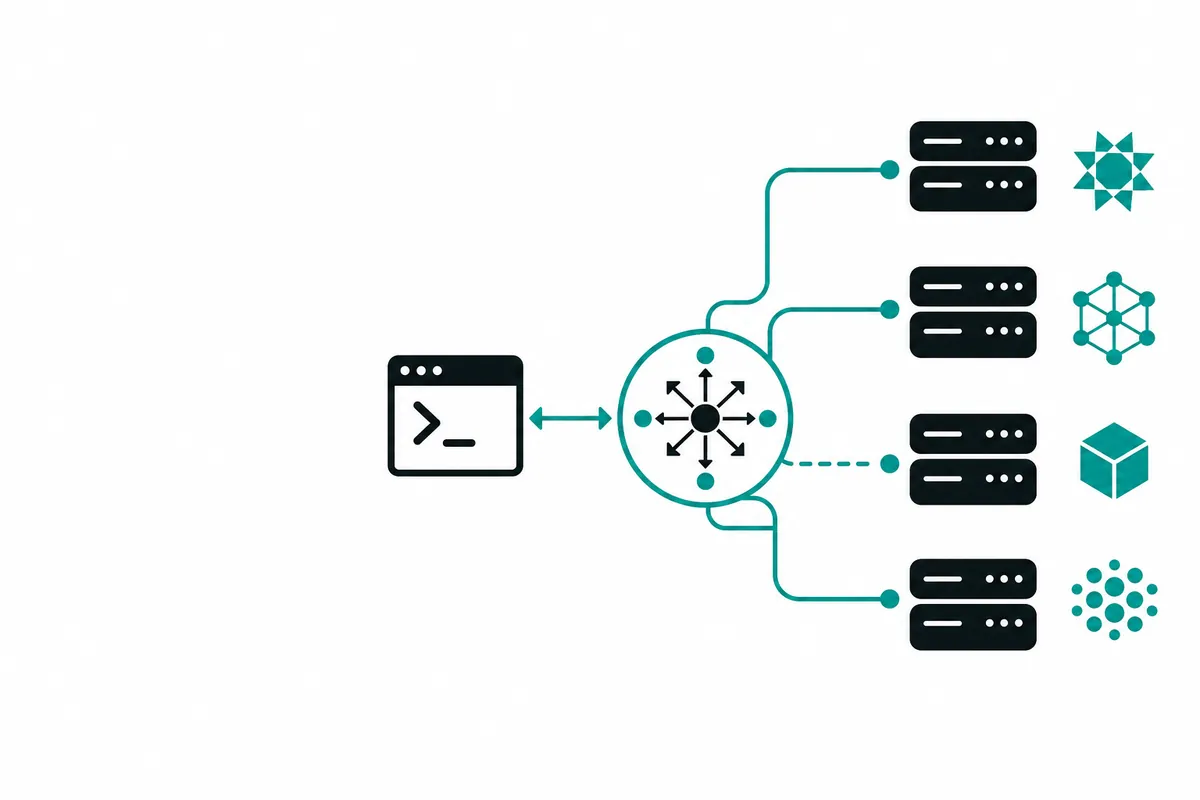
Claude Code Router, or CCR, is a local gateway between a coding client and an upstream model service. Zhipu identifies the model provider ecosystem; CCR handles the local connection and routing. Neither installing the router nor selecting a model purchases upstream access.
The project README reviewed in October 2026 lists Z.AI and custom compatible providers. Its current quick start uses Providers, Server, and Agent Config. Match instructions to your installed release before copying an older provider block. Also distinguish a general API account from a coding subscription: their eligible endpoints and billing rules can differ.
Which account, endpoint, and model belong together?#
Start with the service that issued your credential. Its documentation should supply the endpoint and accepted model identifiers. A familiar display name is not a substitute for an exact API ID.
| Route | Credential | Endpoint source | What to check |
|---|---|---|---|
| Zhipu or Z.AI account | That account's key | Its current account documentation | Region, product, protocol, model access |
| Coding-plan route | Eligible plan credential | The plan's integration instructions | Supported clients and usage conditions |
| Crazyrouter gateway | Crazyrouter API key | Gateway integration documentation | Supported model ID and token billing |
For the gateway option, inspect the Zhipu model catalogue and GLM-5 price page. Prices here are linked, not copied from an unrelated coding-plan offer. A subscription allowance must not be assumed to cover gateway requests.
How do you configure the current router?#
Open Providers, choose Add Provider, and select the matching preset or a custom endpoint. Enter the credential privately and inspect the detected protocols and models. The provider setup documentation says you can override detection in Advanced settings if necessary.
For a compatible gateway text request, the base URL is https://api.crazyrouter.com/v1 and the protocol is OpenAI Chat. Run Check Connection for only the model you intend to use, since checks can consume billable tokens. Then start the local server and apply the Claude Code agent profile. Consult the separate Claude Code integration page if choosing a direct gateway connection instead of CCR.
The following single API probe isolates upstream access from local routing. Set your own gateway key in the environment; it is not a Zhipu subscription key.
curl --fail-with-body https://api.crazyrouter.com/v1/chat/completions \
  -H "Authorization: Bearer $CRAZYROUTER_API_KEY" \
  -H "Content-Type: application/json" \
  -d '{"model":"glm-5","messages":[{"role":"user","content":"Reply with the word ready."}],"max_tokens":128}'
On 2026-10-17, this request returned HTTP 200 and Ready. The response reported model glm-5.3 despite the requested glm-5, so this probe confirms basic connectivity but not exact-version identity. Confirm alias mapping before relying on a version-specific evaluation; we did not run a full CCR agent session.
Why does a connection pass while coding still fails?#
A text probe checks authentication and a basic response, not the entire agent workflow. Next test a harmless read-only task that requires a tool call, a tool result, and a final answer. Inspect CCR logs for the resolved provider and model rather than trusting the client label.
For authentication errors, check the key's issuer and endpoint first. For model errors, verify access and spelling. For streaming or tool failures, inspect protocol conversion and the installed router version. Keep secrets out of shared logs, cap retries, and avoid executing file changes merely to test connectivity.
FAQ#
Does Claude Code Router include a Zhipu subscription?#
No. The router manages connections, while the upstream account determines access and billing. Obtain the correct credential for the route you choose.
Can I reuse an old Zhipu JSON configuration?#
Only after comparing it with documentation for your installed CCR release. Current provider presets and protocol settings may differ from older examples.
Is a working GLM API call proof that Claude Code tools work?#
No; a chat completion does not exercise tool-result conversion or a multi-step coding session. Verify those separately with a disposable, read-only task before enabling edits.
For a gateway evaluation, create an account, select one model, and record both its result and billed usage before expanding your workflow.
<!-- [crazyrouter](https://docs.crazyrouter.com/en/introduction)-related-links -->