简体中文
简体中文 繁體中文
繁體中文 English
 Français
 Русский
 日本語
日本語 Tiếng Việt
 한국어
한국어 Deutsch
 Español
 Italiano
 Português
 العربية
 ไทย
ไทย Bahasa Indonesia
 Bahasa Melayu
 Türkçe
 Polski
 Nederlands
 Dansk
Dansk Norsk
Norsk Қазақша
Gemini 2.5 Flash-Lite for Support Automation and Ticket Triage
How developers can use Gemini 2.5 Flash-Lite to classify support tickets, extract key fields, suggest next actions, and escalate risky cases without turning support into an unreliable chatbot.

Gemini 2.5 Flash-Lite for Support Automation and Ticket Triage#
Support automation is one of the best places to use Gemini 2.5 Flash-Lite, but not because it should replace your support team.
The practical use case is narrower and more valuable: use it to read incoming tickets, classify intent, extract operational fields, suggest next steps, and decide when a human or stronger model is required.
That turns a messy inbox into structured work without forcing a lightweight model to make final decisions on refunds, account access, legal complaints, or angry customers.
This guide shows a developer-friendly pattern for building ticket triage with Gemini 2.5 Flash-Lite through Crazyrouter’s OpenAI-compatible API.
Internal link: Explore Crazyrouter for model routing
What Flash-Lite should do in support#
A good support triage workflow separates understanding from acting.
Gemini 2.5 Flash-Lite is a strong fit for understanding tasks:
- What is the customer asking about?
- Is this urgent?
- Does the ticket mention a product, plan, invoice, error code, or order ID?
- Which queue should receive it?
- Should the system retrieve knowledge-base context?
- Is it safe to draft a reply automatically?
- Should a human review it first?
It should not silently perform irreversible actions such as refunds, account changes, cancellations, or security resets. For those, use it to prepare context and route the ticket.
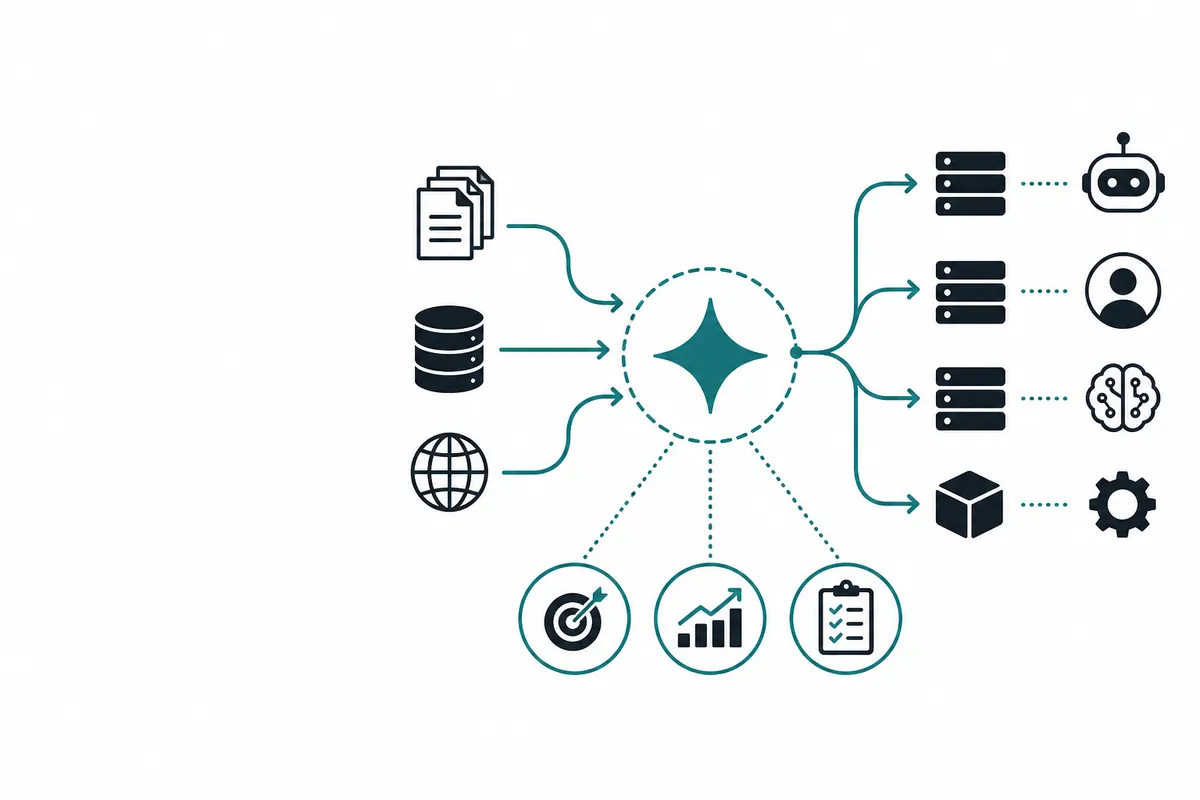
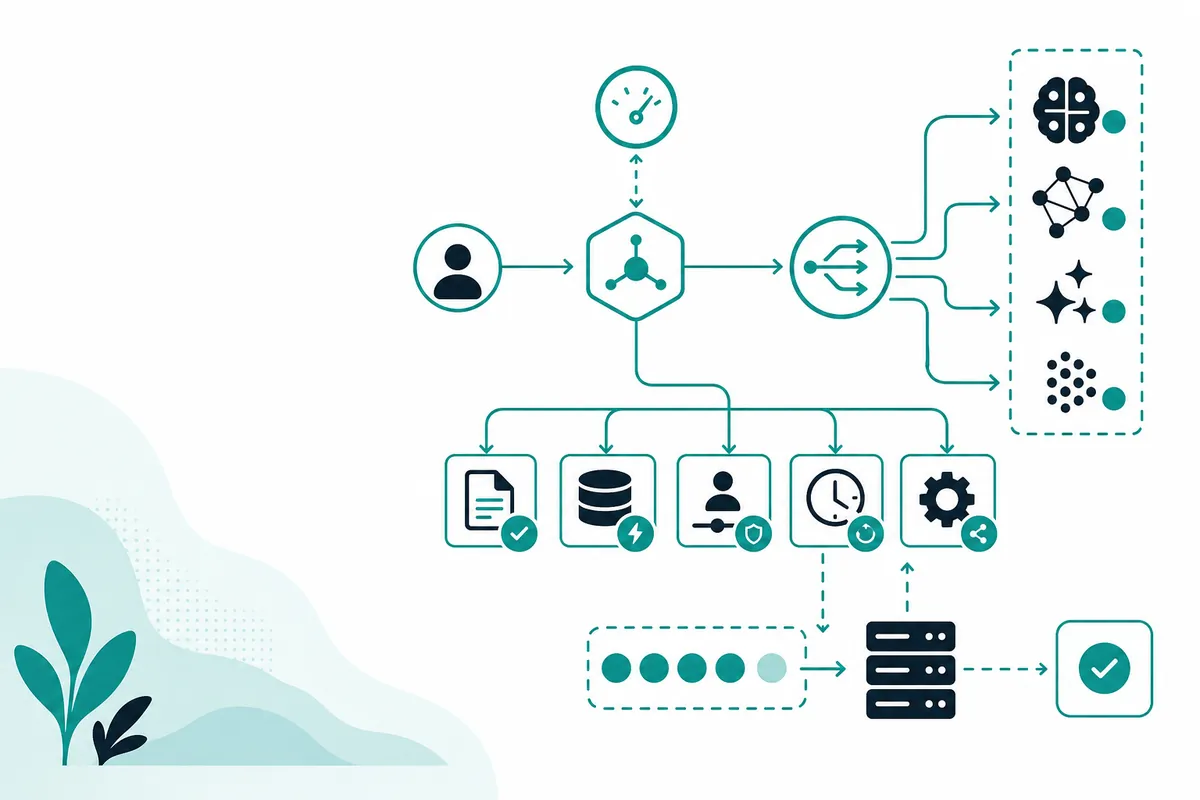
Example support triage architecture#
Incoming ticket
   ↓
Normalize text and metadata
   ↓
Gemini 2.5 Flash-Lite triage call
   ↓
Validate JSON schema
   ↓
Apply deterministic business rules
   ↓
Route to: auto-draft, KB retrieval, specialist queue, human review, or stronger model
   ↓
Log outcome and update evaluation set
The key is that the model proposes a structured interpretation, while your application enforces policy.
Triage fields to extract#
A useful first schema might look like this:
{
  "primary_intent": "billing | bug | account_access | how_to | cancellation | sales | security | other",
  "secondary_intents": ["string"],
  "urgency": "low | normal | high | critical",
  "sentiment": "calm | confused | frustrated | angry",
  "customer_identifiers": {
    "email": "string | null",
    "account_id": "string | null",
    "invoice_id": "string | null",
    "order_id": "string | null"
  },
  "product_area": "string | null",
  "requires_human": true,
  "recommended_next_step": "string",
  "confidence": 0.0
}
Do not overcomplicate the first version. You can add fields after reviewing real failure cases.
OpenAI-compatible API example with Crazyrouter#
This example uses the OpenAI SDK style with Crazyrouter as the base URL.
import OpenAI from "openai";

const client = new OpenAI({
  apiKey: process.env.CRAZYROUTER_API_KEY,
  baseURL: "https://crazyrouter.com/v1",
});

const ticket = `
Subject: Charged twice after upgrading

I upgraded to Pro yesterday but my card shows two charges. I need this fixed today
because our finance team is asking about it. My invoice ID is INV-88319.
`;

const completion = await client.chat.completions.create({
  model: "google/gemini-2.5-flash-lite",
  temperature: 0,
  messages: [
    {
      role: "system",
      content: `
You are a support ticket triage engine. Return only valid JSON.
Allowed primary_intent values: billing, bug, account_access, how_to, cancellation, sales, security, other.
Allowed urgency values: low, normal, high, critical.
Allowed sentiment values: calm, confused, frustrated, angry.
If confidence is below 0.75 or the ticket involves refunds, security, legal, or account access, set requires_human to true.
      `.trim(),
    },
    { role: "user", content: ticket },
  ],
});

console.log(completion.choices[0]?.message?.content);
Possible output:
{
  "primary_intent": "billing",
  "secondary_intents": ["duplicate_charge", "invoice_question"],
  "urgency": "high",
  "sentiment": "frustrated",
  "customer_identifiers": {
    "email": null,
    "account_id": null,
    "invoice_id": "INV-88319",
    "order_id": null
  },
  "product_area": "Pro plan billing",
  "requires_human": true,
  "recommended_next_step": "Route to billing support with invoice lookup and duplicate charge investigation.",
  "confidence": 0.9
}
Notice that even with high confidence, the example sets requires_human to true because billing remediation can be sensitive.
Deterministic rules after the model call#
Do not rely on model output alone. Add application-level rules:
function enforceSupportPolicy(result: TriageResult): TriageResult {
  const sensitiveIntents = new Set(["billing", "account_access", "security"]);

  if (sensitiveIntents.has(result.primary_intent)) {
    result.requires_human = true;
  }

  if (result.confidence < 0.75) {
    result.requires_human = true;
  }

  if (result.urgency === "critical") {
    result.requires_human = true;
    result.recommended_next_step = "Escalate to priority support immediately.";
  }

  return result;
}
This pattern keeps automation useful without letting it outrun your support policy.
Where to use retrieval#
Many support tickets need company-specific context: plan limits, refund rules, known incidents, integration docs, or troubleshooting steps.
Use Gemini 2.5 Flash-Lite to decide whether retrieval is needed:
| Ticket type | Retrieval needed? | Why |
|---|---|---|
| “How do I reset my password?” | Maybe | If the answer is stable and documented |
| “Why did invoice INV-88319 charge twice?” | Yes, but with tools/human | Needs account-specific lookup |
| “Your API returns 429 for model X.” | Yes | Needs current docs or incident status |
| “Cancel my account now.” | Yes + human | Needs policy and irreversible action controls |
| “What is your uptime SLA?” | Yes | Must match current contract/docs |
With Crazyrouter, you can keep the first triage call lightweight and then route selected tickets to a retrieval step or a stronger model.
Internal link: Read Crazyrouter docs
Comparison: automation levels in support#
| Level | What happens | Risk | Good first step? |
|---|---|---|---|
| Tag only | Model labels ticket category | Low | Yes |
| Extract fields | Model pulls IDs, products, dates | Low-medium | Yes |
| Route queue | Model suggests team or workflow | Medium | Yes, with rules |
| Draft reply | Model writes response for agent review | Medium | Yes, after testing |
| Auto-send reply | Model responds directly to customer | Higher | Only for narrow cases |
| Take account action | Refund, cancel, reset, modify access | High | No, require deterministic checks/human review |
Quality metrics that matter#
For support automation, accuracy alone is not enough. Track:
- Correct queue rate: Did the ticket land with the right team?
- Escalation precision: Did risky tickets get human review?
- False automation rate: Did the system auto-handle something it should not?
- Time to first useful action: Did triage reduce waiting?
- Agent correction rate: How often did humans change model output?
- Customer outcome: Did resolution time or satisfaction improve?
A lightweight model can be a good choice even if it is not perfect, as long as uncertainty routes safely.
Prompting tips for support triage#
Use closed labels#
Avoid open-ended categories at first. Closed labels make evaluation easier.
Require JSON only#
If the output is going into software, conversational prose is a liability.
Include escalation rules in the prompt#
Then enforce them again in code.
Keep examples realistic#
Use real anonymized tickets, not idealized examples.
Separate triage from response writing#
The first model call should understand the ticket. A second call can draft a response if appropriate.
FAQ#
Can Gemini 2.5 Flash-Lite auto-reply to support tickets?#
It can, but start with agent-reviewed drafts. Auto-send only for narrow, low-risk cases with strong retrieval context and clear rollback procedures.
Is ticket triage safe to automate?#
It can be, if the model is used for structured interpretation and your application enforces escalation rules. Avoid letting it perform irreversible actions directly.
Why use Flash-Lite instead of a stronger model for support?#
Many support triage tasks are repetitive and high volume. A lightweight model can reduce latency and cost. Use stronger models for complex, ambiguous, or final customer-facing work.
How does Crazyrouter help?#
Crazyrouter lets developers call supported models through an OpenAI-compatible API, making it easier to test routing patterns such as Flash-Lite for triage and stronger models for harder cases.
What should I test before production?#
Test real ticket distributions, edge cases, angry customers, sensitive billing/account requests, malformed input, multilingual tickets, and low-confidence outputs.
Bottom line#
Gemini 2.5 Flash-Lite is well suited for the first layer of support automation: classify, extract, route, and escalate. The safest architecture keeps business rules outside the model and treats the model as a fast interpreter, not an autonomous support agent.
If you are building that kind of layered workflow, Crazyrouter gives you a straightforward way to run Flash-Lite through an OpenAI-compatible API while preserving the option to route harder tickets to other models.
Next: Gemini 2.5 Flash-Lite for RAG, agent routing, and cost per successful task