简体中文
简体中文 繁體中文
繁體中文 English
 Français
 Русский
 日本語
日本語 Tiếng Việt
 한국어
한국어 Deutsch
 Español
 Italiano
 Português
 العربية
 ไทย
ไทย Bahasa Indonesia
 Bahasa Melayu
 Türkçe
 Polski
 Nederlands
 Dansk
Dansk Norsk
Norsk Қазақша
Qwen2.5-Omni Guide 2026: Build Real-Time Voice and Vision Applications
A developer guide to Qwen2.5-Omni for voice, vision, interruption handling, streaming, and production cost controls.
Qwen2.5-Omni Guide 2026: Build Real-Time Voice and Vision Applications#
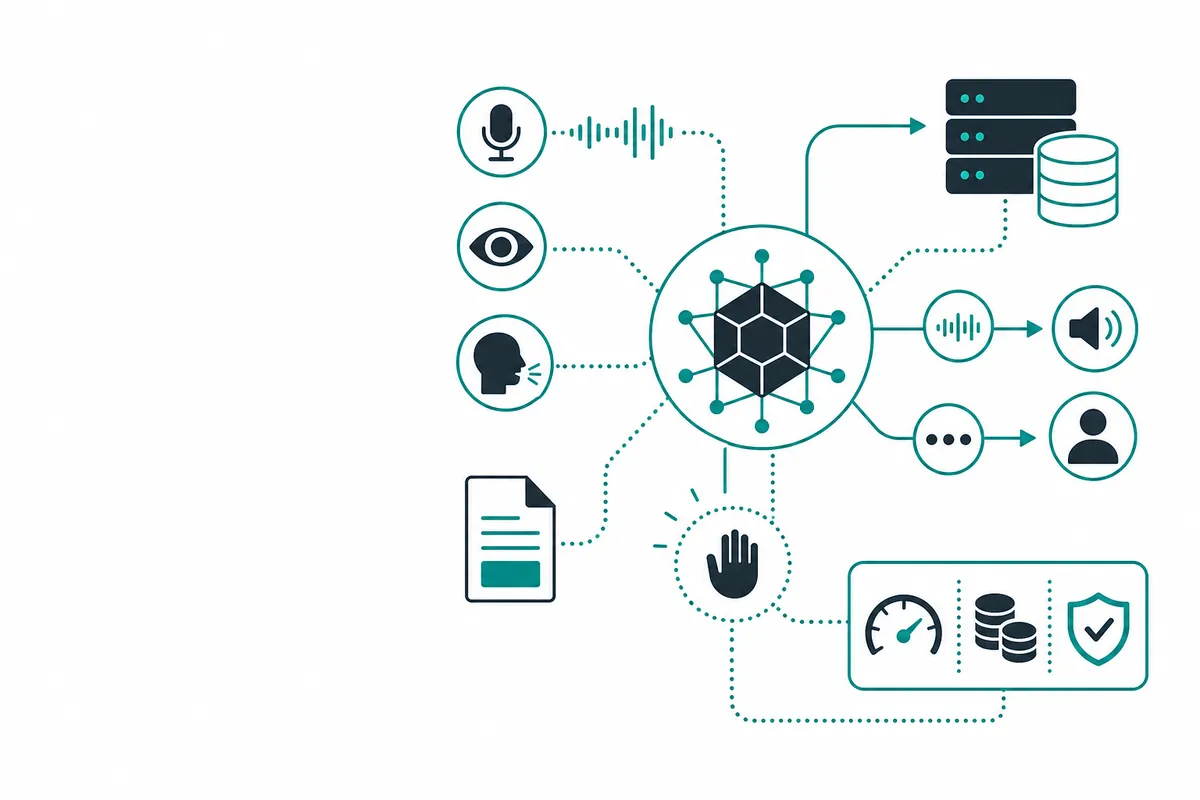
Qwen2.5-Omni is a multimodal model family designed to work with combinations of text, images, audio, and video. Its practical value is in applications that need more than a text response: visual inspection, voice assistants, accessibility tools, and real-time customer workflows. Multimodal complexity makes input normalization and latency budgets essential.
What Is This Topic?#
Qwen2.5-Omni can be compelling for teams exploring open model ecosystems or multimodal interactions. Gemini and GPT APIs may offer different hosted tooling, documentation, and latency characteristics. Compare audio formats, vision resolution, streaming semantics, interruption handling, and data retention, not just benchmark scores.
Qwen2.5-Omni vs Gemini and GPT multimodal APIs#
The right comparison depends on the workload. Start with a representative sample: the same inputs, expected output contract, maximum latency, and review rubric. For API buyers, also compare authentication, regional availability, rate limits, streaming, webhooks, content policies, and support. A developer tool or model should earn adoption by reducing the cost of a successful outcome, not by winning a screenshot benchmark.
How to Use It With an API#
The following examples use environment variables for credentials. Replace placeholder model identifiers with the current value in the provider or Crazyrouter documentation. Keep keys on a trusted server, set request timeouts, and validate response schemas before passing output to downstream code.
from openai import OpenAI
import os
client = OpenAI(base_url="https://crazyrouter.com/v1", api_key=os.environ["CRAZYROUTER_API_KEY"])
response = client.chat.completions.create(model="qwen2.5-omni", messages=[{"role":"user","content":[{"type":"text","text":"Describe the visible safety issue."},{"type":"image_url","image_url":{"url":"https://example.com/frame.jpg"}}]}])
print(response.choices[0].message.content)
const body = {model: "qwen2.5-omni", messages: [{role: "user", content: "Give a concise spoken-assistant reply."}], stream: true};
const r = await fetch("https://crazyrouter.com/v1/chat/completions", {method: "POST", headers: {Authorization: `Bearer ${process.env.CRAZYROUTER_API_KEY}`, "Content-Type": "application/json"}, body: JSON.stringify(body)});
console.log(r.status);
Implementation Checklist#
Before production, pin the model identifier where possible and record the request manifest: model, prompt version, input asset hashes, token limits, timeout, and routing decision. Add structured logs without storing secrets or unnecessary user content. Use exponential backoff for transient errors, an idempotency key for long-running jobs, and a dead-letter queue for requests that need human review.
A useful acceptance test has three layers. First, validate the API contract: authentication, schema, status codes, and streaming or webhook behavior. Second, validate model behavior with a small fixed evaluation set. Third, validate economics by measuring tokens, render seconds, retries, and successful outcomes. This keeps a low headline price from hiding an expensive failure mode.
For interactive traffic, define a latency budget before selecting a model. Measure time to first token separately from time to the complete response, and make the client resilient to partial streams. For video and other long-running work, persist the job ID before returning success to the caller. Webhook handlers should verify signatures where supported, be idempotent, and respond quickly before handing work to a queue.
Treat model output as untrusted input. Validate JSON against a schema, escape generated text before rendering HTML, and require confirmation before an agent performs destructive actions. Keep provider errors distinct from application errors so dashboards can show whether a failure came from authentication, rate limiting, invalid input, moderation, or an upstream outage. These details make a pricing comparison useful after launch, not only in a spreadsheet.
Pricing Notes#
Provider prices, quotas, model names, and included features change. The tables above describe the billing dimensions to compare, not a promise of a static rate. Check the official provider page and the live Crazyrouter pricing page immediately before launch. For a production budget, estimate normal, peak, and retry-heavy traffic separately.
Frequently Asked Questions#
| Cost driver | Example impact | Control |
|---|---|---|
| Audio tokens | Long sessions increase usage | VAD, turn limits, summaries |
| Vision inputs | High-resolution frames cost more | Sample frames and resize |
| Streaming | More connections and retries | Backpressure and timeouts |
| Crazyrouter route | Current model rate | Shared budgets and fallback policy |
What is Qwen2.5-Omni?#
It is a multimodal model family for working with text and, depending on the endpoint, visual and audio inputs or outputs.
Can it power a voice assistant?#
Yes, but production quality also depends on audio transport, turn detection, interruption handling, and text-to-speech.
How do I reduce multimodal cost?#
Resize images, sample video frames, summarize long sessions, cap audio turns, and route simple requests to a smaller model.
Summary#
The practical path is to start with a small evaluation set, measure quality and effective cost, then add the operational controls your workload needs. Crazyrouter can be useful when you want a single OpenAI-compatible integration surface for multiple AI models, with routing and budget decisions kept in the backend. Review the current catalog, create an account, and test the exact model and limits required by your application.