简体中文
简体中文 繁體中文
繁體中文 English
 Français
 Русский
 日本語
日本語 Tiếng Việt
 한국어
한국어 Deutsch
 Español
 Italiano
 Português
 العربية
 ไทย
ไทย Bahasa Indonesia
 Bahasa Melayu
 Türkçe
 Polski
 Nederlands
 Dansk
Dansk Norsk
Norsk Қазақша
Text-Embedding-3-Small API: Batch Inputs, Dimensions, and Search
Use text-embedding-3-small with tested 1536- and 512-dimension responses, a runnable semantic-search example, and clear guidance on batching and index consistency.
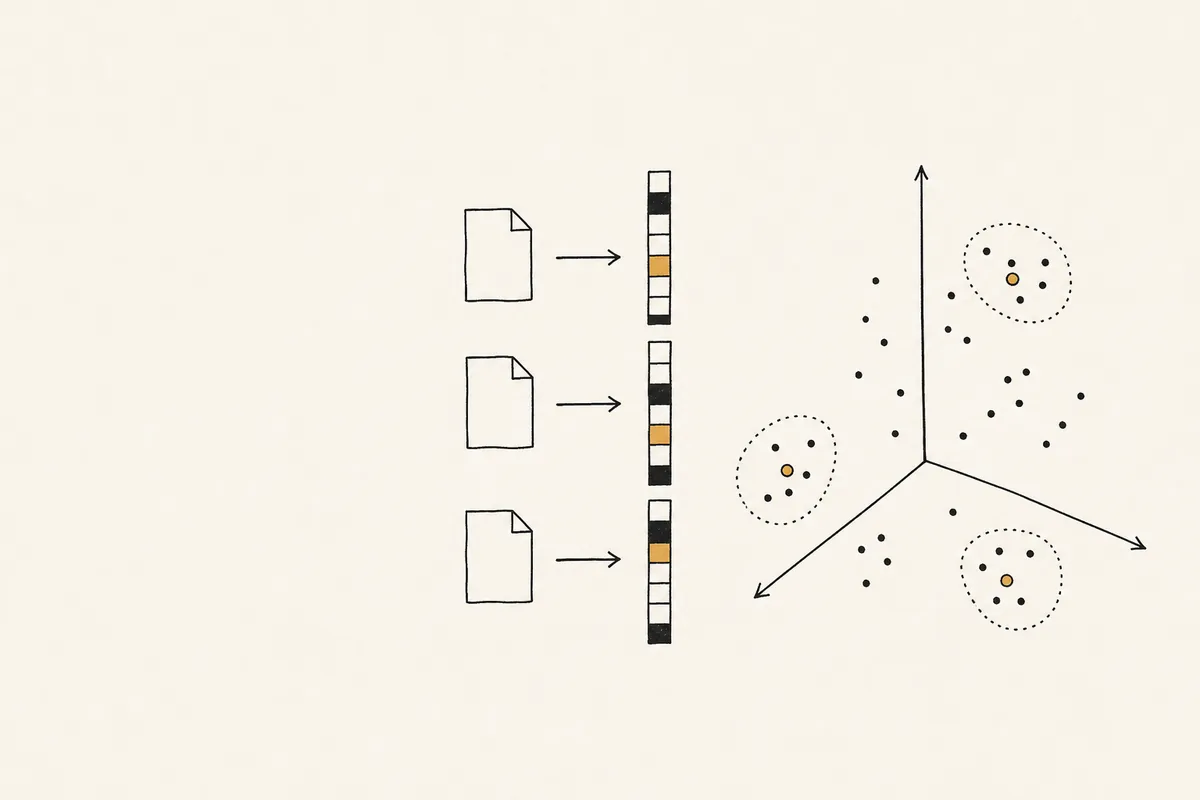
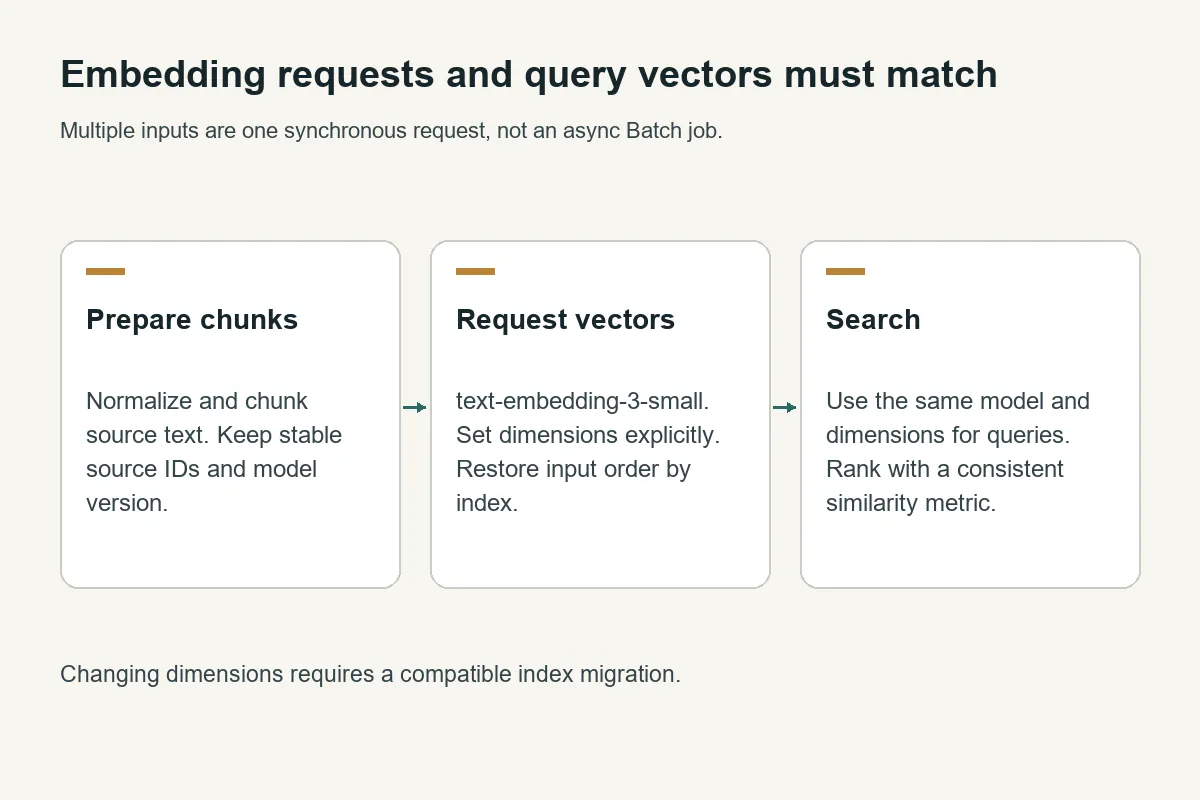
Call text-embedding-3-small with one string or an array of strings, then validate the returned indices and vector lengths. Use the same model, dimensions, and preprocessing for indexed documents and queries; changing any of them requires an explicit migration plan.
Crazyrouter is an AI API gateway on which this test returned 3 vectors per request at both 1,536 and 512 dimensions using text-embedding-3-small.
This guide was refreshed on October 11, 2026, with synthetic inputs through https://cn.crazyrouter.com/v1/embeddings. It covers synchronous API basics. For dimension selection rather than setup, use the existing embedding dimension-selection guide. For ongoing document changes, use the incremental embedding index implementation.
What the embedding API returns#
An embedding is a numeric representation of input text. Nearby vectors can help retrieve semantically related content, but similarity is not a guarantee of factual relevance. Evaluate retrieval on your own questions and documents before choosing a model or dimension count.
| Property | Official model behavior or observed result |
|---|---|
| Model | text-embedding-3-small |
| Default dimension count | 1,536; confirmed in this run |
| Requested reduced dimension count | 512; confirmed in this run |
| Number of inputs in each shape test | Three |
| Encoding | Explicit encoding_format: "float" |
| Response ordering field | data[i].index |
| API style | Synchronous /v1/embeddings |
OpenAI's embedding guide documents dimension shortening for third-generation embeddings and the default 1,536 dimensions for this model. The OpenAI model catalog helps discover related models, but gateway availability must be checked using your credential and an actual request.
A complete semantic-similarity example#
Install requests with python -m pip install requests. Provide CRAZYROUTER_API_KEY through the process environment, save the code as embedding_demo.py, and run python embedding_demo.py.
import json
import math
import os
import requests

texts = ["Reset an API key.", "Rotate a credential.", "Bake a loaf of bread."]
base = os.getenv("CRAZYROUTER_BASE_URL", "https://cn.crazyrouter.com/v1")
response = requests.post(base.rstrip("/") + "/embeddings",
    headers={"Authorization": "Bearer " + os.environ["CRAZYROUTER_API_KEY"]},
    json={"model": "text-embedding-3-small", "input": texts,
          "dimensions": 512, "encoding_format": "float"}, timeout=(10, 60))
response.raise_for_status()
data = response.json()
rows = sorted(data["data"], key=lambda row: row["index"])
if [r["index"] for r in rows] != list(range(len(texts))):
    raise ValueError("missing or duplicate embedding indices")
vectors = [r["embedding"] for r in rows]
if any(len(v) != 512 or not all(math.isfinite(x) for x in v) for v in vectors):
    raise ValueError("unexpected embedding shape")

def cosine(a, b):
    if len(a) != len(b):
        raise ValueError("vector dimension mismatch")
    denominator = math.sqrt(sum(x*x for x in a) * sum(x*x for x in b))
    if not denominator:
        raise ValueError("zero vector")
    return sum(x*y for x, y in zip(a, b)) / denominator

# First input is the query; the remaining two are candidate documents.
ranking = sorted([(texts[i], cosine(vectors[0], vectors[i]))
                  for i in range(1, len(texts))], key=lambda row: row[1], reverse=True)
print(json.dumps({"dimensions": [len(v) for v in vectors], "ranking": ranking,
                  "usage": data.get("usage")}, indent=2))
The first input acts as the query; the second and third are two candidate documents. In the recorded run, “Rotate a credential.” ranked first at cosine similarity 0.3462, followed by “Bake a loaf of bread.” at 0.2338. This tiny fixture verifies request handling and ranking logic. It is not a benchmark of retrieval quality across a corpus.
The program sorts responses by index, checks that every expected index appears exactly once, and rejects vectors of the wrong size or with nonfinite values. It computes cosine similarity explicitly, so it does not need to assume exact unit-length normalization from a gateway. For a larger corpus, store document embeddings and embed only the new query at search time.
Measured dimensions and calculated storage#
The two shape tests sent the same texts: Reset an API key., Rotate a credential., and Bake a loaf of bread. The default request returned three vectors of length 1,536; the request with dimensions: 512 returned three vectors of length 512. Both returned HTTP 200 with usable vector arrays.
| Representation | Values per vector | Raw float32 bytes per vector | Raw float32 bytes for 1 million vectors |
|---|---|---|---|
| Default dimensions | 1,536 | 6,144 | 6,144,000,000 |
| Reduced dimensions | 512 | 2,048 | 2,048,000,000 |
These storage values are calculations, not observed database sizes: dimensions × 4 bytes × vector count. They exclude JSON serialization, source text, metadata, vector-index overhead, allocator overhead, and replicas. Python lists and JSON strings consume much more space than packed float32 arrays.
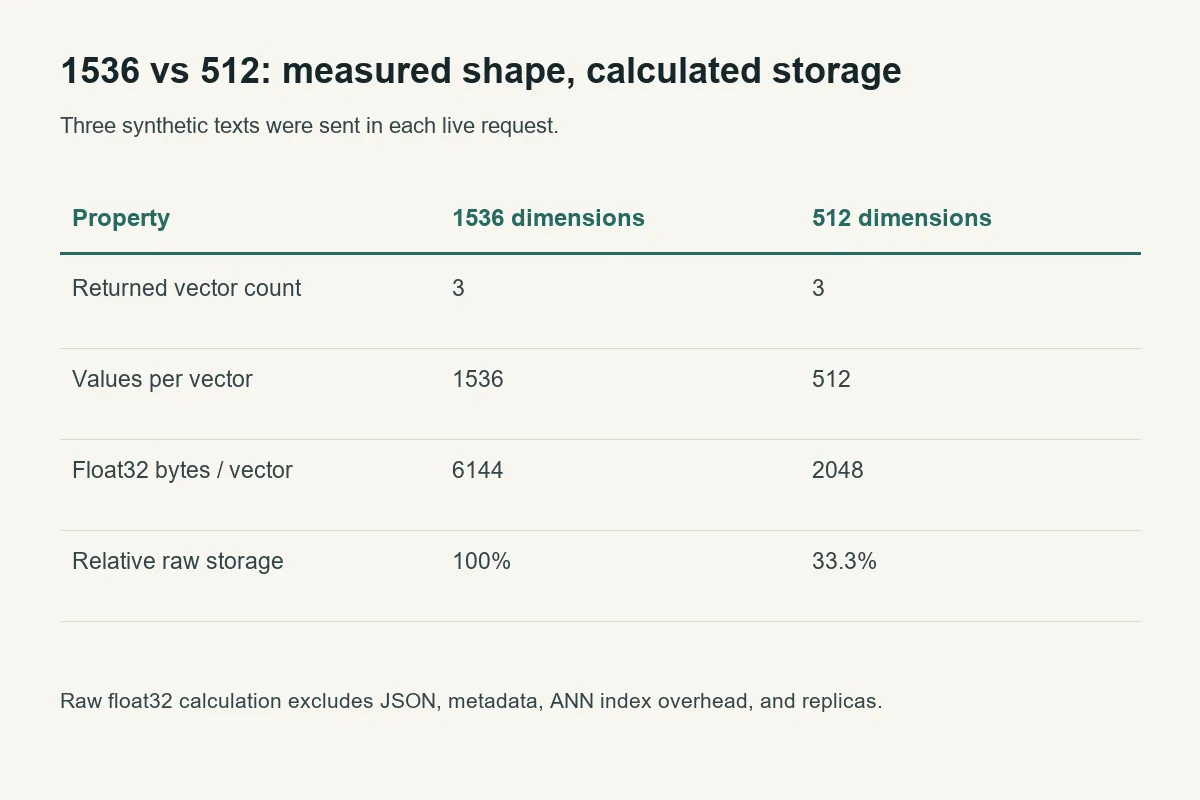
Reducing dimensions to one third reduces this raw vector storage to one third. It does not prove equal retrieval quality or a one-third API bill. Token-based embedding charges depend on input and the provider's current rates; check the model pricing reference rather than hard-coding an old price into a capacity estimate.
Batch inputs are not the asynchronous Batch API#
Putting several strings in input is one synchronous request: the response contains vectors for those inputs. A provider's asynchronous Batch API has a different submission, processing, and result-retrieval lifecycle. Do not assume batch discounts or Batch API support merely because a multi-input embedding request works. The AI batch-processing guide describes the broader job-processing pattern.
The official embedding API reference documents limits including 8,192 tokens per input, a maximum input-array size of 2,048, and an aggregate request-token limit. These are upstream documented ceilings, not limits stress-tested here. This campaign only submitted three short inputs in a request; gateway body limits, account limits, and routes can be stricter.
Count tokens with the documented tokenizer for the model, chunk long documents, and leave headroom. Empty text should be rejected or removed deliberately. Do not split only by arbitrary characters and assume the result fits a token limit. The complete indexing example deliberately treats its input values as already prepared chunks.
Keep the vector index consistent#
Store the model identifier, requested dimensions, and preprocessing/chunker revision alongside your vectors. An old 1,536-dimension index cannot accept a new 512-dimension query without a planned conversion and evaluation. Even equally sized vectors from different models do not necessarily occupy the same embedding space.
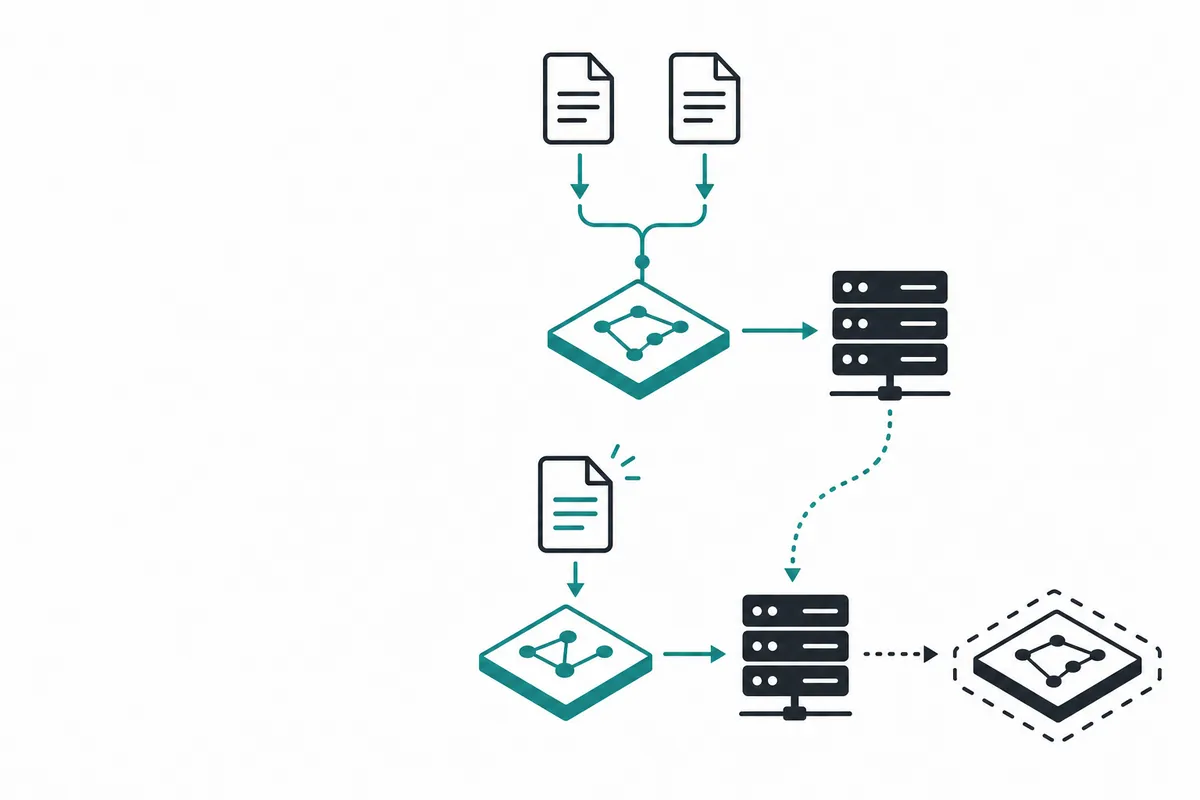
Deduplicate identical normalized text before sending it. Preserve the source-to-vector mapping separately so two documents can share a vector without losing their identities. When a source disappears, remove its retrieval link; garbage-collect the vector only if no remaining source uses it. The incremental indexing implementation linked above covers that lifecycle with checkpoints and atomic snapshot publication.
Use bounded retries for temporary errors and persist finished work. A timeout after inference may cause duplicate paid work if replayed. The bounded API retry implementation provides a tested policy with attempt and deadline limits.
FAQ#
How many dimensions does text-embedding-3-small return?#
The default is 1,536. This run also confirmed 512 when explicitly requested using dimensions.
Can I embed multiple texts in one request?#
Yes; the tested request used an array of three strings. That is synchronous multi-input embedding, not proof of an asynchronous Batch API.
Is 512 always as accurate as 1,536?#
No such result was measured here. Evaluate retrieval recall and downstream answer quality on representative data before reducing dimensions.
Does a shorter vector reduce the token bill?#
Not automatically. Shorter vectors reduce raw vector storage; pricing may still be based on input tokens. Check the applicable rate and billing units.
Can I mix vectors from two embedding models?#
Do not place them in one searchable space without a justified alignment method. Keep model versions and dimensions in separate namespaces and evaluate any migration.
Must I re-embed the whole corpus after every edit?#
No. Reuse vectors for unchanged content and embed only new unique text. Use stable source IDs, versioned hashes, and a recoverable update process.
Implementation Guides
Available in other languages: