Crazyrouter
How to Deploy Clawdbot: Build Your Free 24/7 AI Assistant in 5 Minutes
Want a personal AI assistant that runs 24/7, connects to WhatsApp, Telegram, and Discord, and costs almost nothing to host? Meet Clawdbot - an open-source project that makes this surprisingly easy.
Want a personal AI assistant that runs 24/7, connects to WhatsApp, Telegram, and Discord, and costs almost nothing to host? Meet Clawdbot - an open-source project that makes this surprisingly easy.
In this guide, I'll show you exactly how to set up Clawdbot on AWS's free tier, configure it with your preferred AI model, and start chatting with your own AI assistant through any messaging platform.
What is Clawdbot?#
Clawdbot is an open-source AI assistant framework that lets you:
- Run your own AI assistant on the cloud or locally
- Connect through any channel - WhatsApp, Telegram, Discord, and more
- Full system access - it can execute commands, manage files, and interact with APIs
- Extensible with skills and plugins - add web search, GitHub integration, email management, and hundreds of other capabilities
- Completely free and open source - you only pay for the AI API calls
The project has been gaining traction in the developer community, with people building everything from smart shopping assistants to automated coding helpers.
Real-World Use Cases#
Before we dive into setup, here are some cool things people are building with Clawdbot:
Smart Shopping with Ray-Ban Meta Glasses
One popular use case: connect Clawdbot to WhatsApp, then use Meta Ray-Ban smart glasses to take photos of products in stores. Ask Clawdbot "What's the price on Amazon?" and if it's cheaper, tell it to add to your cart. All hands-free, through voice.
Personal Developer Assistant
Give Clawdbot its own GitHub account and let it help with code reviews, pull requests, and even writing code. It can access your repositories and understand your codebase context.
Health & Productivity Tracking
Connect it to your health apps, calendar, and email. Get daily summaries, reminders, and insights - all through a simple chat interface.
What You'll Need#
- An AWS account (free tier is enough)
- An AI API key (Anthropic, OpenAI, or a proxy service)
- 10 minutes of your time
- Optional: Telegram/WhatsApp/Discord account for messaging
Step 1: Create an AWS EC2 Instance#
AWS offers a generous free tier that's perfect for running Clawdbot 24/7.
- Go to AWS Console and sign in
- Search for "EC2" and click on it
- Click the orange "Launch Instance" button
- Configure your instance:
- Name: Give it a name (e.g., "clawdbot-server")
- OS: Select Ubuntu (recommended)
- Instance type: Search for "free" and select the largest free-tier eligible option (t2.micro or t3.micro with 1GB RAM works, but 8GB is better if available)
- Key pair: You can skip this for now (we'll use browser-based SSH)
- Click "Launch Instance"
That's it for the server setup. Wait about 30 seconds for the instance to start.
Step 2: Connect to Your Server#
- Click on your instance ID in the AWS console
- Click "Connect" in the top right
- Click "Connect" again in the bottom right
- You're now in a terminal connected to your server
Step 3: Install Clawdbot (One Command)#
This is the magic part. Run this single command:
curl -fsSL https://claw.bot/install.sh | bash
The installer will:
- Download all necessary dependencies
- Set up the Clawdbot environment
- Launch the configuration wizard
Installation takes 2-5 minutes depending on your server speed.
Step 4: Configure Your Bot#
Once installation completes, you'll enter the onboarding wizard:
Accept the Terms#
First, acknowledge that giving an AI system access to your files and APIs carries some risk. This is especially important if you're running on your personal machine.
Choose Your AI Provider#
You have several options:
| Provider | Pros | Cons |
|---|---|---|
| Anthropic (Claude) | Best reasoning, safest | $20/month for Max plan, or pay-per-use |
| OpenAI (GPT-4) | Great all-rounder | Can get expensive |
| API Proxy Service | Cheapest, access to all models | Need to trust the provider |
Pro tip: If you want to save 30-50% on API costs, consider using an API aggregator service. More on this later.
Select Your Model#
For the best experience, choose the latest Claude model (Opus 4.5 or Sonnet). These have the best reasoning capabilities for an AI assistant.
Set Up Messaging Channels#
Clawdbot supports multiple channels. Here's how to set up Telegram (the easiest):
- Open Telegram and search for @BotFather
- Send
/newbotand follow the prompts - Copy the API token BotFather gives you
- Paste it into the Clawdbot setup wizard
For WhatsApp, the setup is similar but requires scanning a QR code.
Give Your Bot an Identity#
This is where you personalize your assistant:
- Bot name: What should it call itself?
- Your name: What should it call you?
- Purpose: What's its main job? (e.g., "personal assistant", "coding helper")
- Vibe: Casual, professional, or somewhere in between?
The bot will use this information to build its personality and communication style.
Step 5: Add Your First Skill#
Skills extend what your bot can do. I recommend starting with the Exa web search skill - it's free and incredibly useful:
Create a skill by wrapping this MCP: exa
This gives your bot the ability to search the web, find current information, and answer questions about recent events.
Other popular skills:
- GitHub: Code collaboration and repository management
- Gmail: Email reading and sending
- Calendar: Schedule management
- File system: Local file access (be careful with this one)
Step 6: Start Chatting#
Open your configured messaging app (Telegram, WhatsApp, etc.) and send a message to your bot. Try something like:
- "What's the weather like today?"
- "Search for the latest news about AI"
- "Help me write a Python script that..."
Your personal AI assistant is now live and running 24/7.
Saving Money on API Costs#
Here's something most tutorials don't tell you: running an AI assistant can get expensive. If you're chatting regularly, you might spend $20-50/month on API calls alone.
The Problem with Direct API Access#
Using Anthropic or OpenAI directly means:
- Full price per token
- No bulk discounts
- Payment in USD (currency conversion fees)
- Rate limits on free tiers
A Smarter Approach: API Aggregators#
Services like Crazyrouter aggregate multiple AI providers and offer:
- 30-50% lower prices than direct API access
- Access to 300+ models through one API key
- No rate limit hassles
- Pay-as-you-go pricing
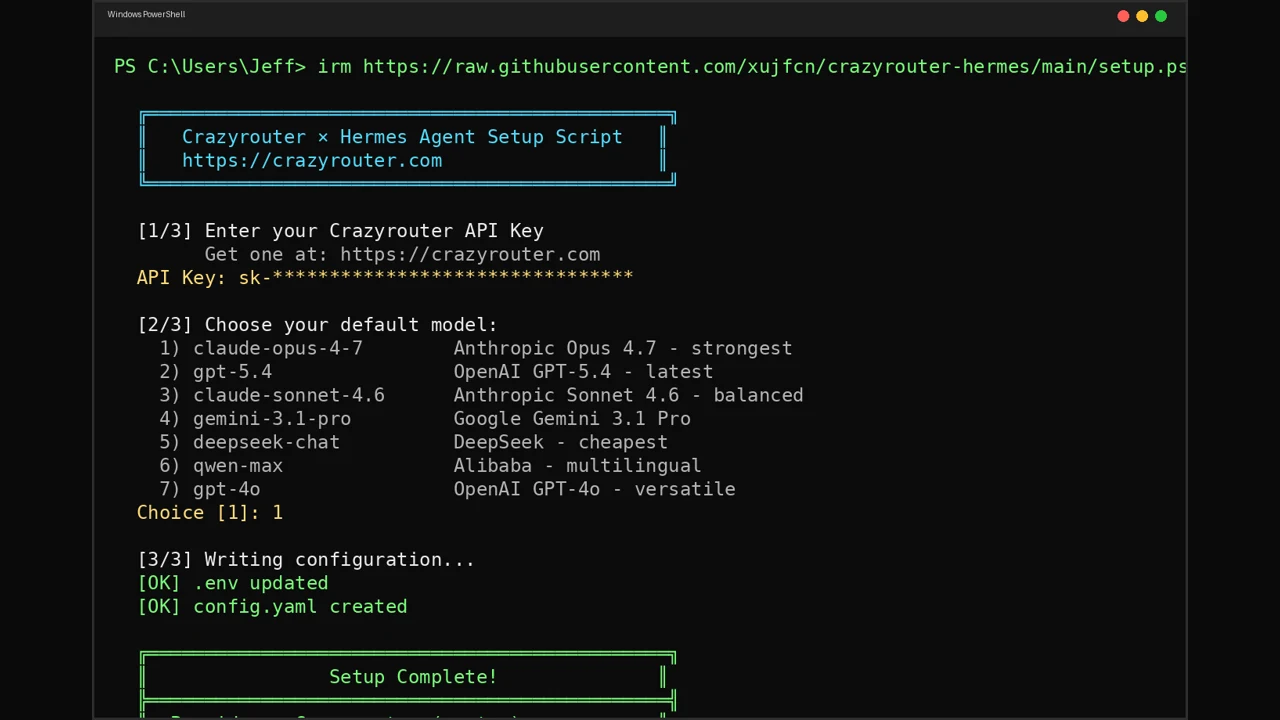
To use Crazyrouter with Clawdbot, simply change your API configuration:
Base URL: https://api.crazyrouter.com/v1
API Key: your-crazyrouter-key
Everything else stays the same - same models, same quality, lower cost.
Cost Comparison Example#
| Usage Level | Direct Anthropic | Via Crazyrouter | Savings |
|---|---|---|---|
| Light (casual chat) | ~$10/month | ~$6/month | 40% |
| Medium (daily use) | ~$30/month | ~$18/month | 40% |
| Heavy (power user) | ~$80/month | ~$48/month | 40% |
Check out our complete pricing page for detailed rates on all 300+ models.
Troubleshooting Common Issues#
Bot not responding?#
- Check if your EC2 instance is running
- Verify your API key is valid
- Make sure you have API credits remaining
Telegram connection failed?#
- Double-check your bot token from BotFather
- Make sure you started a conversation with your bot first
- Try regenerating the token
High API costs?#
- Switch to a smaller model for simple tasks
- Use an API aggregator service
- Optimize your prompts to use fewer tokens
What's Next?#
Now that you have a basic setup, here are some ideas to explore:
- Add more skills - GitHub, Gmail, Calendar integration
- Create custom skills - Build your own MCP integrations
- Multi-model setup - Use different models for different tasks
- Connect more channels - Add Discord, Slack, or other platforms
Join the Community#
Clawdbot has an active Discord community where developers share skills, troubleshoot issues, and showcase their builds. The maintainers are incredibly responsive - as one user put it, "Peter never sleeps, he's always there shipping and merging pull requests."
- GitHub: github.com/clawdbot/clawdbot
- Website: claw.bot
- Discord: Join the "Friends of the Crustaceans" community
Conclusion#
Setting up your own AI assistant used to require significant technical expertise. With Clawdbot, it's now a 5-minute process that anyone can follow.
The combination of open-source flexibility, multi-channel support, and extensible skills makes Clawdbot one of the most powerful personal AI assistant frameworks available today.
Ready to get started? Head to claw.bot and run that one-liner. Your 24/7 AI assistant awaits.
Want to save on API costs? Try Crazyrouter - access Claude, GPT-4, Gemini, and 300+ other models through a single API at up to 50% lower cost.