简体中文
简体中文 繁體中文
繁體中文 English
 Français
 Русский
 日本語
日本語 Tiếng Việt
 한국어
한국어 Deutsch
 Español
 Italiano
 Português
 العربية
 ไทย
ไทย Bahasa Indonesia
 Bahasa Melayu
 Türkçe
 Polski
 Nederlands
 Dansk
Dansk Norsk
Norsk Қазақша
OpenAI-Compatible API Base URL Explained: How to Configure Any AI Tool
The OpenAI API base URL is https://api.openai.com/v1. Learn what a base URL is, how to point Python, Node.js, curl, Cursor, Claude Code, Codex and other tools at an OpenAI-compatible gateway, and how to avoid the missing-/v1 mistake.

OpenAI-Compatible API Base URL Explained: How to Configure Any AI Tool#
If an AI tool says it supports an “OpenAI-compatible API,” it usually means you do not need a new SDK.
You keep the familiar OpenAI request format, then change three things:
- the API key;
- the model name;
- the API Base URL.
That last one — the Base URL — is where many setup problems happen.
From real support conversations, the most common mistakes are simple:
- the endpoint is missing
/v1; - the API key is from the wrong provider;
- the tool is still sending requests to the official OpenAI endpoint;
- the selected model name does not exist on the gateway;
- users in a restricted or unstable region are using the wrong route.
This guide explains what the Base URL does and how to configure it in Python, Node.js, curl, Cursor, LiteLLM, FastGPT, and Codex-style tools.
Quick answer#
OpenAI's own API base URL is https://api.openai.com/v1. That is what the official SDKs use when you set nothing. An OpenAI-compatible gateway is any server that accepts the same request shape at a different base URL, so switching providers is a one-line change:
| Provider | Base URL |
|---|---|
| OpenAI (official) | https://api.openai.com/v1 |
| Crazyrouter (global) | https://api.crazyrouter.com/v1 |
| Crazyrouter (China-optimised route) | https://cn.crazyrouter.com/v1 |
| Any local server (Ollama, LM Studio, vLLM) | http://localhost:11434/v1 or similar |
Rules that prevent 90% of setup failures: keep the /v1 suffix, use the API key issued by the same provider as the base URL, and never add tracking parameters to an API endpoint (UTM belongs on links people click, not on URLs your SDK calls).
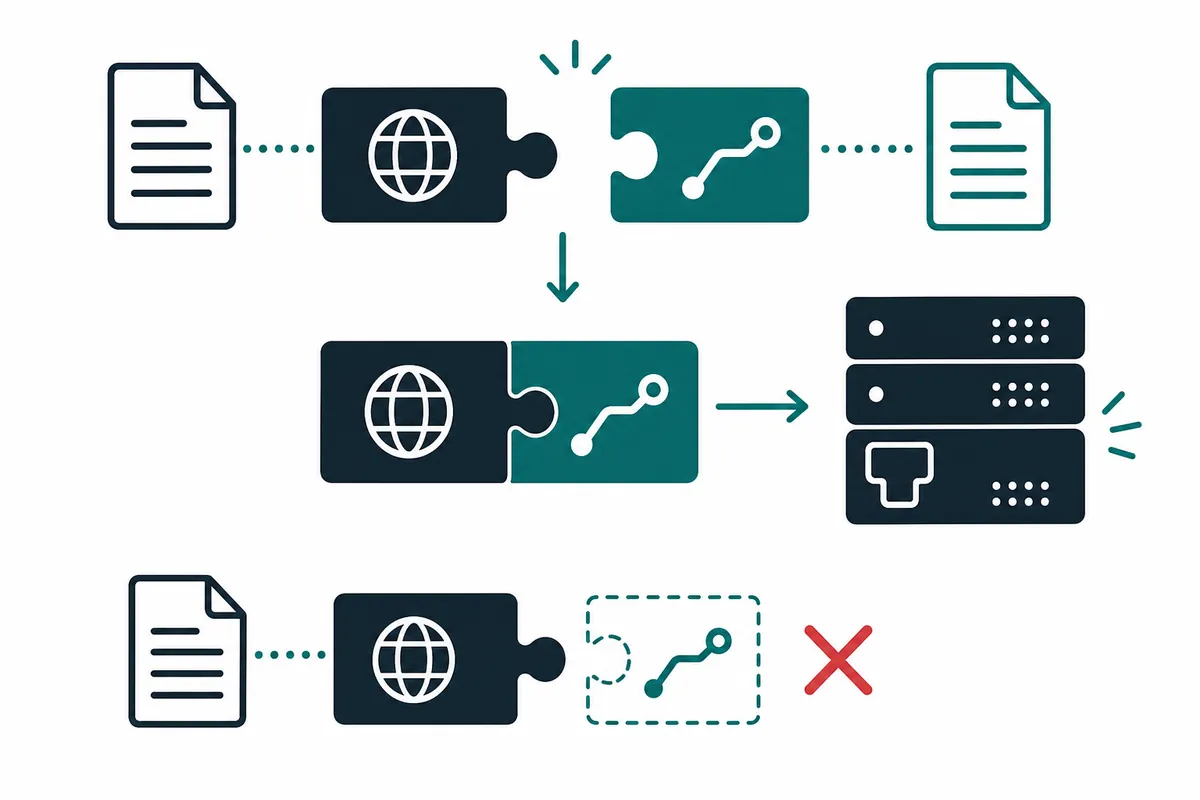
Tool-by-tool settings for Cursor, Claude Code, Codex, Cline, OpenCode, Gemini CLI, Aider and more are collected in the Crazyrouter integrations guides.
What is an API Base URL?#
An API Base URL is the prefix used before endpoint paths such as:
/chat/completions
/responses
/embeddings
/images/generations
For example, if your Base URL is:
https://crazyrouter.com/v1
then a chat completion request goes to:
https://crazyrouter.com/v1/chat/completions
The SDK builds that full URL for you.
That is why one missing /v1 can break an otherwise correct setup.
Why OpenAI-compatible APIs are useful#
Many tools and SDKs were originally designed for the OpenAI API format.
OpenAI-compatible gateways let developers keep that interface while routing requests to different model families, such as GPT, Claude, Gemini, DeepSeek, Qwen, image models, audio models, and more.
The benefit is practical:
| Without an OpenAI-compatible gateway | With an OpenAI-compatible gateway |
|---|---|
| Different SDKs for different providers | One familiar SDK format |
| Provider-specific billing and keys | One API key for many model routes |
| Harder fallback between models | Easier model switching and fallback |
| More integration work per tool | Change Base URL, API key, and model name |
In Crazyrouter’s case, you can use one API layer across 627+ models and keep common OpenAI-compatible tooling.
Crazyrouter Base URL options#
Use this table as the default decision guide.
| Use case | Base URL |
|---|---|
| Standard OpenAI-compatible API access | https://crazyrouter.com/v1 |
| Region route for domestic/unstable access | https://cn.crazyrouter.com/v1 |
| Anthropic native Messages API style | https://crazyrouter.com |
| Gemini native API style | Use the Gemini-compatible endpoint format in docs |
Most users configuring OpenAI SDK, Cursor-style tools, LiteLLM, FastGPT, or custom HTTP clients should start with:
https://crazyrouter.com/v1
Python OpenAI SDK example#
Install the OpenAI Python SDK:
pip install openai
Then configure the client with a custom Base URL:
from openai import OpenAI

client = OpenAI(
    api_key="YOUR_CRAZYROUTER_API_KEY",
    base_url="https://crazyrouter.com/v1"
)

response = client.chat.completions.create(
    model="gpt-5-mini",
    messages=[
        {"role": "user", "content": "Explain API Base URL in one sentence."}
    ]
)

print(response.choices[0].message.content)
If you need the region endpoint, only change base_url:
client = OpenAI(
    api_key="YOUR_CRAZYROUTER_API_KEY",
    base_url="https://cn.crazyrouter.com/v1"
)
The API key and model name do not need to change just because you switched endpoint routes.
Node.js OpenAI SDK example#
Install the SDK:
npm install openai
Use baseURL in the client:
import OpenAI from "openai";

const client = new OpenAI({
  apiKey: process.env.CRAZYROUTER_API_KEY,
  baseURL: "https://crazyrouter.com/v1",
});

const response = await client.chat.completions.create({
  model: "gpt-5-mini",
  messages: [
    { role: "user", content: "Give me a one-line API setup checklist." },
  ],
});

console.log(response.choices[0].message.content);
For the region endpoint:
const client = new OpenAI({
  apiKey: process.env.CRAZYROUTER_API_KEY,
  baseURL: "https://cn.crazyrouter.com/v1",
});
curl example#
For a direct HTTP test, use curl:
curl https://crazyrouter.com/v1/chat/completions \
  -H "Content-Type: application/json" \
  -H "Authorization: Bearer YOUR_CRAZYROUTER_API_KEY" \
  -d '{
    "model": "gpt-5-mini",
    "messages": [
      {"role": "user", "content": "Say hello from an OpenAI-compatible API."}
    ]
  }'
For the region endpoint:
curl https://cn.crazyrouter.com/v1/chat/completions \
  -H "Content-Type: application/json" \
  -H "Authorization: Bearer YOUR_CRAZYROUTER_API_KEY" \
  -d '{
    "model": "gpt-5-mini",
    "messages": [
      {"role": "user", "content": "Test the region endpoint."}
    ]
  }'
Environment variables#
Some tools read endpoint settings from environment variables.
A common setup is:
export OPENAI_API_KEY="YOUR_CRAZYROUTER_API_KEY"
export OPENAI_BASE_URL="https://crazyrouter.com/v1"
For the region endpoint:
export OPENAI_API_KEY="YOUR_CRAZYROUTER_API_KEY"
export OPENAI_BASE_URL="https://cn.crazyrouter.com/v1"
If a tool uses OPENAI_API_BASE, OPENAI_BASE_URL, BASE_URL, or a UI field named “API endpoint,” check its documentation. The concept is the same, but the variable name may differ.
Cursor-style tools#
Many AI coding tools support custom API keys or custom models.
The exact UI changes over time, but the setup usually follows this pattern:
- Open model/provider settings.
- Choose OpenAI-compatible or custom provider.
- Paste your Crazyrouter API key.
- Set Base URL to
https://crazyrouter.com/v1. - Add or select the model name you want to use.
- Send a small test prompt.
If the tool is used from a region where the global endpoint is unstable, use:
https://cn.crazyrouter.com/v1
This pattern also applies to many Codex-style, Claude Code wrapper, Cline-style, and background-agent workflows that support OpenAI-compatible endpoints.
LiteLLM setup notes#
LiteLLM is often used as a local SDK or proxy layer for multiple providers.
For an OpenAI-compatible route, you typically configure:
model_list:
  - model_name: crazyrouter-gpt-5-mini
    litellm_params:
      model: openai/gpt-5-mini
      api_key: os.environ/CRAZYROUTER_API_KEY
      api_base: https://crazyrouter.com/v1
If you use the region endpoint:
api_base: https://cn.crazyrouter.com/v1
The main thing is to keep the endpoint, key, and model name aligned.
FastGPT, Hermes, and other UI tools#
Tools such as FastGPT, Hermes-style clients, and internal admin dashboards often expose fields like:
- API Key;
- API Base URL;
- Model name;
- Provider type;
- OpenAI-compatible mode.
Use:
API Base URL: https://crazyrouter.com/v1
API Key: your Crazyrouter key
Model: a Crazyrouter-supported model name
Provider type: OpenAI-compatible, if required
For region routing:
API Base URL: https://cn.crazyrouter.com/v1
Common Base URL mistakes#
Mistake 1: missing /v1#
Wrong:
https://crazyrouter.com
Correct for OpenAI-compatible clients:
https://crazyrouter.com/v1
Some native APIs have different endpoint formats, but OpenAI-compatible SDKs generally need /v1.
Mistake 2: using the official provider key#
If you set Crazyrouter as the Base URL, use a Crazyrouter API key.
A provider-native OpenAI, Anthropic, or Google key will not automatically work against a gateway endpoint.
Mistake 3: using a model name the gateway does not support#
If the request reaches the server but fails with a model error, check the model list:
https://crazyrouter.com/models?utm_source=blog&utm_medium=article&utm_campaign=base_url_guide
Use the exact model name shown there.
Mistake 4: mixing global and region endpoints during debugging#
If you test with both endpoints, record which one produced the error.
When asking support for help, include:
- Base URL used;
- model name;
- request time;
- error code;
- simplified request body;
- whether streaming was enabled.
Do not share your full API key in a public chat.
Troubleshooting checklist#
Before contacting support, check this list.
| Check | What to verify |
|---|---|
| Base URL | https://crazyrouter.com/v1 or https://cn.crazyrouter.com/v1 |
| API key | Key is from your Crazyrouter dashboard |
| Authorization | Header is Authorization: Bearer YOUR_KEY |
| Model name | Exact model exists in the model list |
| Balance | Account has enough balance |
| Request path | Chat requests go to /chat/completions through the SDK |
| Region | Use cn endpoint if global access is unstable |
| Prompt size | Reduce long context when debugging |
Where to go next#
After your Base URL works, the next useful steps are:
- compare model options on the models page;
- estimate monthly token cost;
- test fallback models for production;
- document the exact setup your team uses.
Helpful links:
- Model list: https://crazyrouter.com/models?utm_source=blog&utm_medium=article&utm_campaign=base_url_guide
- Pricing calculator: https://crazyrouter.com/tools/pricing-calculator/?utm_source=blog&utm_medium=article&utm_campaign=base_url_guide
- Model comparison: https://crazyrouter.com/tools/model-comparison/?utm_source=blog&utm_medium=article&utm_campaign=base_url_guide
- Background agent workflow tool: https://crazyrouter.com/tools/background-agent-worktree-launcher/?utm_source=blog&utm_medium=article&utm_campaign=base_url_guide
- API docs: https://docs.crazyrouter.com
FAQ#
What is an OpenAI-compatible API Base URL?#
An OpenAI-compatible API Base URL is the endpoint prefix used by OpenAI-style SDKs to send requests to a provider or gateway that implements the OpenAI API format.
What Base URL should I use with Crazyrouter?#
For OpenAI-compatible clients, use https://crazyrouter.com/v1. If you need the region endpoint, use https://cn.crazyrouter.com/v1.
Do I need to change my code when switching models?#
Usually no. In an OpenAI-compatible setup, you often change only the model value while keeping the same SDK, API key, and Base URL.
Why does my custom Base URL fail?#
Common causes include missing /v1, wrong API key, wrong model name, insufficient balance, incorrect provider mode, or a region/network mismatch.
Can I use the same Base URL in Cursor, LiteLLM, FastGPT, and Codex-style tools?#
Yes, if the tool supports OpenAI-compatible custom endpoints. Use the Crazyrouter API key, set the Base URL, and choose a supported model name.