简体中文
简体中文 繁體中文
繁體中文 English
 Français
 Русский
 日本語
日本語 Tiếng Việt
 한국어
한국어 Deutsch
 Español
 Italiano
 Português
 العربية
 ไทย
ไทย Bahasa Indonesia
 Bahasa Melayu
 Türkçe
 Polski
 Nederlands
 Dansk
Dansk Norsk
Norsk Қазақша
Streaming API Implementation Guide: SSE for AI Applications in 2026
Implement production AI streaming with Server-Sent Events, cancellation, backpressure, reconnects, and usage tracking.
Streaming API Implementation Guide: SSE for AI Applications in 2026#
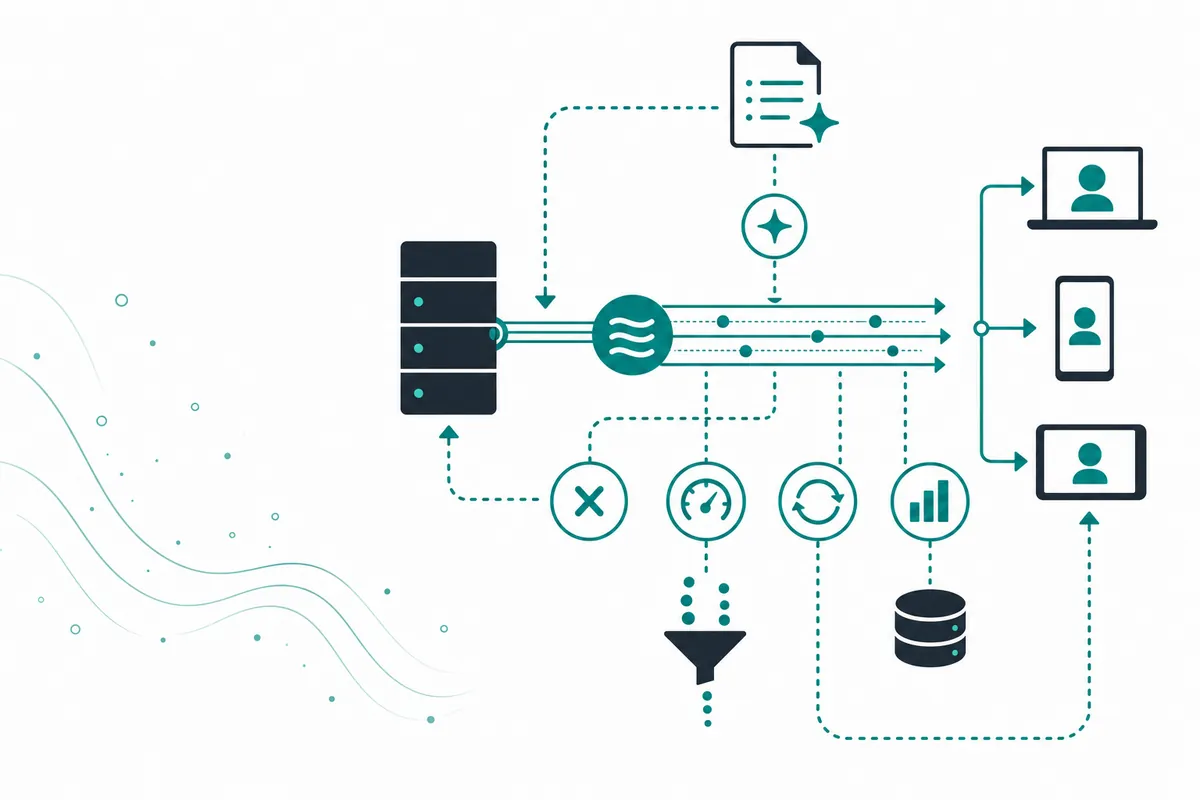
Streaming makes an AI application feel responsive because users see tokens as they are generated instead of waiting for the complete answer. The most common implementation is Server-Sent Events (SSE): the server keeps an HTTP response open and sends a sequence of text events. This guide covers the design details that matter in production.
What is an AI streaming API?#
An AI streaming API returns incremental events—usually text deltas, metadata, and a final usage or completion event—over one long-lived request. SSE is unidirectional, simple to deploy, and works well for server-to-browser delivery. WebSockets are better when the client and server both need continuous messages, such as voice or collaborative sessions.
| Feature | SSE | WebSockets | Polling |
|---|---|---|---|
| Direction | Server to client | Two-way | Repeated requests |
| Browser setup | Native EventSource | WebSocket client | Any HTTP client |
| Proxy friendliness | High | Variable | High |
| Best use | Streaming text | Realtime interaction | Long async jobs |
Request a stream through an OpenAI-compatible API#
curl -N https://crazyrouter.com/v1/chat/completions \
  -H "Authorization: Bearer $CRAZYROUTER_API_KEY" \
  -H "Content-Type: application/json" \
  -d '{"model":"gpt-5-mini","stream":true,"messages":[{"role":"user","content":"Explain SSE in one paragraph"}]}'
The -N flag disables curl buffering. A browser backend should parse each data: event, forward safe content, and end on [DONE] or an explicit terminal event. Do not assume every chunk contains text; some chunks carry role, tool-call, usage, or finish metadata.
Node.js server example#
import OpenAI from "openai";
const client = new OpenAI({ apiKey: process.env.CRAZYROUTER_API_KEY,
  baseURL: "https://crazyrouter.com/v1" });

export async function handler(req, res) {
  res.writeHead(200, { "Content-Type": "text/event-stream",
    "Cache-Control": "no-cache", "Connection": "keep-alive" });
  const stream = await client.chat.completions.create({
    model: "gpt-5-mini", stream: true, messages: req.body.messages
  });
  try {
    for await (const chunk of stream) {
      const text = chunk.choices?.[0]?.delta?.content ?? "";
      if (text) res.write(`data: ${JSON.stringify({ text })}\n\n`);
    }
    res.write("data: [DONE]\n\n");
  } finally { res.end(); }
}
Listen for client disconnects and cancel upstream generation. Set an idle timeout and send a heartbeat comment when the model is quiet. At the edge, disable response buffering for this route. For reconnects, use a request ID and replay buffer only if your product can safely resend the missing suffix; otherwise restart with a clear client state.
Client-side rendering and moderation#
Treat each event as untrusted data. Append text to a plain-text node or sanitize Markdown before rendering it. Do not concatenate a stream into an HTML string and assign it to innerHTML. If the product needs moderation, run policy checks before the request and on the completed answer, with a clear strategy for partial text already shown to the user. For tool calls, buffer and validate the complete call rather than executing a function from an incomplete chunk. Emit a structured error event that the client can translate into a retry or a saved draft.
For mobile clients and unreliable networks, persist the completed answer on the server before sending the final event. The client can then recover the answer by request ID if the connection drops just after generation. Include a server timestamp and sequence number in custom events so logs and client telemetry can identify missing or duplicated chunks. Measure time to first token, time between chunks, completion time, cancellation rate, and abandoned streams; these metrics describe the experience better than average request latency.
Pricing and streaming cost#
| Cost factor | Official provider | Crazyrouter |
|---|---|---|
| Input/output tokens | Official rates | Current usage-based model rates |
| Connection duration | Infrastructure-dependent | Your server and gateway path |
| Retry/reconnect waste | Your application pays | Your application still pays for repeated inference |
| Fixed subscription | Varies | No monthly fee or minimum consumption in documented plan |
Compare current rates at Crazyrouter pricing. Streaming changes time-to-first-token, not the underlying token economics.
FAQ#
Is SSE better than WebSockets for streaming chat?#
For server-to-browser text streaming, SSE is often simpler and more proxy-friendly. Use WebSockets when two-way realtime messages are required.
How do I detect the end of a stream?#
Handle the provider's finish event and terminal marker, then close the response. Do not wait indefinitely for a socket close.
What happens if the browser disconnects?#
Cancel the upstream request when possible and record the request as cancelled. Otherwise the model may continue consuming resources.
Should I stream raw model output to users?#
Apply output policy, encoding, and rendering controls in your server. Never render streamed Markdown or HTML as trusted executable content.
Can Crazyrouter support streaming?#
Its documented OpenAI-compatible chat endpoint supports SSE streaming. Confirm the selected model's current behavior in the API documentation.
Summary#
Reliable streaming requires more than setting stream: true: handle chunk types, cancellation, buffering, heartbeats, errors, and usage accounting. Use Crazyrouter to connect to compatible models while keeping the streaming contract in your own application.